AI Face Swap Video Guide • Updated November 2026
Quick Answer
The best AI face swap video tools in 2026 include:
- Magic Hour: Quick browser-based face swaps.
- AKOOL: Business and marketing videos.
- DeepSwap: Video and multi-face editing.
- Reface: Mobile entertainment and templates.
- FaceFusion: Free local processing for technical users.
For preparing and editing your recordings, use Flonnect’s AI Video Editor.
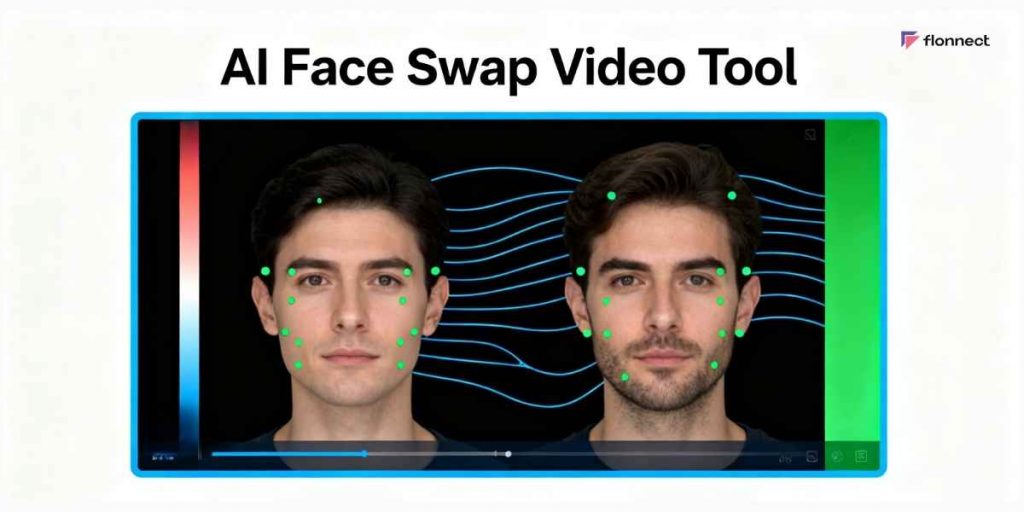
AI face swapping replaces a face in an existing video while attempting to preserve head movement, expressions, and lighting. The technology is useful for consent-based creative projects, entertainment, and professional visual effects.
However, AI face swap video free tools differ in watermark rules, processing limits, privacy, and commercial permissions. This guide compares seven options and explains what to check before uploading footage.
How Flonnect Helps With AI Video Creation and Editing
Flonnect helps creators record, edit, and share videos. Although its publicly documented features do not establish a dedicated face-swap function, it supports important parts of the video production workflow.
Useful Flonnect Features
- HD screen and webcam recording.
- AI-assisted trimming and filler-word removal.
- Automatic transcription and subtitles.
- Video editing and enhancement tools.
- Shareable links for finished recordings.
For a consent-based face-swap project, use a specialist tool for face replacement and an editor such as Flonnect for compatible recording and finishing tasks.
In This Guide
7 Best AI Face Swap Video Tools Compared in 2026
Magic Hour, AKOOL, DeepSwap, Reface, Vidnoz, Remaker, and FaceFusion offer different approaches to AI face replacement. Some work entirely online, while others require local installation or paid credits.
| Tool | Best For | Key Capability | Free Access |
|---|---|---|---|
| Magic Hour | Quick online swaps | Video, photo, GIF replacement | Limited daily generations |
| AKOOL | Business videos | Video and live face swapping | Limited, watermarked |
| DeepSwap | Creative video projects | Video and multiple-face swaps | Limited offers; paid access |
| Reface | Mobile entertainment | Template-based face swaps | Limited free features |
| Vidnoz | Browser-based video | AI face swap and video tools | Limited free usage |
| Remaker AI | Credit-based projects | Photo and video face replacement | Video typically uses credits |
| FaceFusion | Technical users | Local video face processing | Free open-source software |
Comparison based on publicly documented product capabilities reviewed in November 2026. No independent rendering-speed or image-quality benchmark was conducted.
Best choice: Try Magic Hour for simple browser-based projects, AKOOL for business-oriented video workflows, or FaceFusion if you prefer local processing and can handle technical setup.
2026 Research Data
AI Face Swap and Deepfake Statistics in 2026
AI-generated face manipulation also creates serious identity-verification risks. Entrust’s 2026 Identity Fraud Report analyzed more than one billion verification events across global industries and identified growing misuse of deepfake technology.
1 in 5
Biometric fraud attempts involve deepfakes.
58%
Annual increase in deepfaked selfie attempts.
1B+
Identity verification events analyzed.
Source: Entrust, 2026 Identity Fraud Report. Figures concern identity-fraud and biometric-verification activity, not the proportion of ordinary face-swap videos used maliciously.
Why Does This Matter for Video Creators?
Face-swapping technology has legitimate creative uses, but its ability to imitate real identities makes permission and disclosure important. Businesses should verify consent, maintain source records, and avoid presenting altered footage as authentic testimony.
Is AI Face Swap Video Free Unlimited Really Possible?
Free unlimited video face swap is possible with some locally installed software, but online services commonly limit clip length, resolution, daily generations, or exports. FaceFusion is a free local option, although hardware requirements and model licensing still matter.
| Feature | Free Online Tools | Paid Tools |
|---|---|---|
| Video duration | Often short clips | Longer limits by plan |
| Watermarks | Frequently present | Often removable |
| Processing credits | Limited allowances | Larger credit packages |
| Commercial rights | May be restricted | Subject to license terms |
Can You Swap Faces in Videos Without a Watermark?
Yes, but not every free tool allows it. Local open-source processing may avoid a platform-generated watermark. With hosted services, verify export conditions and commercial permissions before relying on watermark-free claims.
How to Make an AI Face Swap Video
A typical video face swap workflow uses a source face image and a target video. Choose footage you own or have permission to modify.
Prepare Your Source Files
Use a clear face image and a short video with stable lighting. Confirm permission from everyone whose likeness will be edited.
Generate a Short Preview
Upload the permitted media to a specialist face-swap editor, or use a local option. Test a short segment before processing a longer recording.
Check the Visual Quality
Review facial alignment, lighting, frame consistency, and transitions. Avoid publishing unnatural or misleading results.
Finish and Disclose the Video
Use compatible editing software for final cuts, captions, and audio. Clearly disclose material face manipulation wherever required or appropriate.
Is AI Video Face Swapping Safe and Legal?
AI face swapping is not inherently unlawful, but legal requirements depend on consent, the person’s likeness, intended use, location, and publication context. Non-consensual intimate content, impersonation, fraud, and deceptive endorsements create serious risks.
Important 2026 Regulatory Update
The EU AI Act’s Article 50 transparency obligations began applying on August 2, 2026. Professional users distributing qualifying deepfakes must disclose that the content has been artificially generated or manipulated, subject to the regulation’s exceptions.
Source: European Commission, AI Act Article 50 guidance, 2026.
Privacy and Consent Checklist
- Obtain permission before using someone’s face.
- Check how the service stores and deletes uploads.
- Review commercial licensing and model restrictions.
- Label materially altered videos appropriately.
- Never present a fabricated endorsement as genuine.
How to Improve AI Face Swap Video Quality
The quality of a face swap depends heavily on the source footage. Blurry faces, rapid movement, strong shadows, and frequent occlusion can make maintaining a consistent appearance more difficult.
- Start with a sharp, well-lit source image.
- Use footage with minimal motion blur.
- Match the approximate face angle and lighting.
- Check frames where the person turns or moves.
- Test a short preview before processing longer clips.
- Review the final export for visual errors.
FLONNECT AI VIDEO WORKFLOW
Record, Edit, and Share Better Videos
Use Flonnect to capture tutorials, refine recordings with AI-assisted tools, create captions, and share finished videos. Explore its free recording plan and additional editing features.
Frequently Asked Questions
What is the best AI face swap video tool in 2026?
Magic Hour is useful for simple browser-based swaps, AKOOL focuses on business applications, and FaceFusion offers local open-source processing. The best option depends on video length, privacy needs, technical skills, and budget.
Can I use an AI face swap video tool for free?
Yes. Some browser tools provide limited free video generations, while FaceFusion is free open-source software. Online free plans may restrict duration, resolution, watermark removal, or commercial use.
Is there a free unlimited AI face swap video tool?
Locally installed software such as FaceFusion can avoid hosted-service credit limits. However, processing still requires computer resources, and the software or models may have licensing restrictions.
Does Flonnect support AI face swapping?
Flonnect publicly documents screen recording, AI-assisted trimming, transcription, captions, and video editing. A dedicated face-swap feature is not confirmed in its current product documentation.
Can AI face swap videos be used commercially?
Commercial use depends on the tool’s license, consent from people depicted, rights to the source media, and applicable disclosure requirements. A paid subscription alone does not automatically grant rights to another person’s likeness.
Sources and Methodology
This article compares publicly documented capabilities and access restrictions. No independent hands-on accuracy, rendering-speed, or quality testing was conducted.
- Entrust — Identity Fraud Report 2026.
- European Commission — AI Act Article 50 Transparency Guidance, 2026.
- Magic Hour — Official Face Swap FAQ and Product Documentation.
- FaceFusion — Open-Source Project Documentation.
- Flonnect — Official Recording and AI Editing Features.
Last reviewed: November 10, 2026. Free-plan features, usage limits, and product availability may change.