
Quick Answer
- An online course creator should plan lessons before recording, keep each video focused, and make training content reusable.
- The best workflow is: lesson goal → outline → screen recording → webcam/audio explanation → edit → transcript → reuse checklist.
- Flonnect helps educators, HR teams, trainers, and course creators record screen, webcam, and audio for clear tutorials and training videos.
- Short lessons usually work better than long lectures because learners can finish one topic, review it later, and move to the next step.
- Record once and reuse the same lesson across online courses, employee onboarding, classroom support, customer education, and internal training.
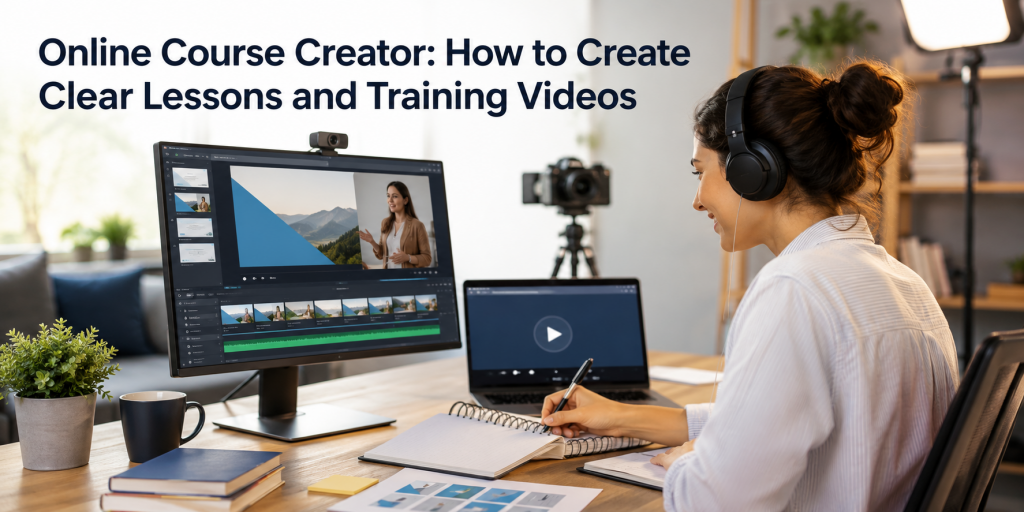
Creating an online course is not only about recording videos. A useful course needs clear lesson goals, structured explanations, clean audio, readable screens, simple editing, and a way to reuse content across learners and teams.
With Flonnect Screen Recorder, educators and trainers can record screen, webcam, and audio to create lessons, tutorials, presentations, onboarding videos, and training walkthroughs without a complicated setup.
Use this guide if you create:
- Online courses for students or creators.
- Employee training and onboarding lessons.
- Lecture recordings and classroom support videos.
- Customer education tutorials.
- Internal SOP, software training, or process walkthroughs.
1
Plan
Define the learning outcome before recording any lesson.
2
Record
Capture screen, webcam, microphone, slides, demos, or browser tabs.
3
Reuse
Turn one lesson into course content, onboarding material, and training assets.
Table of Contents
Why Clear Lessons Matter for Online Course Creators
Learners do not only need information. They need direction. A clear training video tells them what they will learn, shows the steps in order, explains mistakes to avoid, and gives them something they can repeat after watching.
Clear course videos help learners:
- Understand one topic at a time.
- Follow the exact steps on screen.
- Pause, replay, and practice independently.
- Learn without waiting for a live session.
- Return to the same lesson when they need revision.
Simple rule: If a learner cannot explain the main takeaway after the video, the lesson needs a clearer goal, shorter structure, or better example.
Training Video Lesson Plan Template
Before recording, write a simple lesson plan. This prevents long, unfocused videos and helps you create a course that feels organized.
| Lesson Section | What to Add | Example |
|---|---|---|
| Learning goal | What the learner should understand or do after the lesson | Create a campaign report in 10 minutes |
| Who it is for | Student, employee, customer, trainee, or team member | New marketing interns |
| Prerequisites | Tools, access, files, or prior knowledge needed | Google Sheet access and campaign data |
| Main steps | Break the lesson into 3–6 clear actions | Import data → clean columns → add chart → summarize |
| Practice task | Small action the learner should complete | Create one sample report |
| Reuse note | Where this lesson can be reused later | Intern training, onboarding, SOP library |
How to Record Clear Lessons With Flonnect
Flonnect supports screen, webcam, and audio recording, making it useful for lessons that need both visual demonstration and human explanation. :contentReference[oaicite:1]{index=1}
Prepare the lesson screen
Close unrelated tabs, enlarge the browser or software window, open required files, and keep only the tools learners need to see.
Record screen and webcam only when useful
Use screen recording for software lessons, slides, dashboards, and examples. Add webcam through Flonnect Webcam Recorder when the lesson needs a personal teacher-style explanation.
Explain one outcome at a time
Do not mix too many topics in one video. For example, record separate lessons for setup, first task, common mistakes, and practice exercise.
Edit the lesson for clarity
Use Flonnect AI Video Editor to clean up the lesson, remove dead space, improve flow, and make the final video easier to watch.
Create a transcript or notes
Use Flonnect Video Transcription to turn training videos into searchable notes, captions, summaries, or lesson handouts.
Record course lessons with Flonnect
Use Flonnect to record screen, webcam, and audio for lessons, tutorials, onboarding videos, course modules, and employee training.
Best Training Video Types for Online Course Creators
Different lessons need different recording styles. Choose the format based on what the learner needs to understand.
| Video Type | Best For | Flonnect Workflow |
|---|---|---|
| Screen tutorial | Software lessons, dashboards, tools, coding, admin workflows | Screen recorder + microphone |
| Lecture recording | Concept lessons, slide explanation, classroom support | Screen + webcam + audio |
| Employee onboarding | HR, internal tools, policies, role-based training | Screen recording + transcript + reusable checklist |
| Customer education | Product walkthroughs, support tutorials, feature explanation | Product demo recording + AI editing |
| Process training | SOPs, internal workflows, repeatable team tasks | Step Recorder + video walkthrough |
Record Once, Reuse Everywhere: Training Video Reuse Checklist
The biggest advantage of course videos is reuse. A single recorded lesson can support many learning moments if it is planned well.
After recording a lesson, reuse it as:
- A course module inside your online course.
- A training video for new employees.
- A customer support help video.
- A transcript-based lesson handout.
- A short clip for recap or revision.
- A knowledge-base article using the transcript.
- A checklist or SOP for repeatable workflows.
Example: One lesson, five uses
- Original lesson: “How to submit a monthly expense report.”
- Online course module: Finance basics for new employees.
- HR onboarding: First-week training video.
- Knowledge base: Step-by-step article using transcript.
- Short clip: 60-second reminder for common mistakes.
- SOP: Process checklist for managers.
Common Mistakes Online Course Creators Should Avoid
Most training videos fail because they are too long, too broad, or difficult to follow. Fix these issues before publishing lessons.
Avoid these mistakes:
- Recording without an outline: This creates long videos with unclear direction.
- Teaching too many topics together: Split lessons by outcome.
- Using small unreadable screens: Zoom in before recording software or slides.
- Ignoring audio quality: Clear audio matters more than fancy visuals.
- No practice task: Learners need something to apply after watching.
- No transcript: Transcripts help learners review, search, and reuse lesson content.
- No update plan: Course videos can become outdated if tools, screens, or policies change.
Final Verdict
A good online course creator does not just record videos. They design lessons that are clear, short, reusable, and easy to follow. The best training videos have one goal, one structure, one demonstration, and one action for the learner.
Use Flonnect when you want to:
- Record online course lessons.
- Create lecture recordings and training videos.
- Capture screen, webcam, and audio together.
- Edit lessons with AI support.
- Turn videos into transcripts and handouts.
- Reuse one recording across courses, onboarding, support, and internal training.
For educators, HR teams, trainers, and course creators, Flonnect makes it easier to record once and reuse lessons across multiple learning workflows.
Create clear lessons and training videos with Flonnect
Record screen, webcam, and audio to build online course lessons, employee training videos, lecture recordings, tutorials, and reusable learning content.
FAQs
What does an online course creator do?
An online course creator plans lessons, records training videos, explains concepts, creates course modules, and helps learners understand a topic through structured video content.
How do I create clear training videos?
Start with one learning goal, write a short outline, record the screen or slides clearly, explain steps in order, edit unnecessary pauses, and add a transcript or notes for review.
Can Flonnect record online course lessons?
Yes. Flonnect can record screen, webcam, and audio, making it useful for online course lessons, lecture recordings, tutorials, employee onboarding, and training videos.
What should be included in a training video lesson plan?
A training video lesson plan should include the learning goal, target learner, prerequisites, main steps, example, practice task, and reuse notes.
How can I reuse online course videos?
You can reuse online course videos as course modules, onboarding lessons, support tutorials, transcript-based articles, internal SOPs, refresher clips, and training library assets.