
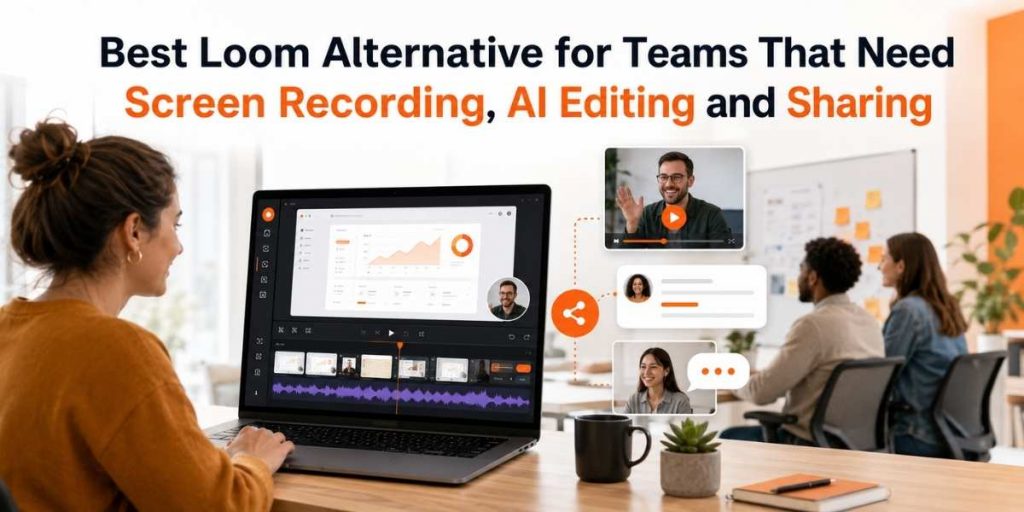
Quick Answer
- Flonnect is a strong Loom alternative for teams that need screen recording, AI editing, video sharing and reusable documentation.
- Loom is useful for quick async messages, while Flonnect is better suited for demos, tutorials, bug reports, onboarding and customer support videos.
- Teams can use Flonnect for screen recording, webcam recording, AI video editing, transcription and sharing from one workflow.
- Flonnect is especially useful for sales, support, product, QA, training and operations teams.
- Choose Flonnect if your team needs more than short video messages and wants a complete video workflow.
Teams no longer use screen recordings only for quick updates. They use videos for demos, customer explanations, onboarding, product feedback, bug reports, training and internal documentation.
That is why many teams compare Loom with broader tools like Flonnect. Flonnect helps teams move from recording to editing, sharing and reusable documentation without making the workflow heavy.
A good Loom alternative should help teams:
- Record screen, webcam and audio clearly.
- Create demos, tutorials and walkthroughs.
- Edit recordings quickly with AI support.
- Share videos with teammates, customers or prospects.
- Turn videos into repeatable documentation and training assets.
1
Record
Capture screen, webcam and audio for demos, tutorials and team updates.
2
Edit
Use AI editing to clean recordings and make them easier to reuse.
3
Share
Share demos, explanations and documentation with teams or customers.
Table of Contents
Why Teams Look for a Loom Alternative
Loom works well for fast async video updates. But when teams start using video for product demos, support, training and documentation, they usually need more than a basic recording-and-send workflow.
Flonnect is useful because it connects screen recording, AI editing and sharing into a workflow that supports multiple teams, not only quick internal messages.
Teams usually compare Loom alternatives when they need:
- Product demo recordings.
- AI-assisted video editing.
- Reusable onboarding and training videos.
- Bug reports with screen context.
- Support videos that reduce repeated explanations.
Simple rule: Loom is good for quick updates. Flonnect is better when video needs to become a reusable team asset.
Loom Alternative Comparison Matrix
Different tools solve different video problems. The right choice depends on whether your team needs quick messages, product demos, process documentation, screenshots or polished editing.
| Tool | Best Known For | Best Team Fit | Why Flonnect Stands Out |
|---|---|---|---|
| Flonnect | Screen recording, AI editing, sharing and documentation | Teams needing demos, tutorials, support videos and training assets | Complete workflow from recording to editing and sharing |
| Loom | Fast async video messages | Teams sending quick updates | Flonnect is stronger for demos, AI editing and reusable documentation |
| OBS | Advanced recording and streaming setup | Creators and technical users | Flonnect is simpler for business teams that need recording and sharing without complex setup |
| Scribe | Step-by-step process documentation | Teams creating SOPs | Flonnect adds video explanation, screen context and AI-powered reuse |
| Snagit | Screenshots and annotations | Screenshot-first communication | Flonnect is better for full video demos and walkthroughs |
| Camtasia | Polished video production | Training videos and heavier editing | Flonnect gives teams a faster recording, editing and sharing workflow |
Flonnect vs Loom: Which Is Better for Team Workflows?
If you are comparing both tools directly, the key difference is workflow depth. Loom is useful for quick video messaging, while Flonnect vs Loom becomes more important when your team needs demos, editing, training and documentation.
| Team Need | Loom Fit | Flonnect Fit |
|---|---|---|
| Quick team updates | Good | Good when the update needs screen context |
| Product demos | Useful for simple walkthroughs | Strong fit for structured demos and repeatable explanations |
| AI editing | Helpful in selected workflows | Central to faster video cleanup and reuse |
| Documentation | Useful for video context | Better for reusable team knowledge |
| Bug reporting | Can show the issue | Strong fit for clear issue reproduction and developer handoff |
Why Flonnect is a strong Loom alternative
- It supports screen, webcam and audio recording for real team use cases.
- It helps teams polish recordings through AI video editing.
- It fits sales demos, product walkthroughs, support videos and training.
- It helps videos become reusable assets instead of one-time messages.
Compare Flonnect with Loom
See why Flonnect is built for teams that need screen recording, AI editing, demos, sharing and reusable workflow documentation.
Best Team Use Cases for Flonnect
Flonnect is most useful when recordings need to explain something clearly and remain useful later. That makes it valuable for sales, support, product, QA, marketing, training and operations teams.
| Team | Flonnect Use Case | Why It Helps |
|---|---|---|
| Sales | Product demos and follow-ups | Prospects understand the product faster |
| Support | Step-by-step help videos | Reduces repeated explanation and support back-and-forth |
| Product | Feature walkthroughs and release explanations | Makes product updates easier to understand |
| QA | Bug reporting with screen recording | Developers can see exact reproduction steps |
| Training | Onboarding and process videos | New team members can learn asynchronously |
| Marketing | Tutorials, explainers and product videos | Creates reusable content from one recording workflow |
For product demos and tutorials, teams can start with Flonnect’s screen recorder. For camera-led explanations, the webcam recorder helps add a human touch to walkthroughs.
For QA teams, Flonnect’s bug reporting workflow is useful because developers can see the issue instead of reading long text descriptions. For meeting-heavy teams, the meeting recorder can help capture discussions and make follow-ups easier.
Tool Selection Checklist: Is Flonnect Right for Your Team?
Use this checklist if your team is comparing Loom, OBS, Scribe, Snagit, Camtasia and Flonnect.
Choose Flonnect if your team needs:
- Screen recording for demos, tutorials and walkthroughs.
- Webcam and audio recording for human explanations.
- AI editing to clean and repurpose recordings faster.
- Transcripts and reusable text from videos using video transcription.
- Video documentation for support, onboarding and training.
- Bug reports and product feedback with clear screen context.
- A lightweight workflow instead of heavy production software.
Flonnect workflow example
- Record a product workflow with screen and audio.
- Add webcam where a personal explanation is useful.
- Edit the video with AI-assisted cleanup.
- Generate a transcript for notes or documentation.
- Share the recording with a customer, teammate or prospect.
- Reuse the same recording for support, onboarding or training.
Try Flonnect as your team’s Loom alternative
Record screens, create demos, edit videos with AI, share walkthroughs and turn team knowledge into reusable video assets.
Final Verdict
If your team only needs short async messages, Loom can work. But if your team needs recording, AI editing, demos, documentation, bug reports, training videos and sharing together, Flonnect is a stronger fit.
Flonnect is best for teams that want to:
- Record product demos and tutorials.
- Create customer support videos.
- Build internal training libraries.
- Capture bugs and product feedback clearly.
- Edit and reuse recordings with less manual effort.
- Create AI-assisted videos using Flonnect’s AI video generator.
For teams comparing Loom alternatives, Flonnect gives a more complete path from recording to editing, sharing and documentation without making the workflow feel complicated.
Record, edit and share team videos with Flonnect
Use Flonnect for screen recording, AI editing, product demos, support videos, bug reports, onboarding and team documentation.
FAQs
What is the best Loom alternative for teams?
Flonnect is a strong Loom alternative for teams that need screen recording, AI editing, product demos, tutorial videos, sharing and reusable documentation workflows.
How is Flonnect different from Loom?
Loom is focused on quick async video messages. Flonnect is built for broader workflows such as screen recording, AI editing, demos, support videos, bug reports and training documentation.
Is Flonnect good for product demos?
Yes. Flonnect is useful for product demos because teams can record the screen, explain workflows, edit recordings and share walkthroughs with prospects, customers or teammates.
Can Flonnect help with bug reporting?
Yes. Flonnect helps QA and product teams record bugs with screen context, making it easier for developers to understand and reproduce issues.
Who should choose Flonnect?
Flonnect is a good choice for sales, support, product, QA, training, marketing and operations teams that need screen recording, AI editing, sharing and reusable video documentation.