
Competitor Alternatives · Screen Recording
Quick Answer
- Flonnect: best fit for teams wanting recording, AI editing, demos and sharing in one workflow.
- Loom: strong for fast asynchronous video communication.
- OBS: best free option for advanced recording and streaming control.
- Scribe: better when step-by-step documentation matters more than video.
- Compare the workflows directly on the Flonnect comparison page.
Snagit is still a strong screen-capture and markup tool, especially for screenshots, visual instructions and quick recordings. Teams often start looking for a Snagit alternative when their workflow expands beyond capture and they also need AI editing, shareable videos, interactive product demos, collaboration or reusable training content.
Snagit Alternatives at a Glance
| Tool | Best For | Recording | AI / Editing | Team Sharing | Starting Price* |
|---|---|---|---|---|---|
| Flonnect | Recording + demos + AI workflow | Screen, webcam, audio | AI editing, transcription, captions | Links, workspace, analytics | Free; Pro $12/mo |
| Snagit | Screenshots and visual documentation | Screen video | Capture and image-focused AI | Screencast sharing | $39/year individual |
| Loom | Async video messages | Screen + camera | Advanced AI on higher plan | Strong workspace sharing | Free; Business $18/user/mo |
| OBS Studio | Advanced capture and streaming | Highly configurable | External editing normally required | Not built around team sharing | Free |
| Scribe | SOPs and step guides | Process capture | Documentation automation | Links, embeds, team docs | Free; paid plans available |
| Camtasia | Advanced edited videos | Advanced multitrack | Strong video editing + AI | Sharing varies by plan | Essentials $179.88/year |
*Public prices checked in August 2026. Taxes, annual billing discounts and business pricing may differ by region.
Why Teams Look for a Snagit Alternative
Snagit is designed primarily around capturing, annotating and explaining what is on screen. Current features include AI Step Capture, Smart Redact, background removal, scrolling capture, screen recording and Screencast sharing.
That makes Snagit a sensible choice when screenshots remain the centre of the workflow. The gap appears when a team wants one platform to handle longer recordings, AI-assisted video cleanup, demos, meeting recordings, collaborative workspaces and viewer analytics.
Teams moving toward video-first communication can review Flonnect’s screen recorder for Chrome, Windows and Mac, which supports screen, webcam and system-audio recording with built-in editing.
1. Flonnect — Best Overall for Teams Needing More Than Screen Capture
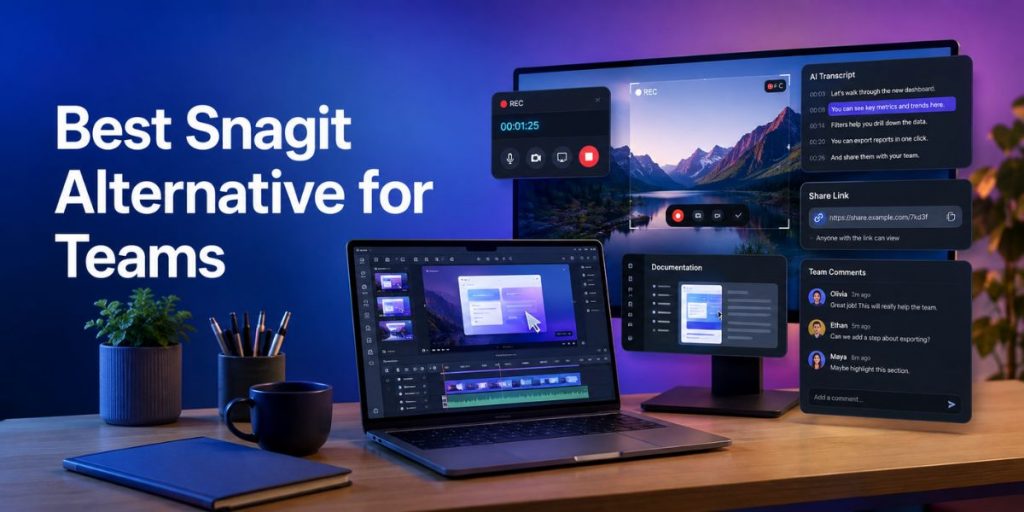
Flonnect is the strongest Snagit alternative in this comparison when the team’s workflow includes recording, editing, product demonstrations, documentation and sharing rather than screenshots alone.
Teams can capture a full desktop, application window or browser tab, add webcam and system audio, then edit and share the result. Flonnect also provides automatic transcription, captions and AI-assisted editing for teams that want to reduce manual post-production.
For recorded content that needs cleanup after capture, the Flonnect AI Video Editor adds an AI-first workflow instead of requiring the recording to move into a separate editor.
Where Flonnect is stronger
- Screen, webcam and system-audio recording
- AI transcription and video editing
- Shareable videos with engagement tracking
- Screenshot guides and interactive product demos
- Meeting recordings and reusable team content
- Shared workspaces and administration on team plans
Product, sales and onboarding teams can also turn walkthroughs into clickable experiences with Flonnect Interactive Demos, including screenshot guides, HTML demos, embeds and engagement analytics.
2. Loom — Best for Fast Async Video Messages
Loom is a strong alternative when the main job is recording a quick explanation and sending a link to a teammate, customer or prospect. Its free Starter plan currently allows up to 25 videos with five-minute screen recordings.
Business costs $18 per user per month and removes recording-length and video-count limits. Business + AI is $24 per user per month and adds features including automatic enhancement, advanced editing, video-to-text automation and meeting notes.
Choose Loom when async communication is the priority. Choose Flonnect when the same team also needs step recording, product demos, bug reports or broader workflow documentation. Flonnect’s business-team workflow covers sales, support, training and internal communication in the same platform.
3. OBS Studio — Best Free Alternative for Recording Control
OBS Studio remains free and open-source for Windows, macOS and Linux. It is a powerful option for creators who want detailed control over scenes, inputs, audio and streaming without paying a subscription.
The trade-off is workflow. OBS is primarily a recording and live-streaming application. Teams typically need additional software for polished editing, hosting, commenting, documentation and analytics.
Development and support teams that mainly record problems rather than broadcasts may find Flonnect’s visual bug-reporting workflow more direct because recordings can be used to communicate issues without assembling a streaming setup.
4. Scribe — Best for Step-by-Step SOP Documentation
Scribe solves a different problem. It records a process and automatically turns it into a step-by-step visual guide. The free Basic plan supports web-app documentation, while paid plans add desktop and mobile capture, screenshot editing, branding and PDF, HTML and Markdown export.
It is a better Snagit alternative when the final output should be a written SOP rather than a narrated video. For teams that need both formats, Flonnect can create screenshot guides alongside video and interactive demo content.
If searchable spoken content is also important, Flonnect’s AI transcription feature can turn recordings into text and captions without creating a separate documentation workflow.
5. Camtasia — Best for Advanced Edited Screen Videos
Camtasia is the logical step up inside TechSmith’s own ecosystem when Snagit’s editing capabilities become too limited. Its Essentials plan currently costs $179.88 per year and includes multitrack recording, cursor effects, animations, transitions, transcription, captions and text-based video editing.
Higher Camtasia tiers add AI scripting, voice generation, translation, avatars and large asset libraries. It is therefore better suited to polished training videos, course production and heavier post-production.
The downside for a team wanting quick communication is complexity. If the goal is to record, make a few AI-assisted edits and share immediately, a workflow-focused platform can remove several production steps.
Snagit vs Flonnect Pricing: What Are You Actually Paying For?
Snagit is inexpensive when judged purely as an individual capture application. Its current individual subscription is $39 per year, while the business license is $48 per user per year.
Flonnect costs more because it covers a wider workflow. The free plan provides limited recording and demo capacity, Pro starts at $12 per month, Business at $20 per month and Team at $32 per user per month.
Before comparing subscription totals, identify which separate tools Flonnect would replace for your team. The current Flonnect pricing page lists recording limits, AI credits, demo captures, meeting recording, storage and collaboration by plan.
Tool Selection Checklist
Choose Snagit if:
- Screenshots and annotations are your main output.
- You need strong scrolling capture and visual markup.
- Your video-sharing requirements are relatively light.
Choose Flonnect if:
- Your team creates screen recordings every week.
- AI transcription or editing reduces manual work.
- Sales or product teams need interactive demos.
- Support teams need visual bug reports and walkthroughs.
- Videos need links, analytics and a shared workspace.
Which Snagit Alternative Is Best?
There is no single replacement for every Snagit user because these tools solve different problems. OBS is strongest when recording control and zero software cost matter most. Scribe is purpose-built for process documentation. Loom is excellent for fast async video communication, while Camtasia is stronger for detailed editing.
For a team that specifically needs screen recording + AI editing + interactive demos + sharing + collaboration, Flonnect provides the most complete combination in this comparison without requiring separate recording, documentation and demo products.
Test the workflow before switching your whole team
Record a real product walkthrough, edit it, share it and create an interactive demo before deciding whether Flonnect fits your team’s workflow.
Frequently Asked Questions
What is the best Snagit alternative for teams?
Flonnect is a strong choice when teams need screen recording, AI editing, interactive demos, transcription and sharing. Loom is better when simple asynchronous video is the main requirement.
Is there a free Snagit alternative?
Yes. OBS Studio is completely free and open-source for recording and streaming. Flonnect, Loom and Scribe also provide free plans with different usage limits.
Is Flonnect cheaper than Snagit?
Snagit is cheaper as a standalone capture application. Flonnect costs more because its plans include broader video, AI, demo, meeting and team-workspace capabilities.
Which alternative is best for creating SOPs?
Scribe is specialized for automatic step-by-step SOPs. Flonnect is more suitable when the same process must also be available as a video or interactive demo.
Should I choose Loom or Flonnect?
Choose Loom for straightforward async video messages. Choose Flonnect when your workflow also includes demos, step recording, bug reporting, AI editing or broader documentation.
Is Camtasia better than Snagit?
Camtasia is better for advanced video production, while Snagit is faster for screenshots, annotations and lightweight recording. The right choice depends on how much editing the final video needs.
Product Information Checked
Flonnect · TechSmith Snagit · Loom · OBS Studio · Scribe · TechSmith Camtasia · Public product and pricing pages reviewed August 2026