
Recording · AI Editing · Demos · Sharing
Quick Answer
- Flonnect is a strong Tango alternative when your team needs real screen video recording, AI-powered editing, transcription, interactive demos, meeting capture and direct sharing from one platform.
- Tango is better suited to process documentation where the main output is a step-by-step workflow made from screenshots and automatically generated instructions.
- Choose Flonnect for product demos, support videos, training, bug reports, meeting recordings and reusable video workflows.
- Choose Tango when SOPs, walkthroughs and in-app process guidance matter more than traditional screen-recorded video.
- Other alternatives such as Loom, Scribe, OBS, Snagit and Camtasia solve narrower parts of the same workflow.
If you are searching for a Tango alternative, first decide whether your team actually needs another documentation tool or something broader. Tango is designed around capturing a process and turning each action into a step-by-step workflow. That is useful for SOPs, onboarding and guided instructions.
But many product, support, engineering, sales and training teams also need full screen video, webcam recording, AI editing, transcripts, meeting capture and instantly shareable recordings. In that case, a broader platform such as Flonnect may fit the workflow better.
What Is Tango Best At?
Tango is primarily a process-capture and documentation platform. When you perform a workflow, it captures screenshots of your actions and creates step descriptions that can be edited and shared as documentation.
SOP Creation
Capture a business process while completing it and automatically turn actions into a structured guide.
Step-by-Step Guides
Useful when readers need individual screenshots and written instructions rather than a continuous video.
In-App Guidance
Guide Me and enterprise features can help teams follow processes inside the tools where work happens.
Important Difference
Tango’s core workflow is not the same as traditional screen recording. It captures screenshots of individual process steps. Paid plans can turn captured workflows into embedded videos, but teams wanting continuous screen-recorded video should compare dedicated recording platforms as well.
Why Flonnect Is a Strong Tango Alternative
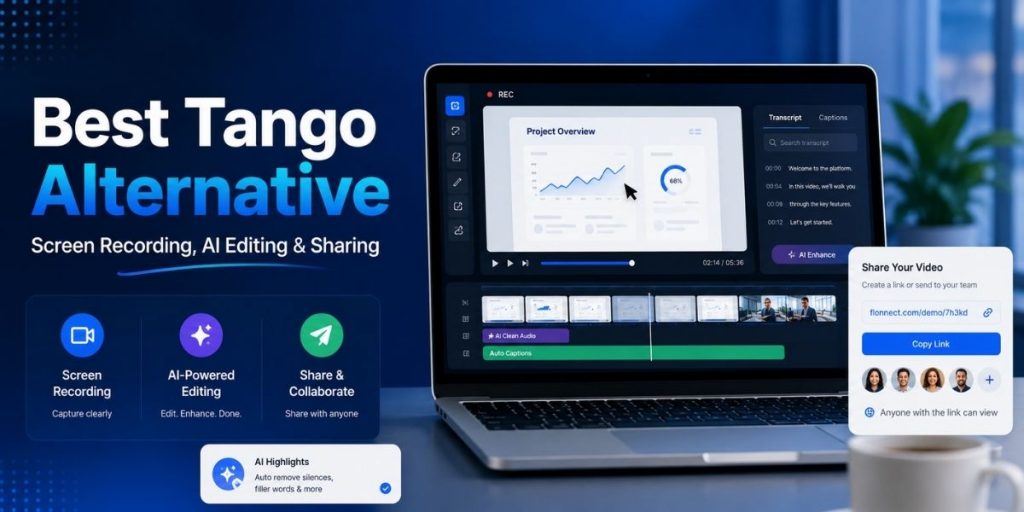
Flonnect covers process documentation but extends the workflow into continuous video. Teams can record a screen, window, browser tab or webcam, turn browser interactions into demos, edit recordings and share the finished result without moving between several separate products.
Screen + Webcam Recording
Record full screen, specific windows or browser tabs with microphone, system audio and webcam when needed.
AI Video Editing
Use AI-assisted editing, captions, transcription and enhancement instead of exporting every recording into another editor.
Interactive Demos
Create step-based and HTML demo experiences when video is not the ideal format.
Instant Sharing
Generate shareable links, control access and embed recordings without repeatedly uploading large video files.
For teams whose main requirement is continuous video, the Flonnect screen recorder covers screen, camera, audio, editing, cloud storage and transcription in a single recording workflow.
Flonnect vs Tango: Feature Comparison
| Feature | Flonnect | Tango |
|---|---|---|
| Traditional screen video recording | Core capability | Not core workflow |
| Automatic step documentation | Yes / demo capture | Core capability |
| AI video editing | Yes | Workflow editing focus |
| Automatic transcription | Yes | Voice transcription on Pro |
| Interactive demos | Yes | Interactive workflows |
| Meeting recording | Yes | Not primary use case |
| Shareable links / embeds | Yes | Yes |
| Best fit | Video + demos + meetings + editing | SOPs + process guidance |
Flonnect vs Tango Pricing
Pricing should be compared against the workflow you are replacing—not simply the lowest monthly number. As of August 2026, the currently published pricing includes:
Flonnect
Pro from $12/month
Current Pro includes 30 videos/month with transcription and editing, plus demo captures, bug reports, meeting recordings, AI credits and storage.
Tango Pro
From $15–$22/user/mo annually
Current annual pricing is $22/user/month for 1–2 users and $15/user/month for workspaces with 3+ users. Monthly billing costs more.
Pricing checked August 2026. Always verify current plan limits before purchasing.
Choose Flonnect Instead of Tango When…
- Your support team sends video explanations instead of only written SOPs.
- Product or sales teams create recorded demos with voice or webcam.
- Training content needs captions, transcription and editing.
- You need both interactive demos and regular video without subscribing to two separate platforms.
- Teams regularly record Google Meet, Zoom or Microsoft Teams sessions.
- Your workflow includes bug reporting, screen evidence and asynchronous feedback.
If editing raw recordings is the biggest problem, Flonnect’s AI video editor adds automated editing, captions, audio cleanup and other AI-assisted enhancements without requiring a separate desktop editor.
Choose Tango Instead When…
- Your primary output is a step-by-step SOP.
- Employees need to complete procedures at their own pace instead of watching videos.
- You want screenshots and instructions generated while the workflow is being completed.
- Enterprise in-app guidance and process adoption matter more than meeting or video production.
- Your documentation team already uses separate tools for video recording and editing.
Other Tango Alternatives Worth Considering
| Tool | Best For | Main Trade-Off |
|---|---|---|
| Flonnect | Recording + demos + AI editing + meetings | Broader platform if you need only simple SOPs |
| Loom | Fast asynchronous video messages | Less focused on interactive workflow documentation |
| Scribe | SOPs and screenshot documentation | Not primarily a continuous video platform |
| OBS Studio | Advanced recording and live streaming | More setup; no built-in team documentation workflow |
| Snagit | Screenshots and lightweight capture | Less suited to a complete cloud video workflow |
| Camtasia | Polished tutorial video editing | Heavier production workflow than quick async sharing |
Tool Selection Checklist
☐ Do we need full-motion screen video?
☐ Do presenters need webcam + microphone?
☐ Will we create step-by-step SOPs?
☐ Do we need interactive product demos?
☐ Do videos need AI editing or captions?
☐ Do we record meetings?
☐ Do teams need shared workspaces?
☐ Do viewers need links instead of downloaded files?
☐ Do we need analytics on shared content?
☐ Will we use the tool for support or bug reporting?
☐ Does our pricing scale reasonably as seats increase?
Flonnect vs Tango: Which One Should Your Team Choose?
Choose Flonnect
When screen recording is central and you also want AI editing, transcription, meetings, interactive demos, sharing and team workflows from one product.
Choose Tango
When your main goal is turning repeatable software processes into screenshot-based documentation and guided workflows.
Need more than step-by-step documentation?
Record your screen, edit with AI, build interactive demos and share everything from one Flonnect workspace.
Frequently Asked Questions
What is the best Tango alternative?
The best alternative depends on your goal. Flonnect is a strong choice for teams that need video recording, AI editing, demos and sharing, while Scribe is closer to Tango for screenshot-based process documentation.
Does Tango record full screen videos?
Tango’s main capture workflow records process actions as screenshots and written steps rather than recording a traditional continuous screen video. Paid workflows can also be presented as embedded videos.
Is Flonnect a Loom alternative too?
Yes. Both support screen recording and sharing, while Flonnect also combines interactive demos, workflow capture, meeting recording and AI-powered editing in the same platform.
Is Flonnect an OBS alternative?
For simple team screen recording, yes. OBS remains stronger for advanced scene composition, live streaming and highly configurable production workflows.
Which tool is better for SOPs: Tango or Flonnect?
Tango has a strong process-documentation focus. Flonnect becomes more attractive when the same team also needs videos, demos, editing, meetings or bug-reporting workflows.
Does Flonnect include AI editing?
Yes. Flonnect currently includes AI-assisted video editing and transcription, with plan-based AI credits and additional AI generation features on higher tiers.