
Quick Answer
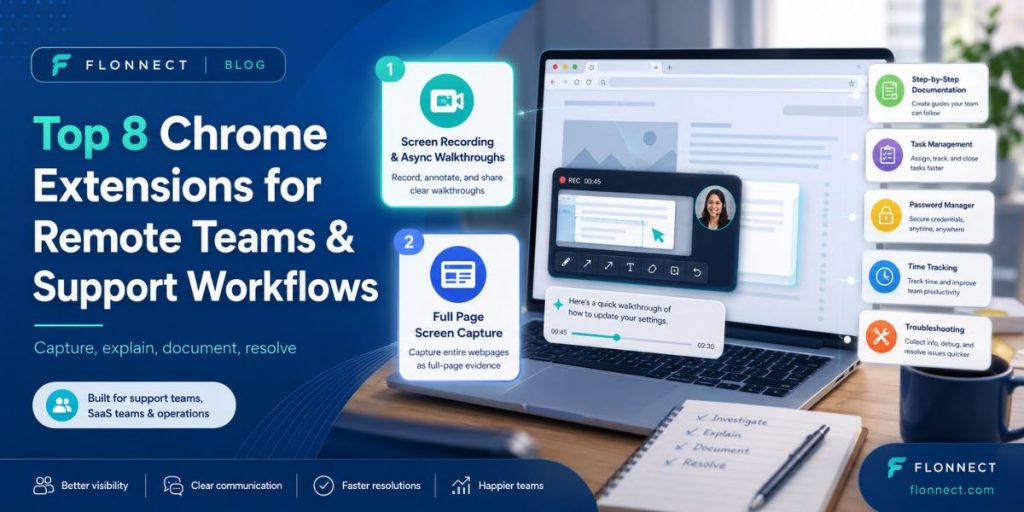
- Flonnect — best for screen recordings, walkthroughs and async support explanations.
- Full Page Capture Screenshot – best for saving complete webpages and support evidence.
- Scribe — turn repeated workflows into step-by-step documentation.
- Todoist — turn browser activity into actionable team tasks.
- Grammarly — improve support replies and remote communication.
- Bitwarden — manage shared logins more securely.
- Clockify — understand time spent across remote workflows.
- Wappalyzer — identify website technologies during troubleshooting.
Remote teams work inside the browser all day, but the hardest part of remote work is rarely opening another tab. It is explaining what happened, giving teammates enough context and moving an issue from “I cannot reproduce this” to “fixed.” The best Chrome extensions for remote teams reduce that communication gap.
This list focuses on practical tools for support agents, SaaS teams, operations teams and distributed companies. The goal is not to install every productivity extension available. Build a small browser stack that helps your team capture the problem, explain it clearly, document the fix and move to the next task.
Top 8 Chrome Extensions for Remote Teams
| Extension | Best For | Remote Team Use |
|---|---|---|
| Flonnect | Screen recording | Support, demos, async explanations |
| Full Page Screen Capture | Complete screenshots | Bug evidence, page archiving |
| Scribe | Process documentation | SOPs and onboarding |
| Todoist | Task management | Follow-ups and browser tasks |
| Grammarly | Written communication | Support replies and documentation |
| Bitwarden | Password management | Secure distributed access |
| Clockify | Time tracking | Support and operations reporting |
| Wappalyzer | Technology detection | Technical troubleshooting |
1. Flonnect — Best for Async Support and Screen Recording
Text is not always the fastest way to explain a remote-work problem. A support agent may need to show exactly where a button fails, while a product manager may want to explain a workflow without scheduling another meeting.
The Flonnect screen recorder gives remote teams a visual way to communicate. Teams can record a browser tab, application window or screen and use video for troubleshooting, product walkthroughs, training and customer explanations.
Flonnect is especially useful when the problem includes movement or sequence. Instead of sending six screenshots and a long paragraph saying “first click this, then open that,” record the workflow once and let the viewer see the exact process.
- Customer support walkthroughs
- Bug reproduction videos
- Async team updates
- Software onboarding
- Product demonstrations
- Training and knowledge sharing
2. Full Page Screen Capture — Best for Complete Visual Evidence
Video is perfect when an issue needs motion or explanation. A full-page screenshot is better when the team needs a permanent snapshot of exactly what a webpage looked like.
With gofull page, support and operations teams can capture an entire scrolling webpage instead of only the visible browser area. That makes it useful for long error pages, dashboards, checkout flows, knowledge-base pages and competitor websites.
It is particularly valuable when the problem appears below the fold. One complete image keeps the header, page content, error state and lower sections together, making the evidence easier to understand than several disconnected screenshots.
3. Scribe — Best for Turning Fixes Into Documentation
Solving the same support problem repeatedly is expensive. Scribe can document browser workflows while a teammate performs them and turn those actions into step-by-step instructions.
This works well after support has solved an issue. Instead of letting the fix disappear inside a Slack message or ticket, turn the process into an SOP, onboarding guide or internal knowledge-base article that the next teammate can follow independently.
4. Todoist — Best for Turning Browser Work Into Tasks
Remote work creates small follow-ups everywhere: check a customer account tomorrow, review a page after deployment or remind engineering about a bug.
Todoist’s Chrome extension lets users capture webpages and browser context as tasks without leaving their current workflow. For distributed teams, that is useful because useful information becomes an actionable item instead of another forgotten open tab.
5. Grammarly — Best for Clear Remote Communication
Remote teams write more than office-based teams because many conversations happen through email, tickets, documents and chat instead of face-to-face discussions.
Grammarly can help support agents and operations teams catch spelling, clarity and tone problems before messages are sent. That matters especially in customer support, where a technically correct answer can still create friction if it sounds confusing or unnecessarily harsh.
6. Bitwarden — Best for Secure Distributed Access
Sharing passwords through chat is not a remote-work strategy. Distributed teams frequently need access to SaaS accounts, test environments and shared tools, which makes credential management important.
Bitwarden provides an encrypted password vault and works across browsers and devices. It is useful for teams that want to reduce password reuse while keeping login access convenient for employees working from different locations.
7. Clockify — Best for Understanding Where Work Time Goes
Support and operations managers often know ticket volume but not how much time specific tasks consume. Clockify lets team members track time from browser-based workflows.
Use it to understand whether troubleshooting, reporting, customer onboarding or repetitive admin work is consuming more time than expected. The goal should be finding inefficient processes—not micromanaging every minute of a remote employee’s day.
8. Wappalyzer — Best for Technical Support Context
When a customer says “the website is broken,” technical context matters. Wappalyzer helps identify technologies visible on a website, including CMS platforms, ecommerce systems, analytics tools and frameworks.
Support and SaaS teams can use that information as an early troubleshooting clue. Knowing whether a site uses Shopify, WordPress or another stack can help route an issue to the right person faster.
A Better Remote Support Workflow
The biggest advantage comes from combining extensions instead of treating each one as a separate productivity trick.
Remote Support Workflow
Capture the page → record the problem → explain the steps → document the fix → assign the follow-up → resolve.
Use a full-page screenshot when the team needs static evidence. Use Flonnect when the viewer needs to understand movement, clicks, narration or the sequence that caused the problem. Used together, they give remote teams both the evidence and the explanation.
Which Extensions Should Your Team Actually Install?
Final Takeaway
The best remote work Chrome extensions solve communication gaps rather than simply adding more features to Chrome.
Flonnect is a strong choice when a support issue, training task or product workflow is easier to show than describe. Full Page Screen Capture complements that workflow by preserving complete static webpages for documentation and troubleshooting. Add task, documentation and security extensions only where your team has a real workflow gap.
A smaller extension stack used consistently will usually help a remote team more than ten overlapping productivity tools nobody has standardized.