
Quick Answer
- Use a demo video maker to show one valuable product outcome—not every feature.
- Choose a video for passive viewing and an interactive demo when prospects should click through the workflow.
- Keep the path short: problem, key action, result and one CTA.
- Track completion and drop-off points to find where prospects lose interest.
Prospects do not want to study a collection of screenshots before understanding your product. They want to see the important workflow, recognize its value and decide whether it fits their needs.
A good demo video maker helps SaaS founders, product marketers and sales teams turn a complicated interface into a clear story. The goal is not to show more screens. It is to help the viewer reach the “I understand how this helps me” moment faster.
In This Guide
What Does a Demo Video Maker Actually Do?
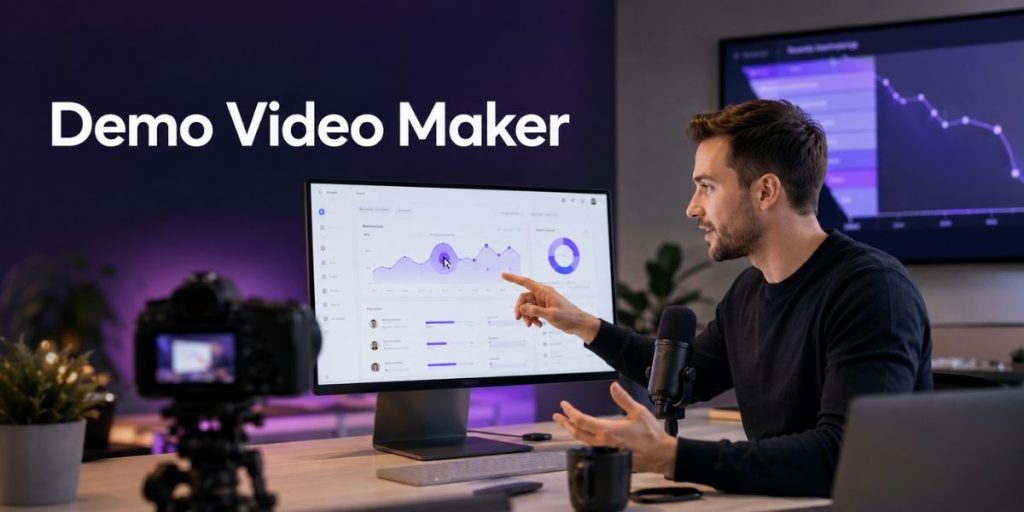
A demo video maker is software used to record, edit and share a visual demonstration of how a product works. It can be used for product overviews, sales walkthroughs, onboarding tutorials, feature announcements and support content.
For SaaS products, the strongest demo often combines screen capture with annotations, narration and a clear path through the interface. A screen recording tool works well for traditional product demo videos, while interactive demo software lets viewers click through a guided product experience.
Demo Video vs Interactive Product Demo
The best format depends on what you want the prospect to do. Do not use a passive video when hands-on exploration would be more convincing.
| Format | Best for | Viewer experience | Useful metric |
|---|---|---|---|
| Product demo video | Landing pages, email and social media | Watches a fixed story | Watch time |
| Walkthrough video | Onboarding and feature education | Follows a narrated process | Completion rate |
| Interactive demo | Product-led sales and self-guided discovery | Clicks through guided steps | Step-level drop-offs |
| Presentation demo | Proposals, webinars and sales pitches | Watches slides, webcam and product context | CTA clicks or replies |
Flonnect’s interactive product demo software supports screenshot guides and clickable HTML demos. Teams can add annotations, tooltips and guided steps, then embed or share the finished experience.
How to Create a Product Demo That Shows Value Faster
Choose one viewer and one outcome
A founder evaluating your platform needs a different demo from a new user learning a feature. Define what the viewer should understand or complete by the end.
Start with the problem—not the dashboard
Give the viewer a reason to care before clicking through menus. Introduce the job they are trying to complete, then demonstrate the shortest path to the result.
Record only the essential workflow
Hide notifications, remove test data and prepare the product state before recording. An AI video editor can help trim pauses and clean up the final pacing.
Guide attention at every step
Use cursor highlights, arrows, short tooltips and zoom only when they help the viewer notice an important action. Add transcription and captions when narration is included.
End with one next step
Ask the viewer to start a trial, book a call, explore another workflow or reply to the sales representative. Multiple CTAs create unnecessary friction.
Interactive Product Experiences
Let prospects experience the workflow instead of studying screenshots.
Build screenshot guides or clickable HTML demos, add guided steps and share the finished experience through a link or website embed.
Copy-Ready Product Demo Storyboard
| Scene | Show | Say |
|---|---|---|
| 1. Hook | The problem or unfinished task | “Here is how to complete [outcome] without [pain point].” |
| 2. Setup | Relevant starting screen | Explain what the viewer needs before starting. |
| 3. Action | Two to five essential steps | Explain why each action matters. |
| 4. Result | Finished output or improved state | Connect the result to the viewer’s goal. |
| 5. CTA | One next-step button | “Try this workflow” or “Book a personalized demo.” |
For a sales pitch that needs slides, webcam and product context, use a presentation recorder instead of forcing everything into a screen-only walkthrough.
Product Demo Drop-Off Tracking Checklist
Publishing is not the last step. Use demo analytics to identify where prospects stop, hesitate or skip ahead.
✓ Compare demo starts with completed demos.
✓ Identify the step with the largest viewer drop-off.
✓ Check whether the opening explains the outcome quickly.
✓ Remove steps that do not support the main use case.
✓ Review CTA visibility and placement.
✓ Create shorter variations for different buyer roles.
✓ Compare results after changing one element at a time.
Flonnect can track views, completion rates, interactions and drop-offs. It also allows teams to duplicate demos and create variations for different audiences or testing.
Useful SaaS Product Demo Examples
Sales follow-up
Create a personalized walkthrough using the prospect’s stated use case and share it after the discovery call.
Landing-page demo
Embed a short interactive product demo that lets visitors experience the core workflow before creating an account.
Feature announcement
Show existing customers where the new feature lives, how it works and when they should use it.
Explore more business video and demo use cases for sales, onboarding, training and customer communication.
Can You Use a Free Demo Video Maker?
Yes. A free demo video maker can be enough for a founder creating an early product walkthrough or a small team testing its first interactive demo.
When comparing a demo video maker online for free, check whether it supports screen capture, editing, annotations, sharing, embeds and analytics. A product demo video maker with free AI features may help with titles, narration or step descriptions, but it cannot decide which product outcome matters most to your buyer.
Flonnect currently offers a free plan without requiring a credit card. Review the latest Flonnect pricing and plan limits before selecting the right option for your team.
Demo Video Mistakes That Hide Product Value
- Opening with company history instead of the viewer’s problem.
- Showing every menu, setting and secondary feature.
- Recording with unclear test data or distracting notifications.
- Explaining clicks without connecting them to a useful outcome.
- Using a long video when a five-step interactive demo would be clearer.
- Publishing without reviewing completion and drop-off data.
Show the Product, Not Another Screenshot
Create a guided product experience prospects can understand and explore.
Capture screenshot guides or clickable HTML demos, add annotations and tooltips, share or embed the experience and track where viewers drop off.
Frequently Asked Questions
What is the best product demo video maker?
The best tool depends on your format. Choose a screen recorder for traditional videos and interactive product demo software when prospects should click through guided steps.
How long should a SaaS product demo video be?
Keep it only as long as necessary to explain one outcome. A focused two-minute demonstration is usually more useful than a ten-minute tour of every feature.
What is the difference between a demo video and an interactive demo?
A demo video follows a fixed timeline. An interactive demo lets viewers click, navigate through guided steps and experience a simulated or captured product workflow.
Can I create a product demo video for free?
Yes. Free tools can help you record and share a basic product walkthrough. Check limits for recording length, exports, branding, analytics and interactive features.
How do I know where prospects leave my demo?
Use analytics that report completion, step-level interactions and drop-off points. Shorten or rewrite the section where the largest percentage of viewers leave.