
Quick Answer
An Instagram Reels creator workflow helps creators plan, record, edit, caption, design thumbnails, and publish short videos more consistently. Instead of creating every Reel from scratch, creators can use one repeatable system to turn ideas, long videos, tutorials, screen recordings, and YouTube content into Reels, Shorts, and social clips faster.
Most creators do not struggle because they lack ideas. They struggle because publishing consistently takes too many small steps. A single Reel may need a hook, recording, editing, captions, thumbnail, description, hashtags, and platform-specific formatting.
For YouTubers, social media managers, and faceless channel creators, the pressure is even higher. One idea often needs to work as an Instagram Reel, YouTube Short, TikTok video, and sometimes a longer YouTube video.
A better creator workflow solves this. With the right mix of planning, recording, AI video generation, captions, editing, and repurposing, creators can publish more often without lowering quality.
In This Guide
Why Creators Lose Consistency After a Few Posts
Consistency breaks when the workflow depends on mood, free time, or last-minute editing. A creator may post for a week, then stop because every new video feels like a fresh project.
Short-form content looks simple from the outside. Behind the scenes, creators need to choose a topic, write a hook, record or generate the video, edit it, add captions, create a thumbnail, write metadata, and publish it at the right time.
| Creator Bottleneck | What Usually Happens | Workflow Fix |
|---|---|---|
| No idea bank | Creators wait for inspiration | Keep a weekly list of hooks, questions, and content angles |
| Slow editing | One Reel takes too long to finish | Use templates, captions, and repeatable editing steps |
| No repurposing | Every platform needs separate content | Turn one video into Reels, Shorts, and social posts |
| Weak publishing rhythm | Posting becomes random | Batch plan, batch record, batch edit, then schedule |
Creator truth
Consistency is not only a motivation problem. It is mostly a workflow problem.
The Creator System Behind More Reels, Shorts, and Videos
An Instagram Reels creator workflow should help you move from idea to published video with fewer decisions. The goal is not to remove creativity. The goal is to remove repeated manual work.
A strong system has five parts: idea capture, recording or generation, editing, packaging, and publishing. Once these steps become repeatable, creators can publish without rebuilding the process every time.
1
Capture
Save hooks, FAQs, trends, scripts, and content prompts.
2
Create
Record, generate, or repurpose short-form video drafts.
3
Package
Add captions, thumbnails, descriptions, and publishing details.
Simple definition
An Instagram Reels creator workflow is a repeatable process for turning ideas into vertical videos that can be published consistently.
Create short-form videos faster with Flonnect
Use AI video creation, captions, smart editing, and platform-ready formatting to publish Reels, Shorts, and social videos more consistently.
From Idea to Reel: A Practical Publishing Workflow
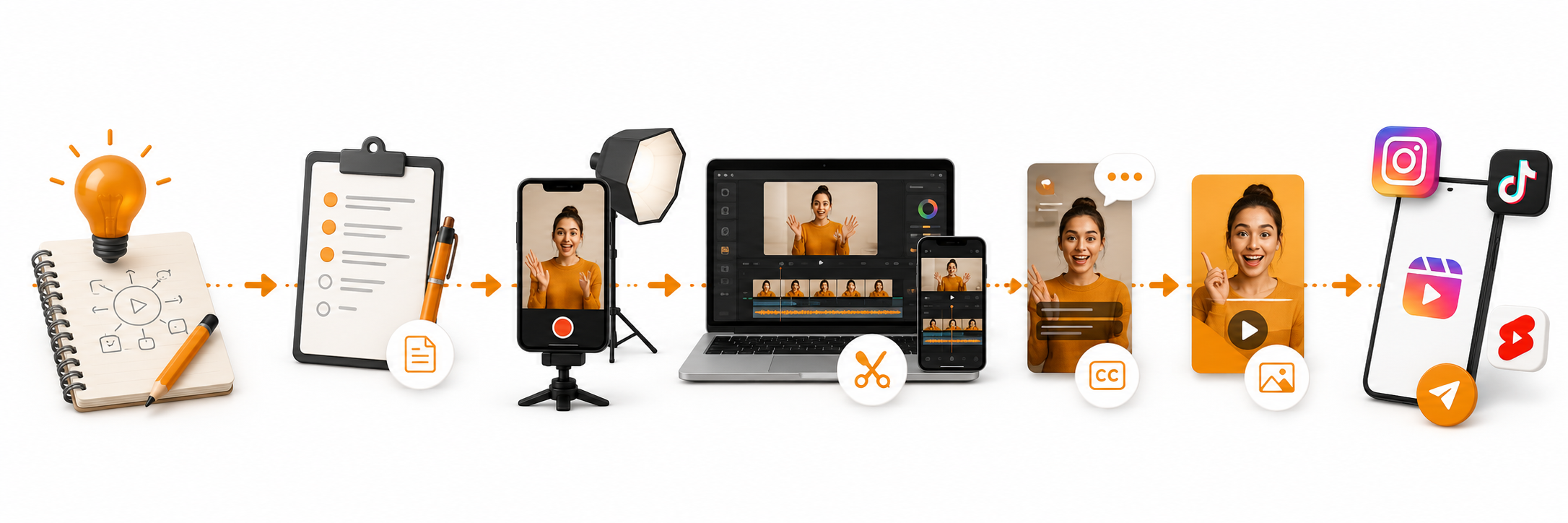
A useful workflow should be simple enough to repeat every week. Creators do not need a complex production board for every Reel. They need a clear path from idea to published content.
Start with one sharp idea
Choose one problem, question, tutorial step, product benefit, or opinion. Reels usually perform better when they focus on one message instead of covering too many points.
Write a hook before recording
The first few seconds decide whether people keep watching. Write the opening line before you start recording or generating the video.
Record, generate, or repurpose
You can record a quick clip, turn a script into video, repurpose a long YouTube video, or create a faceless video format using visuals and captions.
Edit for pacing and clarity
Trim pauses, add visual movement, include captions, and keep the video tight. A strong Reel should feel easy to follow without needing sound.
Package the post before publishing
Prepare the caption, thumbnail, hashtags, and CTA. This step matters because good packaging helps viewers understand the video before they even watch it.
Track what repeats well
Do not only track views. Save formats that are easy to repeat, such as quick tutorials, before/after clips, list-style tips, product demos, or faceless explainers.
How YouTubers Can Turn One Idea Into Reels and Shorts
YouTubers should not treat Reels as separate work. Many Instagram Reels can come from the same research, talking points, tutorials, or clips already used for YouTube videos.
| Source Content | Reels Angle | YouTube Benefit |
|---|---|---|
| Long tutorial | One key step or mistake | Drives viewers to the full guide |
| Product review | Best feature, problem, or comparison | Builds interest before the full video |
| Faceless YouTube channel | Text-led clip with visuals and captions | Supports daily Shorts without appearing on camera |
| Podcast or interview | Strong quote or opinion moment | Creates discoverable short-form entry points |
Creator shortcut
Plan one long-form idea first. Then split it into Reels, Shorts, captions, thumbnails, and social posts.
Where Flonnect Fits in the Creator Publishing Flow
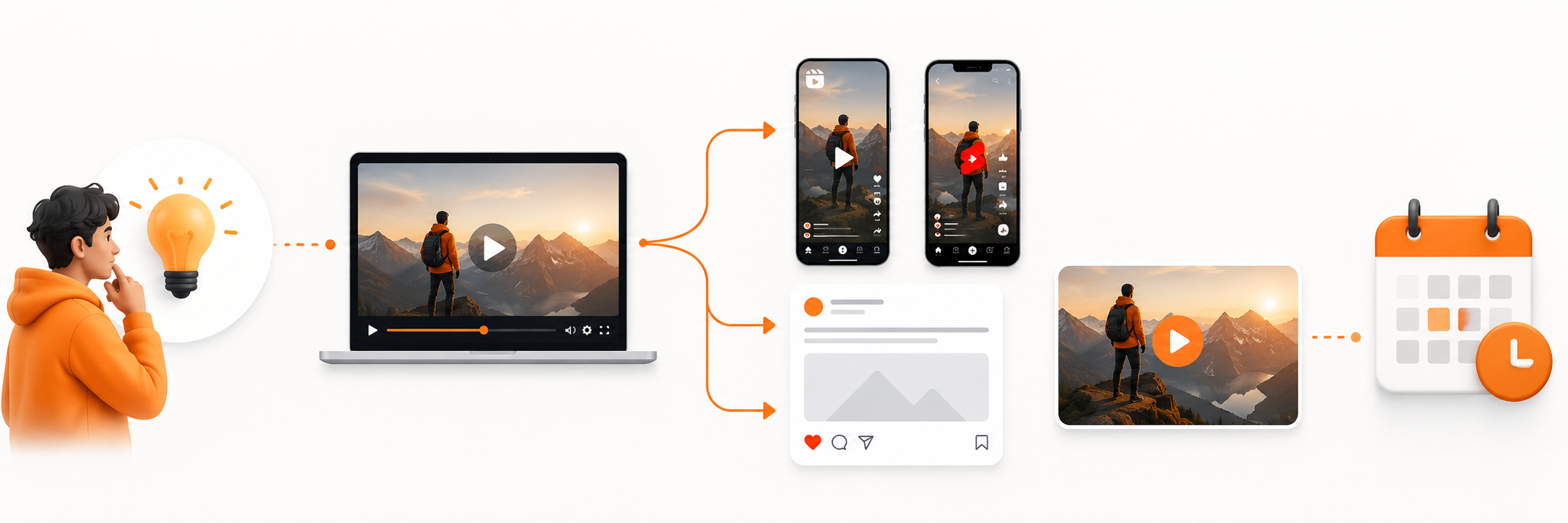
Flonnect helps creators reduce production friction. The AI Video Generator can help turn scripts, ideas, and written content into short video drafts, while the AI Video Editor supports trimming, polishing, subtitles, and video refinements.
For creators who publish across platforms, Flonnect’s related short-form content resources are also useful. The best AI short video creator guide explains platform-specific workflows, while the screen recorder for social media page supports short-form recording for TikTok and Instagram Reels.
Once the video is ready, use the AI Social Media Post Creator to create captions, hashtags, and post copy. This keeps the publishing step from becoming another bottleneck.
| Creator Need | What Slows It Down | Flonnect Use |
|---|---|---|
| Create Reel drafts | Starting from a blank video editor | Use AI video generation from scripts or ideas |
| Edit for short-form | Manual trimming, captions, and formatting | Use AI editing and subtitles for faster polish |
| Prepare visuals | Weak thumbnails and inconsistent style | Use visual tools and a repeatable brand style |
| Publish consistently | Captions and post copy take too long | Generate social post copy and hashtags faster |
Flonnect angle
Use Flonnect to reduce the repeated work around creation, editing, captions, formatting, and publishing. That is what makes consistency realistic.
Creator Video SEO Checklist Before Publishing
Before publishing a Reel, Short, or creator video, check:
✓ Does the video answer one clear viewer need?
✓ Is the hook visible or spoken in the first few seconds?
✓ Are captions readable on mobile?
✓ Does the thumbnail or cover frame explain the topic?
✓ Does the caption include the target topic naturally?
✓ Is the CTA simple and platform-friendly?
✓ Can this idea become another Reel, Short, or YouTube video?
Mistakes That Make Reels Harder to Publish Consistently
Mistake 1: Recording before deciding the hook
A strong hook gives the video direction. Without it, the edit often becomes longer, slower, and harder to package.
Mistake 2: Making each platform from scratch
A Reel, Short, and TikTok video can often come from the same core idea. Reuse the message, then adjust the format.
Mistake 3: Ignoring captions and cover frames
People often watch without sound or decide quickly from the cover. Captions and thumbnails help the video communicate faster.
Mistake 4: Tracking only views
Views matter, but repeatable formats matter more. Save the content structures that are easy to make and useful to your audience.
Build a faster creator publishing workflow with Flonnect
Create short-form videos, polish them with AI editing, add captions, and publish consistently across Instagram Reels, YouTube Shorts, TikTok, and social platforms.
For YouTubers, creators, faceless channels, and social media managers.
Frequently Asked Questions