
Quick Answer
- A process documentation tool helps teams record workflows, capture steps, and turn repeated tasks into SOPs, guides and training documents.
- Flonnect Step Recorder helps teams document processes faster by capturing step-by-step actions instead of writing everything manually.
- It is useful for operations, IT, QA, HR and support teams that repeat the same workflows often.
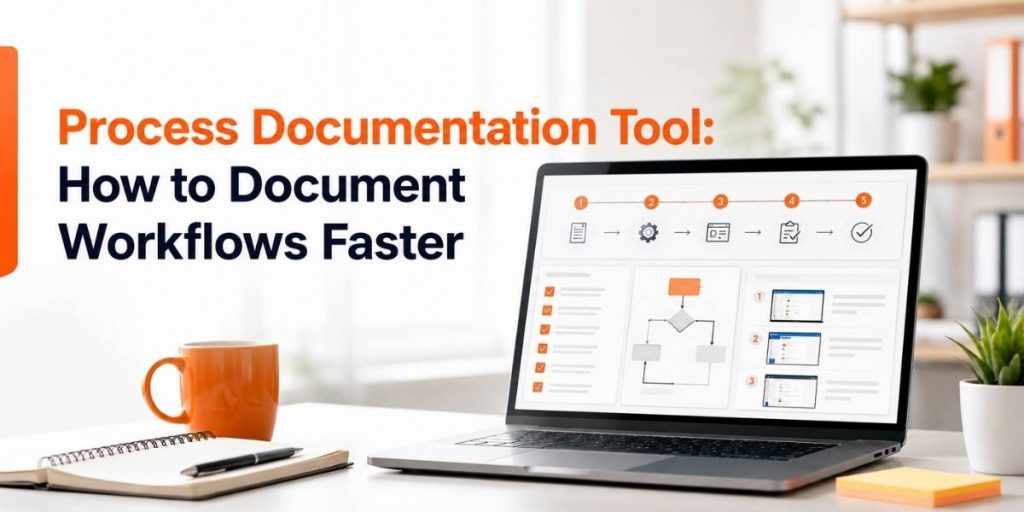
- The best workflow is: record process → capture steps → edit instructions → add context → publish SOP → reuse for training.
- Flonnect is helpful when teams need screenshot guides, video walkthroughs, SOP documents and reusable workflow documentation.
Most teams lose time explaining the same process again and again. A support agent explains the same ticket workflow. HR explains the same onboarding steps. QA repeats the same bug reproduction notes. IT walks users through the same setup process.
A tool like Flonnect Step Recorder helps teams turn these repeated workflows into clear documentation faster, with step-by-step guides that are easier to share and reuse.
A good process documentation tool should help you:
- Capture each workflow step clearly.
- Create SOPs without writing everything from scratch.
- Add screenshots, notes and instructions.
- Standardize repeated tasks across teams.
- Share guides with new employees, customers or internal teams.
- Reduce repeated explanations and manual documentation time.
1
Capture
Record workflow steps as the process happens.
2
Edit
Clean up steps, add notes and remove confusion.
3
Reuse
Turn one captured workflow into SOPs, training and support guides.
Table of Contents
Why Process Documentation Matters
Process documentation helps teams avoid dependency on memory, messages and repeated calls. When a workflow is documented properly, anyone can follow the same steps without asking the same person again.
Good process documentation helps teams reduce:
- Repeated “how do I do this?” questions.
- Training time for new employees.
- Mistakes caused by unclear steps.
- Support delays and internal back-and-forth.
- Knowledge loss when employees change roles.
Simple rule: If a process is explained more than twice, it should be documented once and reused.
What a Process Documentation Tool Does
A process documentation tool helps teams capture actions, explain steps and create reusable guides. Instead of manually taking screenshots and writing every instruction, teams can record the workflow and turn it into a step-by-step guide.
| Need | Manual Way | With Flonnect Step Recorder |
|---|---|---|
| Capture steps | Take screenshots manually | Record steps as the workflow happens |
| Create SOPs | Write every step from memory | Use captured workflow as the SOP base |
| Train teams | Repeat live walkthroughs | Share the guide or video once |
| Fix mistakes | Explain corrections in chat | Update the guide and reuse it |
| Share process | Send long text instructions | Share structured step-by-step documentation |
Flonnect’s Step Recorder is built for creating training manuals, how-to guides, troubleshooting steps and technical instructions more consistently. :contentReference[oaicite:1]{index=1}
Step Recorder Sample Workflow
Here is a simple workflow operations, IT, QA, HR and support teams can use with Flonnect.
Choose one repeatable process
Start with a workflow your team explains often, such as employee onboarding, ticket escalation, software setup, QA reproduction steps or customer support troubleshooting.
Record the workflow
Use Flonnect Step Recorder to capture each action while you complete the process naturally.
Edit the steps
Remove unnecessary actions, rewrite unclear instructions, add warnings and include expected outcomes for important steps.
Add video where explanation matters
For complex workflows, pair the guide with a screen recording so users can watch the full process before following the written steps.
Publish and reuse
Share the SOP with your team, add it to onboarding, use it in support replies, or attach it to internal knowledge base pages.
Document workflows faster with Flonnect
Use Flonnect Step Recorder to capture steps, create SOPs, build training guides and reduce repeated process explanations.
SOP Template for Faster Process Documentation
A good SOP is clear, short and easy to follow. Use this template after capturing your workflow with a step recorder.
| SOP Section | What to Add |
|---|---|
| Process name | Example: How to approve a customer refund request |
| Owner | Team or person responsible for keeping the SOP updated |
| Purpose | Why the process exists and when to use it |
| Tools needed | Software, dashboard, login access or internal systems required |
| Step-by-step instructions | Captured steps with screenshots, notes and expected outcomes |
| Common mistakes | Errors users should avoid while following the SOP |
| Last updated | Date and owner for future review |
SOP example: Support ticket escalation
- Trigger: Customer issue cannot be solved by first-level support.
- Step 1: Open the ticket and confirm customer details.
- Step 2: Check previous replies and attached screenshots.
- Step 3: Reproduce the issue or request a recording.
- Step 4: Escalate to product or engineering with clear notes.
- Step 5: Update the customer with the expected next step.
Best Use Cases for Operations, IT, QA, HR and Support Teams
Process documentation becomes more valuable when every team uses it for the workflows they repeat most often.
| Team | Processes to Document | Helpful Flonnect Workflow |
|---|---|---|
| Operations | Approvals, reporting, vendor steps, recurring admin tasks | Step recorder + SOP template |
| IT | Software setup, access requests, troubleshooting guides | Step recorder + screen recorder |
| QA | Bug reproduction, test workflows, release checks | Bug reporting + step capture |
| HR | Employee onboarding, policy walkthroughs, tool access guides | Step guides + training videos |
| Support | Ticket handling, customer troubleshooting, escalation process | Step recorder + reusable help guides |
For longer training workflows, teams can combine process guides with Flonnect’s AI video editor and video transcription to create cleaner training content from recordings.
Process Documentation Checklist
Before publishing a process guide, check whether a new employee or customer can follow it without extra explanation.
A useful process document should include:
- Clear process title.
- Purpose of the workflow.
- Who should follow it.
- Tools or access required.
- Step-by-step instructions.
- Screenshots or video where needed.
- Expected result after each major step.
- Common mistakes or warnings.
- Owner and last updated date.
Create SOPs faster with Flonnect Step Recorder
Capture processes, create step-by-step guides, document workflows and turn repeated tasks into reusable SOPs for your team.
Final Verdict
A process documentation tool is useful when your team repeats the same workflow often. Instead of writing long instructions manually, teams can capture steps, clean them up, publish the SOP and reuse it for training, support and internal documentation.
Use Flonnect Step Recorder when you want to:
- Create SOPs faster.
- Document repeated workflows.
- Build training and onboarding guides.
- Capture troubleshooting steps clearly.
- Reduce manual screenshotting and repeated explanations.
- Help operations, IT, QA, HR and support teams work more consistently.
Flonnect helps teams turn process knowledge into reusable workflow documentation so people can follow the right steps without waiting for another meeting, message or manual explanation.
Document workflows once. Reuse them everywhere.
Use Flonnect Step Recorder to create SOPs, screenshot guides, workflow documents and training assets faster.
FAQs
What is a process documentation tool?
A process documentation tool helps teams capture, explain and share workflows as step-by-step guides, SOPs, screenshots, videos or training documents.
How does a step recorder help with SOPs?
A step recorder captures actions while a user completes a process. Teams can then edit those captured steps into an SOP, training guide or internal workflow document.
Who should use Flonnect Step Recorder?
Flonnect Step Recorder is useful for operations, IT, QA, HR, support, training and product teams that need to document repeated workflows faster.
Can process documentation reduce training time?
Yes. Clear SOPs and step-by-step guides reduce repeated live explanations because new employees can follow documented workflows on their own.
Can Flonnect create video-based documentation too?
Yes. Teams can use Flonnect’s screen recording, AI video editing and transcription workflows alongside Step Recorder to create richer process documentation and training content.