
Quick Answer
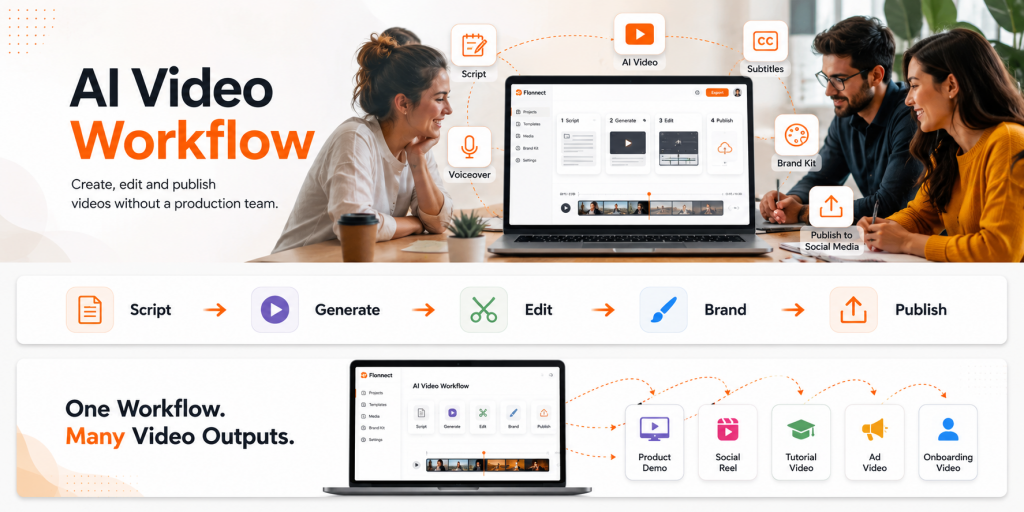
A small team can build an AI video workflow by using an AI video generator, text-to-video tools, editing, subtitles, branding, and review steps in one repeatable process. Instead of hiring a full production team, marketers, founders, creators, and small businesses can create videos from scripts, prompts, product ideas, and screen-based content faster.
Video content is no longer only for brands with large creative teams. Marketers need campaign videos, founders need product explainers, creators need short-form clips, and small businesses need simple videos that explain services clearly.
Traditional production often slows this down. Scripts, shoots, editing, voiceovers, captions, design, and approvals can turn one simple video into a long project.
An AI video workflow solves this by helping teams move from idea to draft, edit, brand, and publish in a more practical way. The goal is not to replace human creativity. The goal is to remove the slow production steps that stop teams from publishing consistently.
In This Guide
What Is an AI Video Workflow?
An AI video workflow is a repeatable process for creating videos with the help of AI tools. It usually starts with a script, idea, prompt, image, or product message and ends with an edited, branded, ready-to-publish video.
For small teams, this matters more than a single AI output. A good workflow helps people create marketing videos, product demos, explainer clips, onboarding videos, tutorials, and social media content without building every scene from scratch.
1
Plan
Choose the audience, message, format, and CTA.
2
Create
Use AI to generate scenes, voiceover, captions, and visuals.
3
Publish
Review, brand, export, and share the final video.
Simple definition
An AI video workflow helps non-video teams turn ideas into usable videos through a structured process of prompting, generating, editing, branding, and publishing.
Why Teams Use AI Video Workflows Without a Production Team
Speed is the biggest reason. Most business videos do not need a large crew, a studio setup, or complex motion graphics. They need a clear message, useful visuals, readable captions, and a simple call to action.
A practical AI workflow helps teams create more videos without waiting for every task to move through a designer, editor, scriptwriter, and voiceover artist.
| Team Type | Common Video Need | How AI Helps |
|---|---|---|
| Marketers | Campaign videos, ads, reels, product explainers | Turns briefs, hooks, and scripts into editable video drafts. |
| Founders | Launch videos, pitch explainers, feature announcements | Creates simple product stories without hiring editors. |
| Creators | Short-form videos, educational clips, content repurposing | Converts ideas into social-ready video formats. |
| Small businesses | Promotional videos, how-to videos, service explainers | Reduces dependency on outside production support. |
Important note
AI can speed up production, but final judgment still belongs to the team. Someone should approve the message, check facts, review visuals, and make sure the final video matches the brand.
Turn scripts and ideas into AI-powered videos
Flonnect helps teams create videos from text, prompts, scripts, and visual ideas, then edit and publish them with less production effort.
Step-by-Step AI Video Workflow for Teams Without a Production Team

The best workflow does not depend on one vague prompt. Better results come from a structured process where each step has a purpose and a human review point.
Start with one clear video goal
Decide the purpose before opening any AI video maker. The video may explain a product, teach a feature, promote an offer, answer a customer question, or introduce a service.
Write a short script or structured prompt
Strong prompts include audience, topic, tone, platform, video length, scene style, and CTA. When using a text to video generator, the script becomes the base for the final video.
Generate the first video draft
Use an AI video generation platform to create the first version. Treat this output as a draft because the first result usually needs edits, stronger pacing, and brand checks.
Edit for clarity, pacing, and brand fit
Use an AI video editor to cut weak parts, improve transitions, add subtitles, adjust the voiceover, and make the video easier to follow.
Repurpose the video for each platform
A YouTube explainer, LinkedIn post, Instagram Reel, and product-page video should not all use the same format. Adjust the hook, size, captions, and CTA based on where the video will be published.
Review before publishing
Check facts, spelling, voiceover, brand colors, subtitle accuracy, logo placement, CTA, and opening hook. AI can speed up the draft, but people should still approve the final video.
AI Video Prompt Examples for Teams
Prompt quality shapes the final result. A weak prompt creates a generic video, while a detailed prompt gives the AI better context, structure, tone, and output direction.
Marketing video prompt
Create a 30-second promotional video for [product/service]. Audience: [target audience]. Pain point: [problem]. Tone: clear, helpful, and modern. Structure: hook, problem, solution, three benefits, final CTA. Use simple scenes, bold captions, and a professional voiceover.
Founder explainer prompt
Create a 60-second product explainer video for a startup. Explain what the product does, who it helps, why it is different, and how users can get started. Use a confident but beginner-friendly tone. Add captions and a clear ending CTA.
Creator short-form prompt
Create a 20-second vertical video for Instagram Reels. Topic: [topic]. Start with a strong hook, use fast pacing, add on-screen captions, include three quick points, and end with a soft CTA to follow for more tips.
Small business service video prompt
Create a 45-second service explainer video for [business type]. Show the customer problem, explain the service, list three benefits, add trust-building language, and end with a booking or contact CTA. Keep the tone simple, local, and friendly.
AI Video Generator Free vs Paid: What Should Teams Choose?
Searches like “ai video generator free,” “free ai video generator,” and “ai video generator free online” usually come from users who want to test the workflow before paying. That is a good starting point, especially for early experiments.
For regular team publishing, free tools can become limiting. Branding, editing, export quality, video length, and repeatable production usually matter more once the workflow becomes part of marketing or sales.
| Factor | Free AI Video Generator | Paid AI Video Generator |
|---|---|---|
| Best for | Testing ideas and simple drafts | Regular team publishing and branded content |
| Branding | Limited control | Better control over logo, colors, format, and style |
| Editing | Basic trimming or limited exports | More useful editing, polishing, and repurposing options |
| Team use | Good for one-off experiments | Better for campaigns, content calendars, and workflows |
| Output quality | May be limited by watermark, length, or export options | More suitable for public marketing and business content |
Best practical approach
Use free tools to test ideas, then move to a stronger workflow when you need branded videos, better editing, consistent exports, and repeatable team production.
Where Flonnect Fits in the AI Video Workflow
Flonnect fits best when a team needs more than a one-click AI draft. It supports the process of moving from script or idea to video creation, editing, subtitles, voiceover, and publishing preparation.
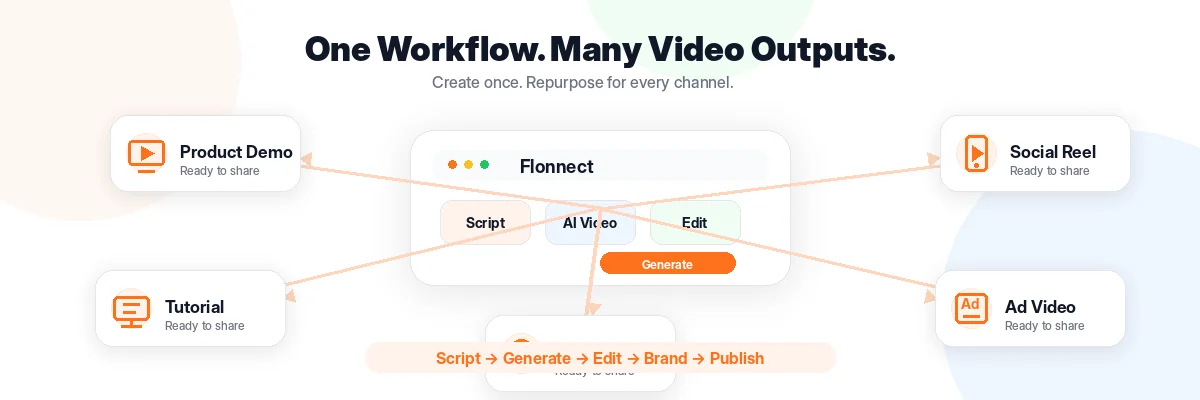
A marketer can start with a campaign brief, use the Flonnect AI video generator to create a first draft, and then polish the video before publishing. The same process works for founders, educators, creators, and small business teams.
| Workflow Stage | What the Team Does | How Flonnect Helps |
|---|---|---|
| Script to video | Write a script, blog summary, or product message | Convert text into video content using AI. |
| Visual creation | Add scenes, visuals, animations, and motion | Generate visuals around the content and message. |
| Voice and captions | Make the video easier to follow | Add AI voiceovers and subtitles. |
| Editing | Cut weak sections and improve flow | Use smart editing tools to refine the output. |
| Branding | Match the video to the team’s identity | Customize the final video with brand elements and formats. |
Workflow tip
Create one master video first. After that, repurpose it into shorter clips for social media, product pages, ads, onboarding, sales, and customer support.
Mistakes to Avoid When Building an AI Video Workflow
1: Using vague prompts
A prompt like “make a video about my product” is too broad. Add audience, goal, tone, CTA, platform, and structure.
2: Publishing the first draft without review
AI can create drafts quickly, but your team should still check accuracy, brand fit, visuals, subtitles, and claims.
3: Making one video for every platform
Each channel needs a different hook, length, caption style, and aspect ratio. Repurpose smartly instead of reposting the same file everywhere.
4: Treating AI as the full strategy
AI helps with production, but strategy still comes from the team. You still need the right audience insight, message, offer, and distribution plan.
Pre-Publish Checklist for AI-Generated Videos
Before publishing, check:
✓ Is the first 3 seconds clear and useful?
✓ Does the video solve one clear problem?
✓ Are subtitles accurate and easy to read?
✓ Is the voiceover natural and aligned with the brand?
✓ Are logo, colors, and CTA consistent?
✓ Is the format correct for the platform?
✓ Has a human reviewed the final version?
Build your AI video workflow with Flonnect
Create videos from text, scripts, ideas, and visuals. Add voiceovers, subtitles, smart edits, and brand elements without needing a full production team.
For marketers, founders, creators, educators, and small business teams.
Frequently Asked Questions