
QA · Developers · Product · IT Support
Quick Answer
- Best overall for visual bug reproduction: Flonnect Bug Reporting.
- A useful report must include steps to reproduce, expected behaviour, actual behaviour, environment details and supporting evidence.
- Use video for timing, animation, navigation and multi-step workflow bugs; use annotated screenshots for static UI defects.
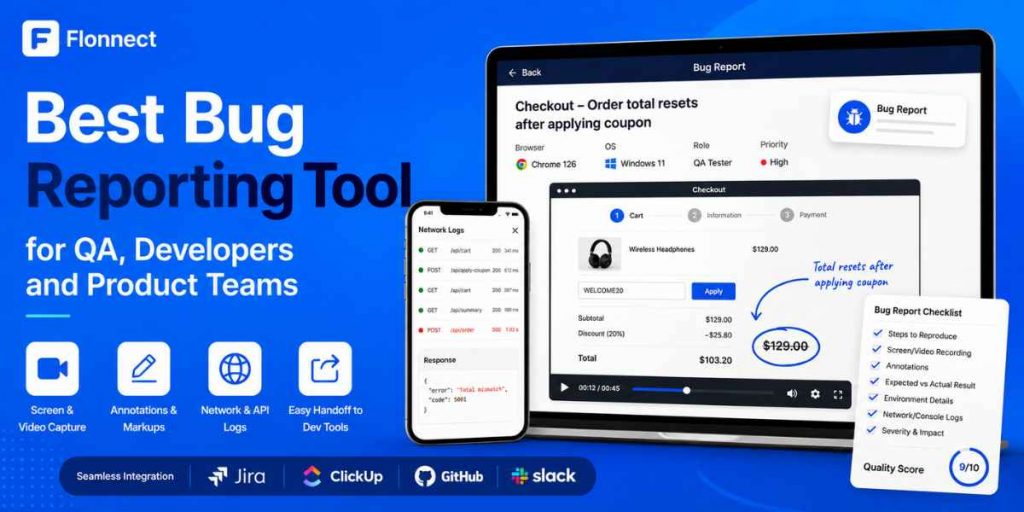
- Flonnect can capture image or video bugs, visual annotations, network requests, API failures and relevant debugging context.
- Read Flonnect’s video troubleshooting guide for a practical developer-ready reporting workflow.
- A bug reporting tool improves evidence collection, but your issue tracker should remain the source of truth for ownership, priority and resolution.
The best bug reporting tool is not the one that creates the most tickets. It is the one that gives developers enough context to reproduce, investigate and resolve an issue without repeatedly asking the reporter for more information.
For QA teams, developers and product managers, this means combining a short written report with visual evidence, annotations, environment details, logs and a clear handoff into the team’s existing workflow.
Best Fit
Best Visual Bug Reporting Tool
Flonnect Bug Reporting
Flonnect stands out when a team needs to show the complete bug journey and the technical failure behind it. It supports image and video reports, timestamp marking, annotations, network and API recording, and handoff into development tools.
Why Better Bug Evidence Matters
Practical research and current product information checked in August 2026.
31%
Faster reporting
In a guided bug-reporting research study
2
Capture modes
Image Bug and Video Bug in Flonnect
4
Connected workflows
Jira, ClickUp, GitHub and Slack listed
$12
Pro starting price
Free Flonnect plan also available
Bug Reporting Decision Guide
What Makes a Bug Reporting Tool Useful?
A useful tool should improve the quality of information entering your issue tracker. It should not force developers to reconstruct the user journey from scattered messages.
Visual Reproduction
Can the reporter show the complete path, timing, clicks and broken state?
Technical Context
Does the report include browser, device, network requests, API failures or console information?
Clear Annotation
Can the reporter mark the exact field, button, timestamp or state that failed?
Workflow Integration
Can the report reach the team’s issue tracker without losing important context?
Reporter Simplicity
Can QA, support, product and non-technical stakeholders submit useful evidence?
Data Control
Can the team review recordings and hide passwords, customer information or sensitive logs?
Best Bug Reporting Tools Compared
| Tool | Best For | Main Strength | Consider Before Choosing |
|---|---|---|---|
| Flonnect | QA, developers, product and IT support | Image/video capture with annotations and network/API context | Use Jira, ClickUp or GitHub for the wider issue lifecycle |
| Jam | Developer-first browser debugging | Console logs, network requests and device context | Best value appears in technical web-product workflows |
| Marker.io | Website QA and project-management integration | Session replay and deep tracker connections | Primarily designed around website feedback and QA |
| BugHerd | Agencies and client website feedback | Point-and-click feedback with an integrated Kanban board | Less focused on deep application or API debugging |
| Usersnap | Product teams collecting bugs and user feedback | Screen capture, metadata, surveys and feedback management | Broader product-feedback scope may exceed a simple QA need |
| Jira or Linear | Issue ownership, prioritization and delivery | Complete engineering workflow and status management | Usually needs a capture tool for richer visual reproduction |
Best practical setup: use Flonnect to collect visual and technical evidence, then send the resulting report into Jira, ClickUp or GitHub for assignment, prioritization and resolution.
The 10-Point Bug Report Quality Score
Before submitting a ticket, score it using the checklist below. A report scoring eight or more should normally give a developer enough information to begin investigation.
1 point · Clear one-line title
1 point · Numbered reproduction steps
1 point · Expected result
1 point · Actual result
1 point · Video or annotated image
1 point · Browser, OS and device
1 point · Build and test environment
1 point · Logs or failed requests
1 point · Severity and user impact
1 point · Frequency or reproducibility
Target score: 8–10 before developer handoff
Flonnect’s dedicated screen recorder for QA testers shows how recordings can support regression testing, UAT, performance testing and tester training.
How to Report a Bug With Flonnect
Start from a reproducible state
Reset the test data, user role, browser state and permissions. Begin recording before the first action needed to trigger the issue.
Choose Image Bug or Video Bug
Use an image for alignment, colour, overlap or missing-state issues. Use video when order, timing, hover behaviour, animation or navigation matters.
Move slowly through the reproduction steps
Pause before important clicks and explain the input or state. Avoid unrelated browsing that makes the report harder to review.
Mark the failure precisely
Use arrows, highlights, drawings, text boxes or video timestamps to show the exact field, message or state that failed.
Review the network evidence
Check failed requests, response codes, request timing and relevant payloads. Remove or hide tokens, passwords and personal customer information.
Send the complete report to your tracker
Add the short written template, attach the visual evidence and send the report into the relevant Jira, ClickUp or GitHub project.
Developers can also use Flonnect for recorded debugging, code reviews and implementation explanations. See the screen recorder for software developers workflow for more examples.
Copy-and-Paste Bug Report Template
[Feature] — [Short description of the failure]
Environment:
Build/version:
Browser and version:
OS/device:
Test account or role:
Production / staging / local:
Preconditions:
–
Steps to reproduce:
1.
2.
3.
Expected result:
–
Actual result:
–
Frequency:
Always / intermittent / once
Severity and user impact:
–
Visual evidence:
Flonnect video or screenshot link:
Technical evidence:
Failed request:
Status code:
Relevant error:
Additional logs:
Sensitive data removed:
Yes / No
Example title: Checkout — order total resets after removing an expired coupon. This is more useful than “Checkout is broken” because it identifies the feature, action and failed result.
Where AI Helps in QA Bug Reporting
AI can reduce administrative work around a report, but it should not replace the evidence captured during the test.
| Useful AI Task | Human Verification Still Needed |
|---|---|
| Summarise a recording into reproduction steps | Confirm that no click, field or condition was missed |
| Suggest a concise issue title | Confirm the title describes the actual defect |
| Cluster duplicate reports | Check whether environments and root causes really match |
| Propose labels or routing | Validate team ownership and project priority |
| Explain a failed API response | Review the actual request, response, code and system behaviour |
AI-generated severity, root-cause suggestions and reproduction steps should be treated as assistance—not verified test results. QA or engineering should approve them before the ticket affects release decisions.
Build the Report for the Person Receiving It
Developer
Needs exact reproduction steps, environment, failed requests, logs and the shortest route to the broken state.
Product Manager
Needs user impact, affected workflow, frequency, workaround and business priority.
QA Lead
Needs repeatability, related test case, regression scope, environment and release risk.
IT or Customer Support
Needs user setup, permissions, browser or device context, visible error and troubleshooting already attempted.
For customer-reported problems, Flonnect’s screen recording guide for support teams explains how visual responses and captures can reduce long text-based troubleshooting chains.
Capture the bug and the technical context in one report
Record image or video evidence, mark the exact failure, capture network requests and send clearer reports to development.
Common Bug Reporting Mistakes
Starting after the failure
Record the complete path so developers can see the conditions that created the problem.
Sending only a video
Add a short title, numbered steps, expected result, actual result and environment.
Recording too much
Stop once the issue and necessary context are clear. Long recordings hide the important moment.
Missing user impact
A visual defect affecting one internal user is different from a checkout failure blocking every customer.
Exposing sensitive data
Remove passwords, access tokens, customer records and private API payloads before sharing.
For quick browser-only capture, the Flonnect screen capture for Chrome guide explains when to use a browser extension, screenshot or desktop recording mode.
Visual Reproduction Checklist
☐ Recording begins before the bug appears.
☐ Every required click is visible.
☐ Expected and actual results are stated.
☐ The exact failure is marked or timestamped.
☐ Browser, OS, device and build are included.
☐ Failed requests or logs are attached.
☐ Severity and user impact are explained.
☐ Sensitive data has been removed.
Give developers evidence they can act on
Capture the complete issue, annotate the failed state, include network context and deliver a report that is ready for investigation.
Frequently Asked Questions
What is a bug reporting tool?
A bug reporting tool helps testers, users and team members capture software defects and send the evidence to the people responsible for investigating and fixing them.
What is the best bug reporting tool?
Flonnect is a strong overall choice for teams needing visual bug capture, annotations, network and API evidence, and integration with development workflows.
What should a good bug report include?
Include a clear title, numbered reproduction steps, expected and actual behaviour, environment, build, frequency, severity, visual evidence and relevant technical logs.
Is video better than a screenshot for reporting bugs?
Video is better for multi-step, timing and interaction issues. A screenshot is usually faster for static layout, text, colour or alignment problems.
Does Flonnect capture network requests?
Yes. Flonnect’s bug reporting product states that it records network activity, XHR requests, fetch calls, API failures, status codes and response information.
Can Flonnect replace Jira?
Flonnect improves bug capture and visual handoff. Jira or another tracker is still useful for ownership, prioritization, sprint planning, status and release management.
How can AI improve QA testing?
AI can summarise recordings, draft reproduction steps, suggest labels and group similar issues. QA and engineering should verify every output before acting on it.
How long should a bug report video be?
Keep it only as long as needed to show the starting state, reproduction path and failure. Stop recording once the defect and relevant context are clear.