
Creator & YouTube Workflows
Quick Answer
- A faceless YouTube channel lets creators publish videos without showing their face on camera.
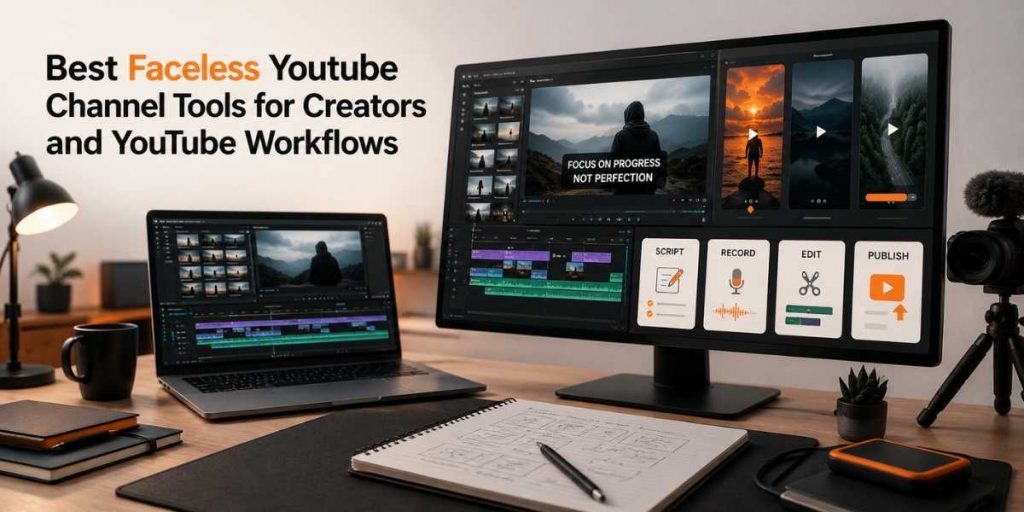
- The best faceless YouTube workflow includes: idea research → script → AI video → screen recording → voiceover/captions → thumbnail → Shorts → publishing.
- Useful tools include an AI video generator, screen recorder, webcam recorder, video editor, transcription tool, AI thumbnail generator, and Shorts repurposing workflow.
- Faceless channels work best for tutorials, explainers, software demos, educational videos, product walkthroughs, list videos, and Shorts.
- Flonnect helps creators build this workflow with AI video creation, screen recording, editing, transcription, thumbnails, and publishing-ready creator assets.
A faceless YouTube channel is not just about hiding your face. It is about creating useful videos with scripts, visuals, screen recordings, captions, thumbnails, and repeatable publishing systems.
A strong faceless channel needs tools for:
- Turning ideas into scripts.
- Creating AI-assisted videos.
- Recording screen tutorials and demos.
- Adding captions and transcripts.
- Designing click-worthy thumbnails.
- Repurposing long videos into Shorts.
- Publishing consistently with a repeatable checklist.
This guide explains the best faceless YouTube channel tools and workflows for creators, YouTubers, and social media managers who want to create videos faster without appearing on camera.
1
Script-first workflow
Faceless videos need clear scripts because visuals and voiceover depend on the structure.
3
Core assets
Video, captions, and thumbnail should be planned before publishing.
5+
Reusable formats
One topic can become a long video, Shorts, clips, thumbnails, and social posts.
Table of Contents
What Is a Faceless YouTube Channel?
A faceless YouTube channel is a channel where the creator does not appear on camera as the main visual identity. Instead, the videos use voiceovers, AI visuals, screen recordings, stock footage, slides, animations, product demos, captions, or text-based storytelling.
Faceless YouTube channels are useful for:
- Creators who are camera-shy.
- Teams that want brand-led content instead of person-led content.
- YouTubers creating tutorials, explainers, or educational videos.
- Social media managers who need repeatable video production.
- Founders or marketers who want videos without full production teams.
The main challenge is trust. Since viewers cannot see the creator’s face, the video must build trust through clear information, good visuals, accurate captions, useful examples, and consistent publishing.
Simple rule: A faceless channel grows when the video feels useful, clear, and consistent — not when it feels automated and generic.
Best Faceless YouTube Channel Tool Stack
A faceless channel needs a workflow, not just one tool. You need tools for idea creation, scripting, video generation, recording, editing, captions, thumbnails, Shorts, and publishing.
| Tool Type | Why It Matters | Flonnect Workflow |
|---|---|---|
| AI video generator | Turns scripts and ideas into video drafts faster | Create AI videos |
| Screen recorder | Adds real product proof for tutorials and demos | Record screen tutorials |
| Video editor | Helps clean, trim, and prepare videos before publishing | Edit videos faster |
| Transcription tool | Creates captions, summaries, and repurposing text | Transcribe videos |
| AI thumbnail generator | Creates visual packaging for clicks and topic clarity | Generate thumbnails |
| Webcam recorder | Optional tool for partial-face, voice-led, or brand intro videos | Record webcam clips |
Faceless YouTube Creator Workflow
The best faceless YouTube workflow turns one topic into a complete publishing package. This means the video, caption, thumbnail, Shorts, and description are planned together.
Choose one searchable topic
Pick a topic people already search for, such as “how to create YouTube videos,” “best AI tools for creators,” or “how to edit Shorts faster.”
Write a simple script
Use a structure like hook, problem, steps, example, recap, and CTA. A faceless video depends heavily on script clarity.
Create the video draft
Use Flonnect’s AI video generator to move from script to video draft faster, especially for explainers, tutorials, list videos, and educational content.
Add screen proof where needed
For tutorials, SaaS reviews, Chrome extension videos, dashboard guides, and product walkthroughs, use a screen recorder so viewers can see the actual steps.
Add captions and publishing assets
Use video transcription to create captions, summaries, Shorts text, descriptions, and social snippets from the same video.
Create faceless YouTube videos with Flonnect
Use Flonnect to create AI videos, record screen tutorials, generate transcripts, create thumbnails, and prepare Shorts-ready creator assets.
Best Faceless YouTube Video Ideas
Faceless channels work best when the topic can be explained visually. The more your video can show steps, examples, screens, lists, or comparisons, the easier it becomes to create without face footage.
| Video Type | Best Format | Tool Needed |
|---|---|---|
| Software tutorials | Screen recording + captions | Screen recorder |
| AI tool explainers | Script + AI video + examples | AI video generator |
| Product walkthroughs | Screen demo + voiceover | Screen recorder + editor |
| List videos | Visual cards + narration | AI video maker |
| YouTube Shorts | Hook + captions + one useful point | Editor + transcription |
Faceless video topic examples
- “How to Create YouTube Videos Without Showing Your Face”
- “5 AI Tools Every Beginner Creator Should Try”
- “How to Record a Software Tutorial Step by Step”
- “Best YouTube Shorts Workflow for Busy Creators”
- “How to Turn One Script Into a Long Video and 5 Shorts”
YouTube Shorts Workflow for Faceless Channels
Shorts can help faceless creators test topics faster. But a Short should not feel like a random cut from a long video. It needs a hook, one point, captions, and a reason to watch more.
Faceless Shorts structure
- 0–2 seconds: Strong hook or problem.
- 2–10 seconds: Show the visual proof or key step.
- 10–25 seconds: Explain one useful idea clearly.
- Final seconds: Add a next-step CTA or tease the full video.
For faceless Shorts, captions matter because many viewers understand the video through text and visuals before they decide to keep watching. A transcript from Flonnect’s transcribe video workflow can help creators quickly convert spoken ideas into captions, subtitles, and Shorts hooks.
Faceless YouTube Video SEO Checklist
YouTube’s official guidance says viewers usually see the thumbnail and title first, and those signals help them decide whether to watch. That makes packaging important for faceless channels because viewers do not have a creator face to recognize.
Before publishing, check:
- Does the title clearly explain the video topic?
- Does the thumbnail match the video promise?
- Can viewers understand the video without seeing your face?
- Are captions readable on mobile?
- Does the first 5–10 seconds explain why viewers should stay?
- Does the description include the main topic and useful links?
- Can the video be repurposed into Shorts or clips?
- Is the video accurate, helpful, and not generic AI filler?
- Is there a clear next video, playlist, or CTA?
For better packaging, creators can use Flonnect’s AI thumbnail generator to create thumbnail drafts that match the title, topic, and visual promise of the video.
Final Verdict
A faceless YouTube channel can work well when the content is useful, structured, and visually clear. The goal is not to hide behind automation. The goal is to create helpful videos without needing camera-led production every time.
Use a faceless YouTube workflow when you want to:
- Create videos without appearing on camera.
- Publish tutorials, explainers, and Shorts faster.
- Turn scripts into AI-assisted videos.
- Record software demos and product walkthroughs.
- Create captions, thumbnails, and publishing assets in one workflow.
Flonnect brings the key parts of this workflow together: AI video generation, screen recording, editing, transcription, thumbnails, and creator-ready publishing assets. That makes it useful for YouTubers, social media teams, founders, and creators building faceless content systems.
Build your faceless YouTube workflow with Flonnect
Create AI videos, record screen demos, generate captions, design thumbnails, and turn one idea into long videos and Shorts with Flonnect.
FAQs
What is a faceless YouTube channel?
A faceless YouTube channel is a channel where videos are created without the creator appearing on camera. The content may use voiceovers, AI videos, screen recordings, stock visuals, captions, slides, or animations.
What tools do I need for a faceless YouTube channel?
You need tools for scripting, AI video creation, screen recording, editing, captions, thumbnails, and publishing. Flonnect supports many of these workflows through AI video generation, screen recording, transcription, editing, and thumbnail creation.
Can faceless YouTube channels grow?
Yes. Faceless channels can grow when they publish useful, clear, and consistent videos. Strong scripts, accurate visuals, readable captions, good thumbnails, and repeatable topics matter more than showing a face.
What are the best faceless YouTube video ideas?
Good faceless video ideas include software tutorials, AI tool explainers, product walkthroughs, list videos, educational guides, YouTube Shorts, comparison videos, and step-by-step workflows.
How does Flonnect help faceless YouTube creators?
Flonnect helps creators create AI videos, record screen tutorials, edit videos, transcribe content, generate thumbnails, and prepare creator assets for YouTube videos and Shorts.