
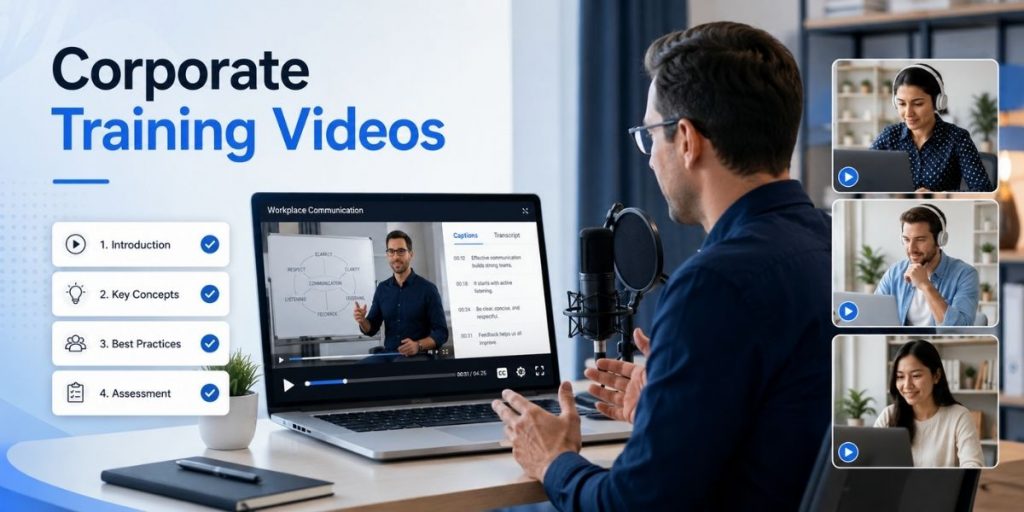
Record · Teach · Reuse · Measure
Quick Answer
- Build each training video around one job the learner should perform better, not around everything you know about the topic.
- Break long training into focused modules that learners can find and replay at the moment they need them.
- Record the actual screen, workflow, slide or process whenever showing the behavior is clearer than explaining it.
- Add captions, transcripts, practice prompts and a clear next action instead of treating “watched” as “learned.”
- Assign every important training asset an owner and review date so outdated lessons do not stay in circulation.
- Use Flonnect Screen Recorder to record screen, webcam and audio, then edit, transcribe, share and reuse the lesson.
Corporate training videos become valuable when they stop being one-time recordings and start becoming reusable answers to real workplace questions.
A new employee should be able to find the exact onboarding lesson they need. A sales rep should be able to replay a product workflow before a call. A manager should be able to update one outdated module without rebuilding an entire course. That is the difference between simply recording training and building a scalable video-learning system.
The 2026 Training Shift
Production speed is no longer the hardest problem. AI and simple recording tools have made video creation easier. The harder problem is designing lessons employees can understand, locate, update and apply months after the original recording.
What Makes a Corporate Training Video Actually Useful?
One Outcome
The viewer should know exactly what they should understand, decide or perform after watching.
Visible Behavior
Show the real task, software, conversation or decision whenever demonstration beats explanation.
Easy to Revise
Modular lessons are easier to update when a policy, interface, process or product feature changes.
Measurable Action
Connect watching to a quiz, task, practice scenario, successful workflow or other evidence of understanding.
If you are building a larger learning programme, Flonnect’s guide to video-based learning explains how recorded lessons can support classes, onboarding, internal training and course content without repeatedly delivering the same session live.
Do Not Record Topics. Record Performance Outcomes.
“CRM training” is a topic. “Create and correctly assign a new opportunity in the CRM” is a performance outcome. The second one is much easier to teach, record and measure.
| Too Broad | Better Training Outcome | Best Format |
|---|---|---|
| Security training | Identify a suspicious login request | Scenario + explanation |
| Product training | Create a dashboard report | Screen walkthrough |
| Onboarding | Submit the first expense claim | Screen + webcam |
Build Modules Learners Can Finish and Find Again
There is no universal perfect training-video length, but recent workplace-learning guidance increasingly favors focused modules over long recordings. A practical starting point is to keep one lesson within roughly 6–8 minutes when the task allows it, then split complex subjects into a sequence.
The bigger reason is maintainability. If a 45-minute onboarding recording contains six different processes and one screen changes, you may need to redo the entire video. Six modular lessons let you replace only the outdated one.
Corporate Training Video Lesson Plan
| Part | What to Include |
|---|---|
| Outcome | “After this lesson, you will be able to…” |
| Why it matters | Connect the skill to the employee’s actual work. |
| Demonstration | Show the real screen, process, example or behavior. |
| Common mistake | Show where learners usually go wrong. |
| Practice | Give the viewer a task, question or scenario. |
| Next action | Link to the next lesson, SOP, manager check or live task. |
Record the Real Work, Not Just Slides
Slides are useful for frameworks and concepts. They are poor substitutes for the real interface when the learner needs to complete a task.
For software training, capture the actual browser tab or application. For a presentation, combine slides with voice or webcam. For coaching, show a realistic scenario. Flonnect supports full desktop, application-window, browser-tab and screen-plus-camera recording, which lets the recording mode follow the learning objective rather than forcing every lesson into the same format.
Creators building a structured curriculum can also use the online course creator workflow to organize recordings into clear modules instead of publishing disconnected videos.
Edit for Cognitive Clarity, Not Decoration
Training does not become better because more animations are added. Every visual element should help the learner understand what matters.
- Cut dead time, repeated explanations and unrelated discussion.
- Zoom or annotate the exact interface element being discussed.
- Use captions for accessibility and difficult terminology.
- Correct transcript errors in product names, acronyms and technical terms.
- Keep webcam presence when the human connection adds value; remove it when it competes with a complex demonstration.
For raw lessons that need cleanup, Flonnect’s AI video editor supports automated trimming, subtitles, noise reduction and other editing assistance that can reduce repetitive post-production work.
Watching Is Not the Same as Learning
A completion badge proves a video played. It does not prove the employee can perform the task.
Add a Learning Action
After the video, ask the learner to complete the workflow, answer one knowledge-check question, identify an error, choose between two scenarios, or submit evidence of the task. Interactivity is useful when it makes viewers apply the lesson—not when it exists only to make the module feel interactive.
Put Training Where the Work Happens
One of the most useful newer ideas in workplace training is point-of-need learning. Employees should not have to remember which 40-minute course mentioned the answer they need.
Link a short CRM lesson inside the CRM knowledge base. Add a software walkthrough to the relevant SOP. Put a QR code near equipment that opens the maintenance video. Share a refresher lesson in the Slack or Teams channel where the task is discussed.
If your organisation is building a larger content library, this guide to choosing an educational video platform covers the difference between recording tools, video libraries and LMS platforms.
Avoid “Training Video Debt”
An outdated training video can be worse than having no video because employees confidently follow the wrong process. Treat training content like maintained documentation.
Assign an Owner
Every critical lesson should have someone responsible for accuracy.
Add a Review Date
Review high-change product and policy videos more often than stable skills training.
Keep Modules Small
Replacing one changed module is cheaper than recreating a large course.
For repeatable processes that also need written ownership, warnings and update dates, pair the video with Flonnect’s process documentation framework.
Plan for Localization Before You Record
Global training becomes harder when terminology, screenshots and local policies are buried inside one long recording. Standardize company terms, separate regional content into replaceable scenes or modules, keep source scripts and transcripts, and involve native reviewers for important localized versions. The more modular your master lesson is, the easier translation and regional updates become.
Record Once, Then Turn One Lesson Into Several Assets
| Original Training | Reuse It As |
|---|---|
| Employee onboarding session | New-hire module · refresher · manager checklist |
| Software training | Tutorial · SOP companion · support response |
| Expert workshop | Topic clips · FAQ videos · internal knowledge assets |
| Live lecture | Replay · revision clips · course module · transcript |
Educators and training teams exploring AI-assisted formats can also review Flonnect’s guide on how to create AI videos while keeping real screen recordings for workflows that require product proof or accurate demonstrations.
Measure More Than Completion Rate
Better corporate training connects viewing behavior to understanding and workplace performance.
| Metric | What It Can Reveal |
|---|---|
| Completion | Did learners finish the lesson? |
| Drop-off point | Where did attention or relevance fall? |
| Knowledge check | Did the viewer understand the concept? |
| Task success | Can the employee actually perform the workflow? |
| Time to proficiency | Is training helping people become productive faster? |
Flonnect’s current screen-recording workflow also supports viewer activity and drop-off tracking through Google Analytics integration, which can help teams identify where a lesson may need improvement.
Corporate Training Video Reuse Checklist
☐ One measurable learning outcome
☐ Real process or behavior shown where useful
☐ Unnecessary content removed
☐ Captions and transcript checked
☐ Learner practice or knowledge check added
☐ Clear next action provided
☐ Module has an owner
☐ Review or expiry date assigned
☐ Stored where learners can find it
☐ Localization needs considered
☐ Viewer drop-offs reviewed
☐ Reusable clips or SOP assets identified
Turn repeated explanations into reusable training assets
Record the real workflow once, refine it for clarity, share it with every learner and update only the modules that change.
Frequently Asked Questions
What are corporate training videos?
They are recorded lessons used to teach employees processes, skills, policies, software, onboarding tasks and other workplace knowledge.
How long should a corporate training video be?
There is no fixed ideal length. Keep the video only as long as needed to teach one outcome. For many workplace lessons, roughly 6–8 minutes is a useful starting point before splitting the topic into modules.
What equipment do I need to create training videos?
For most screen-based training, you need a reliable recorder, clear microphone, readable screen, optional webcam and an editing workflow for removing mistakes and adding captions.
How often should training videos be updated?
Review frequency should match how quickly the underlying process changes. Product UI, compliance and policy videos may need frequent reviews, while stable skill lessons can be checked less often.
How do you measure whether training videos work?
Combine viewing metrics such as completion and drop-off with knowledge checks, task success, employee performance or time-to-proficiency measures.
Can one training video be reused for different audiences?
Yes. A strong master recording can often become onboarding content, a refresher, course lesson, support answer, SOP companion or short topic clip.