
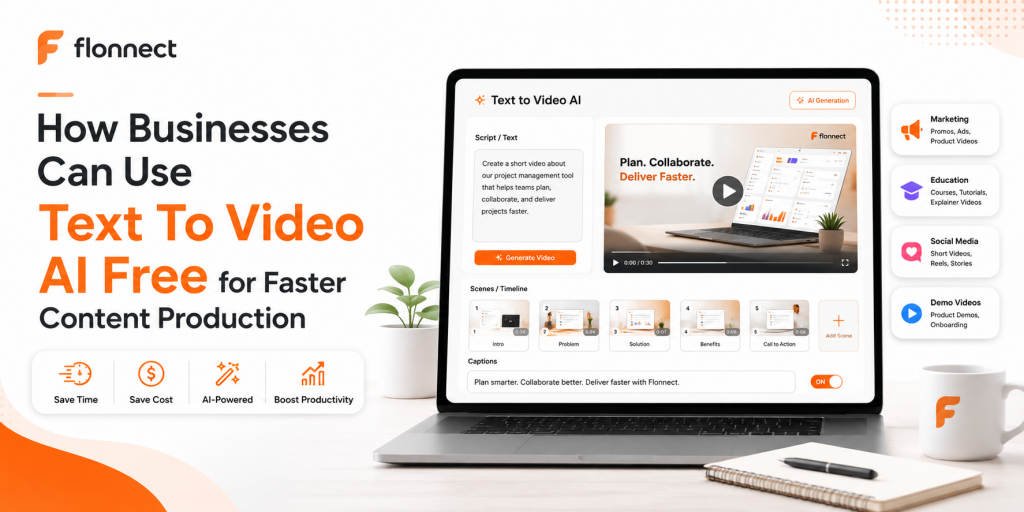
Quick Answer
Businesses can use text to video AI free tools to turn scripts, prompts, blogs, lessons, product notes, and social captions into videos faster. A practical workflow starts with a clear idea, then moves into AI scene generation, voiceover, subtitles, editing, branding, and final publishing for demos, tutorials, social clips, or educational content.
Video content helps businesses explain ideas faster, but producing it regularly can become difficult for small teams. Content marketers need campaign videos, educators need lesson-based clips, and creators need short videos that can be published consistently.
Written content is usually easier to prepare than a finished video. Teams already have blog posts, product notes, webinar outlines, course material, support scripts, and social captions. The challenge is converting those written inputs into professional videos without spending hours on editing.
Text to video AI solves this by turning written content into visual drafts. Instead of starting with a blank timeline, teams can use prompts and scripts to create scenes, narration, subtitles, transitions, and publish-ready video formats faster.
In This Guide
What Does Text to Video AI Free Mean?
Text to video AI means using artificial intelligence to convert written input into a video. The input can be a prompt, script, article, caption, lesson outline, product description, or marketing message.
A free text to video AI tool usually helps teams test the workflow before moving into a full production system. Free plans are useful for drafts, experiments, and short videos, while paid workflows are better for frequent publishing, brand control, longer videos, and higher-quality exports.
1
Write
Start with a script, prompt, caption, or content idea.
2
Generate
Let AI create scenes, visuals, narration, and structure.
3
Publish
Edit, caption, brand, export, and share the final video.
Simple definition
Text to video AI turns written content into video drafts by creating scenes, visuals, voiceover, subtitles, and structure from text.
Why Businesses Use Text to Video AI for Faster Content Production
Speed is the first reason. A written script can be ready in minutes, but editing a video manually may take hours. AI shortens that gap by creating a structured first draft that teams can improve.
Cost is another reason. Businesses may not always have access to editors, voiceover artists, designers, and motion graphics specialists. A text-to-video workflow gives teams a faster starting point without removing human review.
| Team Type | Common Need | How Text to Video Helps |
|---|---|---|
| Content marketers | Campaign clips, product explainers, blog repurposing | Turns written ideas into video drafts faster. |
| Educators | Lessons, explainers, training modules | Converts teaching notes into narrated learning videos. |
| Creators | Short clips, reels, YouTube ideas, social posts | Helps create more video content from captions and scripts. |
Important note
Free tools are useful for testing. For regular business publishing, teams still need clear scripts, brand review, quality checks, and final editing before sharing the video publicly.
Turn scripts into videos faster with Flonnect
Use Flonnect to convert written content into videos with AI-generated visuals, voiceovers, subtitles, and scene structure.
Step-by-Step Text to Video AI Workflow
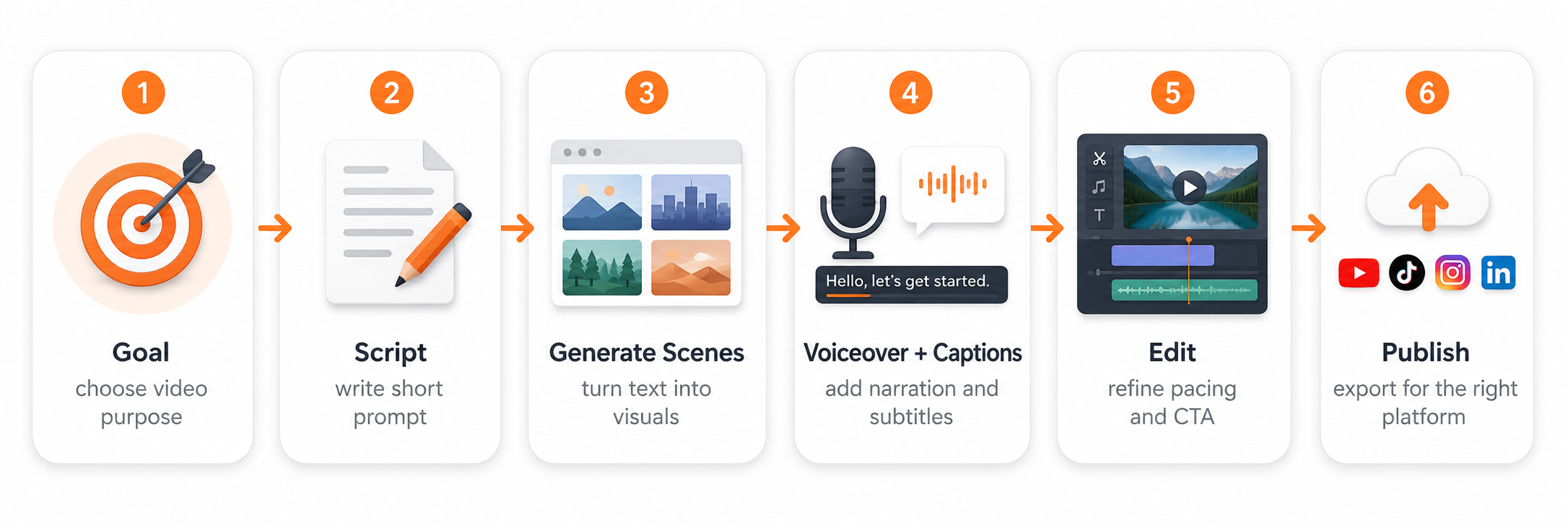
A strong workflow does not start with a random prompt. Better videos come from a clear message, a defined audience, and a simple structure that AI can follow.
Choose one video goal
Decide whether the video should teach, explain, promote, summarize, or demonstrate something. A focused goal helps AI create a cleaner video draft.
Write a short script or prompt
Include the audience, topic, tone, video length, platform, scene style, and CTA. This gives the AI a clear direction instead of a vague request.
Generate the first video draft
Use an AI text to video generator to create scenes, visuals, subtitles, and voiceover from your written input.
Add narration and captions
Voiceovers and subtitles make the video easier to follow. They are especially useful for lessons, tutorials, product explainers, and social videos watched without sound.
Edit the video for clarity
Check pacing, remove weak lines, adjust visuals, and make the CTA clear. If you need different formats, create versions for YouTube, LinkedIn, Instagram, and learning platforms.
Publish and repurpose
Export the final video for the right channel. A single script can become a demo, tutorial, short clip, lesson video, or social post when planned well.
Text-to-Video Prompt Template for Businesses
Prompt quality decides how useful the first draft will be. A strong prompt should give AI enough context about the topic, audience, tone, structure, and platform.
Reusable prompt template
Create a
video for [target audience] about [topic]. The goal is to [educate / explain / promote / demonstrate]. Use a [tone] tone. Structure the video with a short hook, problem, solution, key points, and final CTA. Add AI voiceover, subtitles, simple visuals, and scene transitions. Format it for [YouTube / LinkedIn / Instagram / course platform].
| Use Case | Prompt Direction |
|---|---|
| Product demo | Show the problem, product action, benefits, and CTA. |
| Tutorial | Break the process into steps with captions and narration. |
| Social clip | Start with a hook, keep the message short, and end with a simple CTA. |
Best Use Cases for Text to Video AI
The best results come when teams connect text-to-video tools with real content needs. A single written idea can become several useful formats when the workflow is planned correctly.
Marketing videos
Turn campaign briefs, landing page copy, or product messages into short promotional videos. This works well for launches, feature announcements, and awareness-stage content.
Educational content
Convert lesson notes, training documents, and course outlines into narrated videos. Educators can use this to explain concepts without building every slide manually.
Product demos
Use a script to explain a feature, show the value, and guide the viewer toward the next step. For human-led explainers, an AI avatar video creator can add a presenter-style format.
Social media clips
Repurpose short captions, tweets, bullet points, and blog summaries into videos. If the creative needs a different look, tools like an AI art generator can support visual ideation.
Where Flonnect Fits in the Text-to-Video Workflow
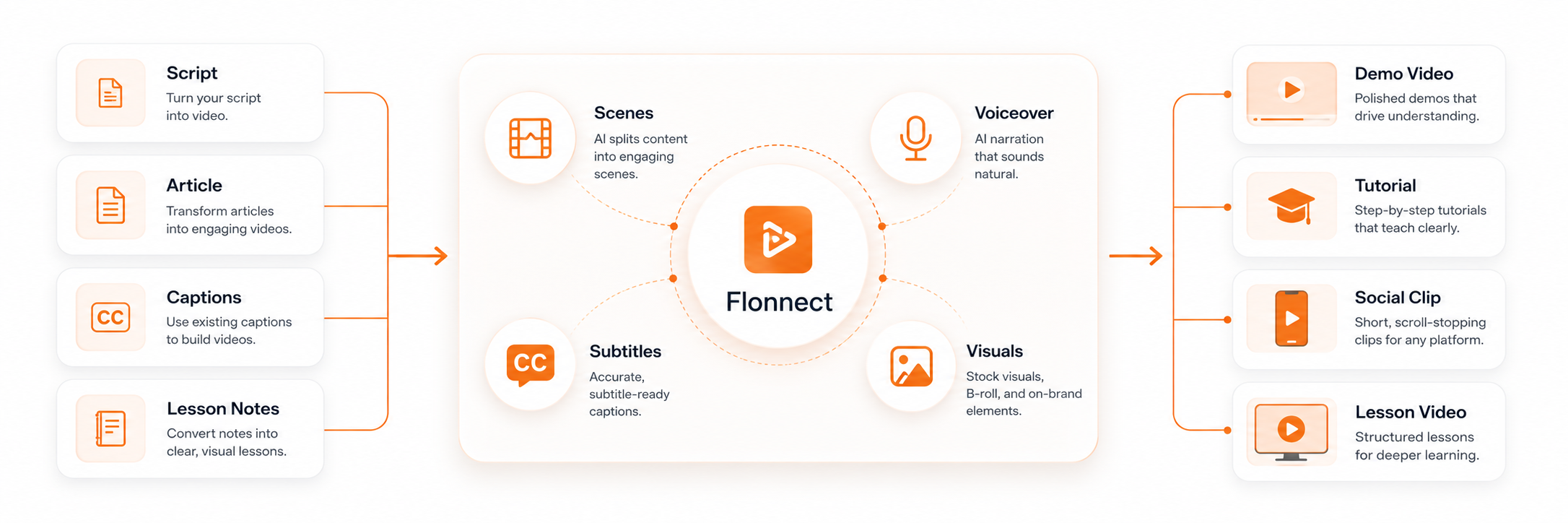
Flonnect helps teams move from written content to video creation without needing advanced editing skills. The Flonnect AI Text to Video Generator can turn scripts, articles, captions, and written content into videos with scenes, voiceovers, subtitles, and visuals.
Teams can also extend the workflow with related AI tools. A background-heavy visual can be cleaned with an AI background remover, while experimental video concepts can be supported with avatar, face swap, or art-based creative tools.
| Workflow Stage | Team Need | Flonnect Use |
|---|---|---|
| Script to video | Convert written content into a video draft | Use AI to generate visuals, narration, and scenes. |
| Presenter video | Make explainer content feel more human | Use an AI avatar video creator when a presenter format is useful. |
| Creative edits | Create campaign variations or visual experiments | Use creative tools like face swap or AI art for testing concepts. |
| Clean visuals | Remove distracting backgrounds or prepare assets | Use background removal to make assets cleaner before publishing. |
Workflow tip
Create one strong master video first. After that, repurpose the same script into a short clip, lesson video, product demo, social post, or campaign asset.
Mistakes to Avoid When Using Text to Video AI Free Tools
Mistake 1: Starting with a vague prompt
A prompt like “make a business video” is too broad. Add audience, goal, platform, tone, length, and CTA before generating the first draft.
Mistake 2: Publishing without review
AI can create drafts quickly, but people should still check facts, captions, visuals, pronunciation, brand tone, and final CTA.
Mistake 3: Making one format for every platform
A YouTube explainer, Instagram Reel, LinkedIn post, and course video need different pacing, captions, layout, and length.
Mistake 4: Treating free tools as a full production system
Free tools are helpful for testing, but teams need stronger workflows when they want consistent branding, better exports, and frequent publishing.
Pre-Publish Checklist for AI Text-to-Video Content
Before publishing, check:
✓ Is the video goal clear?
✓ Does the script match the target audience?
✓ Are visuals relevant to the message?
✓ Are voiceover and subtitles accurate?
✓ Is the CTA simple and clear?
✓ Is the format correct for the publishing channel?
✓ Has a human reviewed the final version?
Create videos from text with Flonnect
Convert scripts, prompts, articles, captions, and lessons into videos with AI-generated visuals, subtitles, voiceovers, and scene structure.
For content marketers, educators, creators, business teams, and social media teams.
Frequently Asked Questions