Coming soonYour AI agent can attend meetings for you. See how →

Flonnect
Home
  • Screen Recorder
    Record your screen in up to 1080p
    Meeting Copilot
    AI-powered transcription & summaries
    Meeting Agent
    Invite the AI agent to any meeting
    Interactive Demo Capture
    Create interactive product demos
    Testimonials
    Collect and showcase testimonials
    Presentation Recorder
    Record slides with your camera
    Bug Reporting
    Report bugs with visual context
  • AI Video Generator
    AI Video Editor
    AI Animated Video Maker
    AI Text To Video
    AI Avatar Video
    AI Face Swap Video
    AI Short Video Creator
    AI Image Generator
    AI Photo Editor
    AI Art Generator
    AI Background Remover
    AI Ad Generator
    AI Social Media Post
    AI Thumbnail Generator
    AI Presentation Maker
  • Meeting Recording & Collaboration

    Google Meeting RecorderMicrosoft Teams RecordingZoom Meeting Recording

    Content Generation & Documentation

    Minutes of MeetingTranscription

    Screen & Camera Recording

    Screen RecordingScreen + Camera RecordingPresentation RecordingVideo PresentationCamera Recording

    Specialized Recording & Enhancement

    Annotation While RecordingStep RecorderHTML Interactive Demo RecordingSystem Audio RecordingMic RecordingMovable Camera

    Sharing & Integration

    Share Video with One ClickReact/Comments on VideosUpload Video to YouTubeAttach Video in Email

    Bug Reporting & Development Workflow

    Screenshot Bug ReportingVideo Bug RecordingPush to JiraBug CaptureAdd Video in Bitbucket/GitHub PR
    View all features →
  • Education & Learning
    5 use cases
    Business & Corporate
    5 use cases
    Marketing & Content
    5 use cases
    Freelance & Creative
    7 use cases
    Technology & Development
    5 use cases
    Gaming & Entertainment
    3 use cases
    Legal & Compliance
    4 use cases
    Healthcare & Wellness
    4 use cases
    Finance & Investment
    3 use cases
    Research & Science
    3 use cases
    Manufacturing & Industry
    3 use cases
    Real Estate & Property
    2 use cases
    Automotive & Transportation
    2 use cases
    Community & Public Service
    4 use cases
    View all resources →
BlogsPricing
  • Extract Audio
    Remove Meta Data
    Change Container
    Inspect Streams
    Trim / Split
    Subtitles
    Batch Processing
    File Compression
    Convert to HLS
    Thumbnail Generator
    Rotate / Flip Video
    Audio Converter

Use case

Screen Recorder for Car Mechanics & Repair Shops

Record repair walkthroughs, diagnostic explanations and staff training with your screen, webcam and voice, then send customers a link they can open anywhere.

Add to Chrome — it's freeSee use cases

Free forever plan · No credit card

How people use it

5 ways repair shops use Flonnect

From repair guides to staff training, here is how mechanics and shop owners use video.

  1. Recording Repair Guides & Step-by-Step Fixes01

    Recording Repair Guides & Step-by-Step Fixes

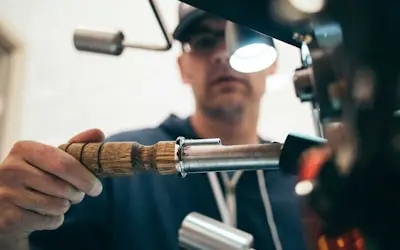
    Record a walkthrough of a common repair with your webcam and voice, then send customers the link. They see what a simple job involves, or what to expect when they bring the car in. Good for oil changes, brake pads, battery swaps and basic engine checks, and useful for DIY owners and apprentices alike.

    Example
    A mechanic records a video on 'How to Replace Brake Pads on a Toyota Camry', showing the entire process from removing old pads to reassembling safely.
  2. Creating Troubleshooting Videos for Common Car Problems02

    Creating Troubleshooting Videos for Common Car Problems

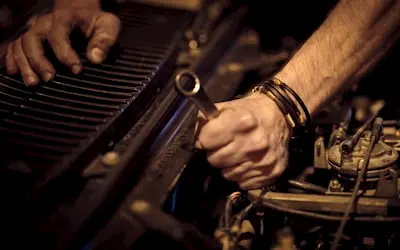
    Explain the warning signs customers should watch for: engine noises, dashboard lights, transmission slips. A short video they can replay helps them describe the problem accurately and come in before a small fault becomes an expensive one.

    Example
    A mechanic records a guide on 'What Different Engine Noises Mean', explaining the causes of knocking, ticking, and squealing sounds.
  3. Documenting Before & After Repair Comparisons03

    Documenting Before & After Repair Comparisons

    Record the car's condition before and after the work and send the link with the invoice. Customers see exactly what was fixed, whether it was a dent, a paint correction or an engine rebuild, and you have a record of the job.

    Example
    A body shop records a before-and-after video of a dented bumper repair and shares the clip on its social media pages.
  4. Hosting & Recording Virtual Car Maintenance Workshops04

    Hosting & Recording Virtual Car Maintenance Workshops

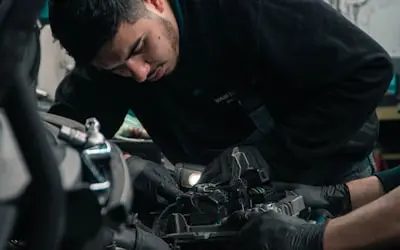
    Run a maintenance workshop over Google Meet, Zoom or Microsoft Teams and record it with Flonnect. Share the recording afterwards so customers who missed it can watch seasonal tips, tire rotation basics or fuel-saving habits on their own time.

    Example
    A mechanic hosts an online session on 'Winter Car Maintenance Tips' and sends the recording to customers who signed up.
  5. Capturing Vendor & Team Training for Shop Operations05

    Capturing Vendor & Team Training for Shop Operations

    Record your screen while you use diagnostic or shop-management software, and talk through each step. New staff can rewatch the video instead of asking the same questions, and everyone follows the same procedure for diagnostics, safety checks and customer handover.

    Example
    A shop manager records a training video on 'How to Use OBD-II Scanners for Engine Diagnostics', teaching mechanics how to interpret trouble codes accurately.

FAQ

Questions, answered

Common questions from mechanics and repair shops about recording and sharing with Flonnect.

Keep each video to one job, show the parts and tools close up, and narrate each step as you do it. Trim the dead time afterwards in Flonnect, then share the link or download the MP4.

Record from the first symptom through testing to the fix. Screen-record the scanner software or readings, add your webcam and voice to explain what you found, and send the link to the customer.

Yes. Showing the before-and-after condition and explaining what you did helps customers understand what they paid for. They can watch the video from the link you send, no account needed.

Pick topics people search for, such as maintenance tips, common faults and upgrades. Explain clearly, show the real car, and upload the finished video to YouTube straight from Flonnect.

Yes. Record your diagnostic procedures, safety checks and customer-service steps once, and new mechanics can watch them whenever they need. Comments on the video let them ask questions.

Share short explainers and repair walkthroughs on your website, YouTube or social pages. Real work from your own shop tells customers more than a list of services.

Record your next repair guide

Install the free extension, record a walkthrough, and send the customer the link.

Open FlonnectSee pricing
Logo

One screen recorder for work, demos & meetings.

✔ Screen recording✔ Meeting recording✔ Interactive demos✔ AI video editing
Windows
macOS
Chrome
Logo

One screen recorder for work, demos & meetings.

  • ✔ Screen recording
  • ✔ Meeting recording
  • ✔ Interactive demos
  • ✔ AI video editing

Product

  • Screen Recorder
  • Meeting Recorder
  • Meeting Agent
  • Presentation Recorder
  • Bug Reporting
  • Interactive Demos
  • Transcription
  • Pricing

AI Tools

  • AI Video Generator
  • AI Video Editor
  • AI Presentation Maker
  • AI Image Generator
  • AI Thumbnail Generator
  • Text to Video

Use Cases

  • Business Teams
  • Education
  • Marketing
  • Developers & QA
  • Sales & Support
  • Content Creators

Company

  • About Us
  • How It Works
  • Downloads
  • Community
  • Changelog
  • Contact Us
  • Compare

Legal

  • Privacy Policy
  • Terms & Conditions
  • Refund Policy
  • Google API Disclosure

Media Tools

  • Extract Audio
  • Remove Meta Data
  • Change Container
  • Inspect Streams
  • Trim / Split
  • Subtitles
  • Batch Processing
  • File Compression
  • Convert to HLS
  • Thumbnail Generator
  • Rotate / Flip Video
  • Audio Converter
Download for Windows
Download for macOS
Chrome Extension

© 2026 Talky Media Private Limited. All rights reserved.

Privacy
Terms
Refunds