Free plan now available — Pro starts at $12/mo. View plans →

Screen Recorder for Business
Enhance business communication and productivity with enterprise-grade screen recording solutions. Create professional presentations, document processes, and improve team collaboration.
5 Essential Business Recording Applications
Discover how forward-thinking businesses are leveraging screen recording to improve operations and drive growth

1. Recording Client Meetings & Project Updates
Business teams can record client calls, project discussions, and stakeholder meetings for documentation and follow-up. Helps in maintaining clear communication records and ensuring all team members stay aligned on project objectives. Can be shared with remote team members who couldn't attend live meetings.
Business Example:
A project manager records a client kickoff meeting and shares key decisions with the development team for reference.

2. Creating Product Demos & Sales Presentations
Sales teams can record compelling product demonstrations and presentations for prospects and clients. Helps in standardizing sales messaging across the team and providing consistent product explanations. Can be customized for different client segments and shared via email or during sales calls.
Business Example:
A sales rep records a software demo highlighting features specific to a healthcare client's needs.
3. Employee Training & Onboarding Videos
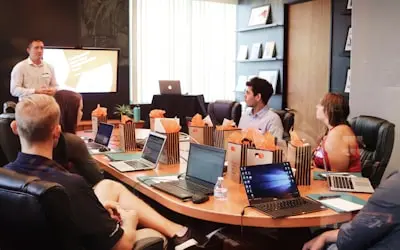
HR and training teams can record comprehensive onboarding sessions and skill development programs. Helps new employees learn company processes, software tools, and best practices efficiently. Reduces repetitive training sessions and ensures consistent knowledge transfer across the organization.
Business Example:
An HR manager records a company culture and values session for new hires joining remotely.
4. Process Documentation & Standard Operating Procedures
Operations teams can record step-by-step process walkthroughs for internal documentation. Helps in creating visual SOPs that are easier to follow than written procedures. Useful for quality control, compliance training, and maintaining operational consistency across different locations.
Business Example:
An operations manager records the monthly reporting process to ensure consistency across regional offices.

5. Team Collaboration & Knowledge Sharing
Cross-functional teams can record brainstorming sessions, strategy discussions, and knowledge-sharing meetings. Helps preserve institutional knowledge and makes it accessible to future team members. Can be used for async collaboration when team members are in different time zones.
Business Example:
A marketing team records a campaign strategy session and shares insights with the global marketing team.
Frequently Asked Questions
Everything businesses need to know about implementing enterprise screen recording solutions
Transform Your Business Communication
Join thousands of businesses who have improved their productivity and collaboration with our enterprise recording platform