Free plan now available — Pro starts at $12/mo. View plans →

Screen Recorder for Virtual Assistants
Scale your VA business and enhance client relationships. Create professional documentation, training materials, and service demonstrations that showcase your expertise and value.
5 Essential Virtual Assistant Recording Applications
From client onboarding to service demonstrations, discover how virtual assistants are building successful businesses through professional recording

1. Recording Client Onboarding & Process Documentation
Virtual assistants can record step-by-step onboarding processes for new clients. Helps standardize service delivery and reduces time spent explaining procedures repeatedly. Can include walkthroughs of tools, communication protocols, and project management systems. Useful for scaling VA services and maintaining consistency across multiple clients.
VA Example:
A VA records a comprehensive onboarding video showing how they manage social media accounts, including content scheduling and reporting procedures.

2. Creating Task Tutorials & Standard Operating Procedures
VAs can record detailed tutorials for common tasks and create SOPs for client reference. Helps clients understand processes and enables easy handovers to other team members. Can include administrative tasks, customer service procedures, and specialized workflows. Perfect for building a library of reusable training materials.
VA Example:
A virtual assistant creates a tutorial on 'How to Manage Your Email Inbox Efficiently', showing filtering, organizing, and response strategies.

3. Recording Client Communication & Meeting Summaries
Virtual assistants can record client calls and meetings to create accurate summaries and action items. Helps ensure nothing is missed and provides reference material for future discussions. Can include project updates, strategy sessions, and feedback meetings. Essential for maintaining clear communication and accountability.
VA Example:
A VA records a weekly client check-in meeting and creates a detailed summary with action items and deadlines for the client's review.
4. Documenting Research & Data Analysis Processes
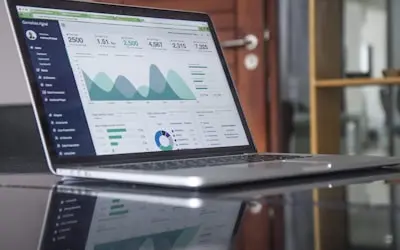
VAs can record their research methodologies and data analysis processes for client transparency. Helps clients understand the value being provided and enables quality control. Can include market research, competitor analysis, and lead generation processes. Useful for demonstrating expertise and building trust.
VA Example:
A research-focused VA records their process for conducting market analysis, showing data sources, analysis methods, and report creation.

5. Creating Portfolio Content & Service Demonstrations
Virtual assistants can record demonstrations of their services to attract new clients. Helps showcase capabilities and build credibility in the marketplace. Can include before-and-after examples, workflow demonstrations, and results presentations. Perfect for marketing VA services and standing out from competitors.
VA Example:
A social media VA creates a portfolio video showing how they transformed a client's social media presence, including strategy and results.
Frequently Asked Questions
Everything virtual assistants need to know about professional recording and client service enhancement
Elevate Your VA Services
Join successful virtual assistants who are building thriving businesses through professional documentation and exceptional client service