Coming soonYour AI agent can attend meetings for you. See how →

Flonnect
Home
  • Screen Recorder
    Record your screen in up to 1080p
    Meeting Copilot
    AI-powered transcription & summaries
    Meeting Agent
    Invite the AI agent to any meeting
    Interactive Demo Capture
    Create interactive product demos
    Testimonials
    Collect and showcase testimonials
    Presentation Recorder
    Record slides with your camera
    Bug Reporting
    Report bugs with visual context
  • AI Video Generator
    AI Video Editor
    AI Animated Video Maker
    AI Text To Video
    AI Avatar Video
    AI Face Swap Video
    AI Short Video Creator
    AI Image Generator
    AI Photo Editor
    AI Art Generator
    AI Background Remover
    AI Ad Generator
    AI Social Media Post
    AI Thumbnail Generator
    AI Presentation Maker
  • Meeting Recording & Collaboration

    Google Meeting RecorderMicrosoft Teams RecordingZoom Meeting Recording

    Content Generation & Documentation

    Minutes of MeetingTranscription

    Screen & Camera Recording

    Screen RecordingScreen + Camera RecordingPresentation RecordingVideo PresentationCamera Recording

    Specialized Recording & Enhancement

    Annotation While RecordingStep RecorderHTML Interactive Demo RecordingSystem Audio RecordingMic RecordingMovable Camera

    Sharing & Integration

    Share Video with One ClickReact/Comments on VideosUpload Video to YouTubeAttach Video in Email

    Bug Reporting & Development Workflow

    Screenshot Bug ReportingVideo Bug RecordingPush to JiraBug CaptureAdd Video in Bitbucket/GitHub PR
    View all features →
  • Education & Learning
    5 use cases
    Business & Corporate
    5 use cases
    Marketing & Content
    5 use cases
    Freelance & Creative
    7 use cases
    Technology & Development
    5 use cases
    Gaming & Entertainment
    3 use cases
    Legal & Compliance
    4 use cases
    Healthcare & Wellness
    4 use cases
    Finance & Investment
    3 use cases
    Research & Science
    3 use cases
    Manufacturing & Industry
    3 use cases
    Real Estate & Property
    2 use cases
    Automotive & Transportation
    2 use cases
    Community & Public Service
    4 use cases
    View all resources →
BlogsPricing
  • Extract Audio
    Remove Meta Data
    Change Container
    Inspect Streams
    Trim / Split
    Subtitles
    Batch Processing
    File Compression
    Convert to HLS
    Thumbnail Generator
    Rotate / Flip Video
    Audio Converter

Use case

Screen Recorder for Freelance Writers & Copywriters

Show clients how you work: record walkthroughs of drafts, edits and content plans with your screen and voice, then send a link instead of a long email.

Add to Chrome — it's freeSee use cases

Free forever plan · No credit card

How people use it

5 ways freelance writers use Flonnect

Process videos, client walkthroughs and edit reviews that explain your work better than a comment thread.

  1. Recording Writing Process & Content Creation Workflows01

    Recording Writing Process & Content Creation Workflows

    Record your writing process to show clients how you work. A short video can explain the research, outlining and revision behind a finished piece. Include brainstorming, outline creation and editing. It helps clients see what they are paying for.

    Example
    A content writer records their complete process for writing a long-form blog post, from keyword research to final editing.

  2. Creating Writing Tutorials & Educational Content02

    Creating Writing Tutorials & Educational Content

    Record lessons on writing skills, grammar and copywriting techniques. Useful for teaching persuasive writing, content strategy or the business side of freelancing. You can sell the lessons as a course or use them to bring in clients.

    Example
    A copywriter creates a tutorial series on 'Writing High-Converting Sales Pages' for aspiring marketers and business owners.

  3. Recording Client Consultations & Strategy Sessions03

    Recording Client Consultations & Strategy Sessions

    Record strategy calls with clients so content plans and project requirements are on record. Flonnect can record Google Meet, Zoom and Microsoft Teams calls and produce a transcript and AI meeting minutes, so everyone works from the same notes.

    Example
    A content strategist records a planning session for a client's 6-month content marketing campaign, outlining topics and timelines.
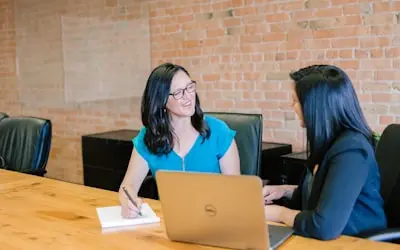
  4. Creating Portfolio Showcases & Case Studies04

    Creating Portfolio Showcases & Case Studies

    Record a walkthrough of your best work and explain the brief, your approach and what the client got. Show before-and-after versions of copy and share results only where the client has agreed. It sets you apart from writers who only send PDFs.

    Example
    A freelance copywriter records a walkthrough of an email campaign, explaining the subject lines, structure and the results the client agreed to share.
  5. Recording Writing Reviews & Feedback Sessions05

    Recording Writing Reviews & Feedback Sessions

    Record your edits and suggestions as you scroll through the document. The client hears why you changed the tone or structure instead of guessing from tracked changes. Helpful when you need to explain the work behind a revision.

    Example
    A freelance editor records a detailed review of a client's website copy, explaining tone adjustments and conversion optimization suggestions.

FAQ

Questions, answered

Common questions from freelance writers and copywriters about recording and sharing with Flonnect.

Record short videos of your writing process, walk through past projects (with the client's permission), and share useful writing tips. Clients get a clearer picture of how you work.

Record your screen as you walk through the content audit or strategy document and explain each section out loud. The client can rewatch it and leave comments on the video.

Yes. You can record writing courses, portfolio reviews or walkthroughs of templates and sell them on the platform of your choice. Flonnect handles the recording and editing; payments happen elsewhere.

Show the brief, your approach and the outcome. Use before-and-after examples and only share numbers and quotes the client has approved.

Explain your edits, the reasoning behind each change and what you suggest next. A recorded walkthrough keeps that explanation on record for the client.

Share what you know regularly: short lessons, breakdowns of good copy, notes on content trends. Over time, a library of useful videos builds a reputation.

Record your next draft walkthrough

Record your screen and voice as you walk a client through a draft, then share the link when you stop.

Add to Chrome — it's freeSee use cases
Logo

One screen recorder for work, demos & meetings.

✔ Screen recording✔ Meeting recording✔ Interactive demos✔ AI video editing
Windows
macOS
Chrome
Logo

One screen recorder for work, demos & meetings.

  • ✔ Screen recording
  • ✔ Meeting recording
  • ✔ Interactive demos
  • ✔ AI video editing

Product

  • Screen Recorder
  • Meeting Recorder
  • Meeting Agent
  • Presentation Recorder
  • Bug Reporting
  • Interactive Demos
  • Transcription
  • Pricing

AI Tools

  • AI Video Generator
  • AI Video Editor
  • AI Presentation Maker
  • AI Image Generator
  • AI Thumbnail Generator
  • Text to Video

Use Cases

  • Business Teams
  • Education
  • Marketing
  • Developers & QA
  • Sales & Support
  • Content Creators

Company

  • About Us
  • How It Works
  • Downloads
  • Community
  • Changelog
  • Contact Us
  • Compare

Legal

  • Privacy Policy
  • Terms & Conditions
  • Refund Policy
  • Google API Disclosure

Media Tools

  • Extract Audio
  • Remove Meta Data
  • Change Container
  • Inspect Streams
  • Trim / Split
  • Subtitles
  • Batch Processing
  • File Compression
  • Convert to HLS
  • Thumbnail Generator
  • Rotate / Flip Video
  • Audio Converter
Download for Windows
Download for macOS
Chrome Extension

© 2026 Talky Media Private Limited. All rights reserved.

Privacy
Terms
Refunds