Free plan now available — Pro starts at $12/mo. View plans →

Podcast Recording Software
Create professional podcast content with studio-quality recording tools. Capture solo episodes, interviews, and live shows with crystal-clear audio that keeps your audience engaged.
5 Essential Podcast Recording Use Cases
See how successful podcasters create engaging content that builds loyal audiences and grows their shows
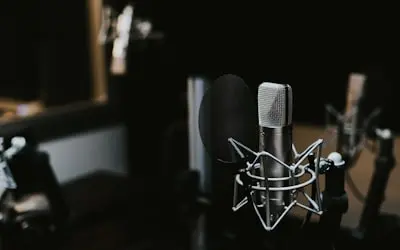
1. Recording Solo Podcast Episodes & Monologues
Podcasters can record high-quality solo episodes, storytelling sessions, and educational content with professional audio quality. Features noise reduction, audio enhancement, and automatic level adjustment.
Real-World Example:
A business podcaster records a weekly solo episode sharing entrepreneurship tips and industry insights.
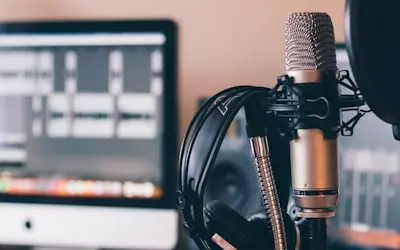
2. Capturing Interview Podcasts & Guest Conversations
Podcast hosts can record remote interviews and conversations with guests using video calls or audio-only sessions. Supports multiple participants and high-quality audio capture from all sources.
Real-World Example:
A tech podcast host interviews a startup founder via Zoom, recording both video and separate audio tracks for post-production.
3. Recording Live Podcast Shows & Audience Q&A
Podcasters can record live streaming sessions, audience interactions, and Q&A segments for later editing and distribution. Captures both the live energy and allows for polished final episodes.
Real-World Example:
A comedy podcast records their live show with audience laughter and interaction for their weekly episode release.
4. Creating Podcast Trailers & Promotional Content
Content creators can record podcast trailers, episode previews, and promotional segments to market their shows. Includes tools for adding intro music, sound effects, and compelling hooks.
Real-World Example:
A true crime podcaster creates a dramatic trailer for their new season using recorded narration and atmospheric sound effects.
5. Recording Educational Podcast Series & Courses
Educators and experts can record structured podcast series, audio courses, and educational content for learning platforms. Perfect for language learning, skill development, and knowledge sharing.
Real-World Example:
A language teacher creates a podcast series teaching Spanish phrases with pronunciation guides and cultural context.
Frequently Asked Questions
Everything podcasters need to know about professional recording software
Start Your Podcast Journey
Join thousands of podcasters who trust our platform for professional-quality recordings and seamless content creation