Free plan now available — Pro starts at $12/mo. View plans →

Screen Recorder for Real Estate Agents
Elevate your real estate practice and close more deals. Create stunning virtual tours, market analysis presentations, and client education content that builds trust and drives sales.
5 Essential Real Estate Recording Applications
From virtual tours to market presentations, discover how real estate professionals are winning more clients and closing more deals
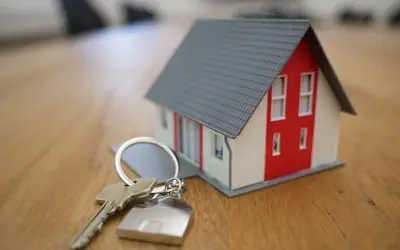
1. Recording Virtual Property Tours & Walkthroughs
Real estate agents can record immersive property tours to showcase homes, offices, and commercial spaces. Helps potential buyers view properties remotely, saving time and increasing reach. Can include room-by-room walkthroughs, drone footage, and interactive 360-degree views. Useful for luxury real estate, rental listings, and international buyers.
Real Estate Example:
A real estate agent records a guided tour of a beachfront villa, highlighting key features like ocean views and smart home technology.
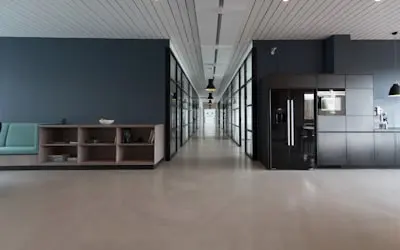
2. Creating Client Presentations & Investment Guides
Agents can record personalized presentations for clients, explaining pricing, market trends, and investment potential. Helps in educating first-time buyers, property investors, and sellers. Can include comparative market analysis, financing options, and ROI projections. Useful for high-end buyers, foreign investors, and corporate real estate transactions.
Real Estate Example:
A real estate agent records a video on 'Why Now is the Best Time to Invest in Downtown Condos', using market data and price trends.
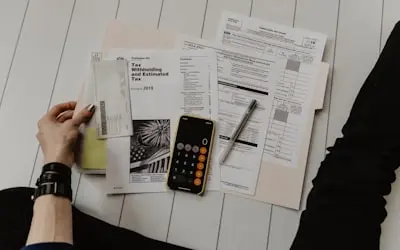
3. Hosting & Recording Live Q&A Sessions & Webinars
Agents can record live virtual open houses and Q&A sessions for potential buyers. Helps in addressing common questions about properties, neighborhoods, and market conditions. Can include guest appearances from mortgage lenders, home inspectors, or interior designers. Useful for expanding reach through Facebook Live, YouTube, and Instagram Stories.
Real Estate Example:
A real estate broker records a live webinar on 'Home Buying Tips for First-Time Buyers', answering audience questions in real-time.
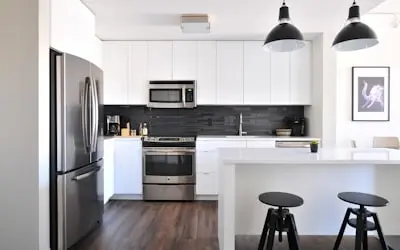
4. Documenting Before & After Home Staging & Renovation Projects
Agents can record home improvement and staging transformation videos to showcase added value. Helps sellers understand how minor upgrades can increase property value. Can include comparisons of empty vs. staged homes, renovation time-lapses, and budget breakdowns. Useful for real estate investors, house flippers, and home sellers looking for higher returns.
Real Estate Example:
A real estate agent records a before-and-after video of a renovated kitchen, showing how modern updates increased the home's value.
5. Capturing & Reviewing Property Inspections & Legal Disclosures
Agents can record video documentation of property conditions for transparency with buyers and sellers. Helps in explaining inspection reports, legal disclosures, and necessary repairs. Can include walkthroughs with inspectors, structural assessments, and compliance checks. Useful for avoiding disputes and ensuring full disclosure before closing a deal.
Real Estate Example:
A real estate agent records a property inspection video, highlighting minor fixes needed before listing the home on the market.
Frequently Asked Questions
Everything real estate agents need to know about creating professional content and growing their business through recording solutions
Transform Your Real Estate Business
Join successful real estate agents who are closing more deals, reaching more clients, and building stronger businesses through professional recording solutions