
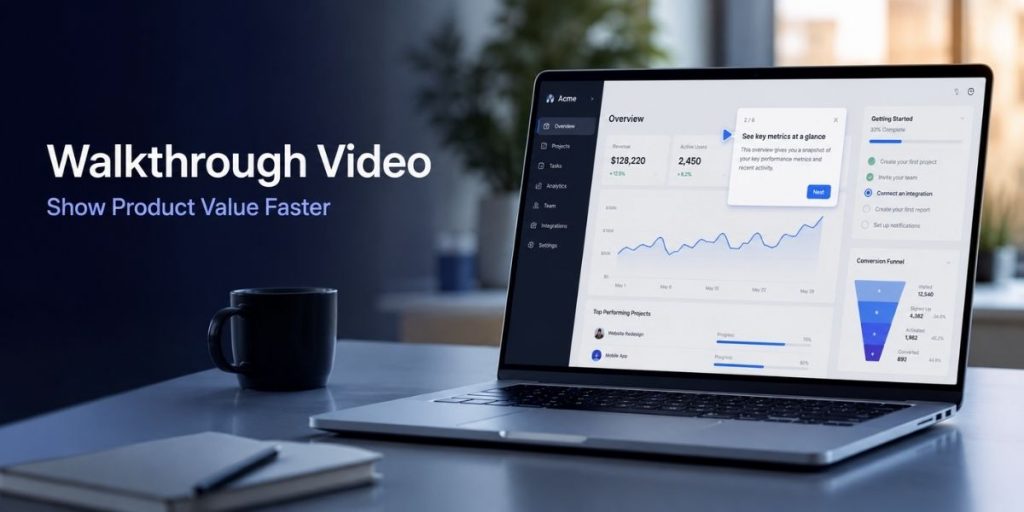
Interactive Demo & Product Walkthrough
Quick Answer
- Build the walkthrough around one buyer problem—not the complete product.
- Show the useful result before explaining every feature or setting.
- Use Flonnect’s interactive demo software to create screenshot guides or clickable HTML product tours.
- Keep the main path short, clear and focused on one user outcome.
- Track starts, completed steps, completion rate, CTA clicks and drop-off points.
- Shorten, rewrite or remove any step where a large share of prospects leave.
Best structure
Problem → action → result → proof → CTA
Best length
Only the steps needed to prove one value claim
Best metric
The step where qualified prospects stop progressing
Recent Product-Demo Data
Why Showing the Product Matters
96%
Watched an explainer
People who watched an explainer video to learn about a product or service.
85%
Influenced to buy
People convinced to buy a product or service after watching a video.
84.4%
Top-demo engagement
Users who passed step one in the top 1% of Navattic demos.
54%
Top-demo CTA rate
Users who clicked an external CTA in the top 1% of Navattic demos.
Sources: Wyzowl Video Marketing Statistics 2026 and Navattic State of the Interactive Product Demo 2025. Top-demo figures are high-performance benchmarks, not guaranteed results.
In This Guide
What Is a Walkthrough Video?
- A walkthrough video visually explains how a product, feature or workflow works.
- It guides the viewer through a planned path rather than showing random screens.
- It should connect each product action to a business or user benefit.
- It can be delivered as a recorded video, screenshot guide or clickable product demo.
Simple test
A feature tour says, “Here is what the product contains.” A strong walkthrough says, “Here is how the product helps you achieve a useful result.”
Static Screenshots vs Walkthrough Video vs Interactive Demo
| Format | Best for | Main advantage | Main limitation |
|---|---|---|---|
| Static screenshots | Feature pages and simple documentation | Fast to scan | Do not show sequence or interaction clearly |
| Walkthrough video | Sales follow-ups, launches and complex explanations | Controls pacing, narration and story | Viewer watches at the presenter’s pace |
| Interactive demo | Website conversion, sales enablement and self-serve evaluation | Prospect can click through the experience | Needs a carefully designed path and regular updating |
For a video-first workflow, review Flonnect’s guide to creating product and software demo videos.
Product Demo Storyboard: Six Essential Frames
Name the buyer problem
Example: “Your team spends hours combining campaign data manually.”
Preview the result
Show the completed dashboard, report or workflow before explaining setup.
Demonstrate the shortest path
Include only the actions required to reach the promised result.
Connect each action to value
Explain why the step saves time, reduces risk or improves the output.
Show proof
Use a real result, realistic example, customer outcome or before-and-after comparison.
Offer one next step
Choose one CTA: start a trial, book a call, explore another demo or view pricing.
How to Show Product Value Faster
| Slow approach | Faster value-first approach |
|---|---|
| Start with company history | Start with the buyer’s current problem |
| Show the complete navigation menu | Open directly on the relevant workflow |
| Describe every available feature | Use only features required for the outcome |
| Explain settings before showing results | Preview the result, then explain how it was created |
| End without direction | End with one specific next action |
Flonnect’s product demo and walkthrough guide also covers step-by-step clarity, branding and cross-platform sharing.
Drop-Off Tracking: What to Measure
| Metric | What it reveals | Possible fix |
|---|---|---|
| Demo starts | Whether the placement and opening promise attract attention | Rewrite the CTA or demo title |
| Step-one engagement | Whether the opening screen matches visitor intent | Start closer to the core workflow |
| Step-level drop-off | The exact point where the flow becomes unclear or irrelevant | Shorten instructions or remove the step |
| Completion rate | How many starters reach the final value or CTA | Reduce total steps or create separate paths |
| CTA clicks | Whether the experience creates enough confidence to continue | Align the CTA with the demo’s value promise |
Important
A drop-off is not always a design failure. It can also indicate that the demo attracted the wrong audience, showed an irrelevant use case or asked for a commitment too early.
Demo Drop-Off Tracking Checklist
✓ Exclude internal testing traffic where possible.
✓ Compare engagement by page, campaign and buyer segment.
✓ Identify the first step with a meaningful visitor decline.
✓ Review the instruction, screen and value shown at that step.
✓ Check whether one step contains too much text or too many actions.
✓ Test a shorter version before rebuilding the complete demo.
✓ Measure CTA clicks separately from demo completion.
✓ Record the date and result of every major demo change.
Where to Use a Walkthrough Across the Funnel
| Placement | Walkthrough focus | Best CTA |
|---|---|---|
| Homepage | Primary problem and product outcome | Take a product tour |
| Feature page | One workflow or feature result | Try the feature |
| Sales email | Prospect-specific use case | Book a tailored demo |
| Post-demo follow-up | Features discussed during the call | Share with your team |
| Onboarding or support | Setup, activation or troubleshooting | Complete the next step |
Post-sale walkthroughs can also become reusable support assets. Flonnect’s guide to AI-assisted customer support videos explains how teams can reduce repeated explanations and back-and-forth.
Interactive Product Demo Software Compared
| Tool | Current strength | Good fit for | Check before choosing |
|---|---|---|---|
| Flonnect | Screenshot guides, HTML demos, video conversion, Demo Hubs and analytics | Teams combining demos, documentation and video workflows | HTML demos currently require the browser extension |
| Storylane | HTML, screenshot and video demos with personalization and buyer signals | Full-funnel GTM teams | Confirm which advanced features belong to each plan |
| Navattic | HTML-first demos, Copilot, Launchpad and product integrations | Product marketing and sales-demo automation | Best suited to web-product demo use cases |
| Walnut | AI creation, personalization, deal rooms and revenue analytics | Sales-led and enterprise demo programmes | Evaluate setup and cost against team scale |
| Arcade | Interactive demos, video assets, Page Morph and product analytics | Product storytelling and campaign content | Confirm whether the workflow matches sales or marketing ownership |
| Supademo | Screenshot, HTML and sandbox demos, collections, embeds and analytics | Product education, onboarding and GTM teams | Advanced analytics and branching may require paid plans |
Practical Example: SaaS Reporting Walkthrough
| Demo element | Example content |
|---|---|
| Buyer problem | Marketing data is spread across five platforms |
| Value preview | One unified campaign-performance dashboard |
| Core steps | Connect a source → choose metrics → generate report |
| Proof | Before-and-after reporting workflow |
| CTA | Build your first dashboard |
When the same workflow also needs an SOP or internal guide, use the process documentation workflow to add ownership, prerequisites, warnings and expected results.
Walkthrough Video Mistakes to Avoid
Showing every feature
Create separate walkthroughs for different outcomes, roles or use cases.
Using vague instructions
Tell the viewer what to click, why it matters and what should happen next.
Gating before value
Let prospects experience enough value before requesting detailed information.
Ignoring analytics
A polished demo can still fail if prospects repeatedly leave at the same step.
Walkthrough Video Publishing Checklist
✓ One buyer problem is clearly defined.
✓ The expected result appears near the beginning.
✓ Every step supports the promised outcome.
✓ Product data does not expose sensitive customer information.
✓ Instructions are short enough to scan quickly.
✓ The product interface matches the current live version.
✓ The CTA matches the viewer’s funnel stage.
✓ Analytics and drop-off tracking are enabled.
✓ Desktop and mobile presentation have been checked.
✓ A review date has been assigned for future product changes.
For onboarding-style explanations, Flonnect’s guide on creating clear tutorial videos provides a reusable learning-outcome and recording checklist.
Flonnect Interactive Demo Capture
Replace passive screenshots with a guided product experience.
Create screenshot guides or clickable HTML demos, add hotspots and descriptions, embed the experience, share it with prospects and analyse where viewers stop progressing.
Frequently Asked Questions
What is the ideal length for a walkthrough video?
Use the shortest duration that proves one useful outcome. A simple feature may need less than two minutes, while a complex workflow may need several focused chapters.
Is an interactive demo better than a product demo video?
Neither format is always better. Video controls the narrative, while an interactive demo allows prospects to click through the product. Many teams use both at different funnel stages.
What should the first walkthrough step show?
Show the buyer problem, desired result or most relevant product screen. Avoid beginning with account settings, navigation explanations or company information.
How do I find where prospects drop off?
Use demo analytics to compare starts, completed steps, completion rate and CTA clicks. Review the first step where engagement drops sharply.
Should a product demo be gated?
Gating may help identify leads, but asking for information before showing value can reduce engagement. Test ungated access or place the form after the prospect completes meaningful steps.
How often should a walkthrough be updated?
Review the walkthrough whenever the interface, workflow, pricing, feature availability or CTA changes. Assign an owner and a recurring review date.
Sources and Methodology
- Flonnect Interactive Demo Capture, product features and related published workflow guides.
- Wyzowl Video Marketing Statistics 2026, based on 266 respondents surveyed in late 2025.
- Navattic State of the Interactive Product Demo 2025, including analysis of more than 28,000 demos.
- Current official product pages from Storylane, Navattic, Walnut, Arcade and Supademo.
- Competitor features were compared for content gaps and use-case differences. Wording and recommendations were created independently.