
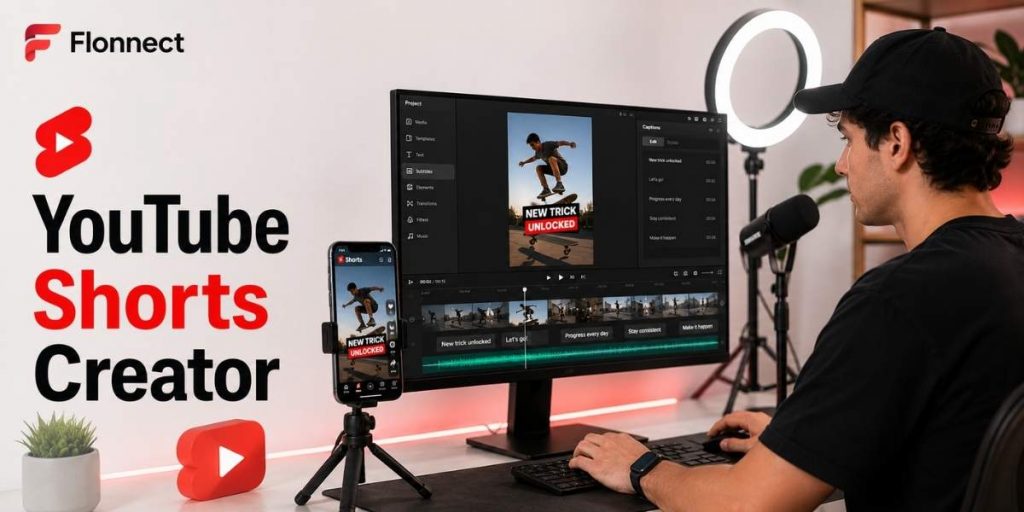
Creator & YouTube Workflows
Quick Answer
- Build every Short around one idea, problem, tip or result.
- Write the hook before recording or generating the video.
- Use Flonnect’s AI short-video creator workflow to plan scripts, vertical drafts, captions and cross-platform versions.
- Remove pauses, repeated lines and slow openings before publishing.
- Add readable captions because the video should remain understandable without sound.
- Turn successful long videos into Shorts instead of creating every idea from zero.
- Track engaged views, audience retention and subscribers gained—not raw views alone.
Best structure
Hook → value → proof → CTA
Best format
Vertical or square, up to three minutes
Best improvement
Rewrite the first weak second
Current YouTube Data
Why YouTube Shorts Deserves a Repeatable Workflow
200B+
Daily Shorts views
Current average reported by YouTube.
20M+
Daily video uploads
Average uploads across YouTube each day.
3 min
Maximum Short length
For eligible square or vertical uploads.
6M+
Daily auto-dub viewers
Viewers who watched at least 10 minutes of auto-dubbed content in December 2025.
Sources: YouTube Press, YouTube Creator Help and YouTube CEO’s 2026 platform update.
In This Guide
What Is a YouTube Shorts Creator?
- A tool or workflow for producing short square or vertical YouTube videos.
- It may help with scripts, AI scenes, recording, trimming, captions and voiceovers.
- It should support fast creation without publishing generic or unreviewed content.
- It can also repurpose long videos, tutorials, interviews or product recordings into shorter clips.
Simple definition
A YouTube Shorts creator helps convert one focused idea into a vertical, captioned and publish-ready short video.
How to Create Better YouTube Shorts Faster
Choose one viewer outcome
Use one tip, mistake, answer, transformation or product result. Save supporting ideas for separate Shorts.
Write the hook first
Make the first line explain why the viewer should continue. Avoid greetings, logos and long introductions.
Create a short script
Use hook → explanation → example → CTA. Flonnect’s guide on how to create AI videos shows how clear goals and prompts improve the first video draft.
Record, generate or repurpose
Record a talking-head clip, show the actual screen, generate an AI video draft or extract a useful moment from long-form content.
Edit for pace
Remove dead air, repeated words and any visual that does not support the message. Use movement only when it improves understanding.
Add reviewed captions
Correct names, numbers and technical terms. Keep captions away from buttons, usernames and lower interface controls.
Publish and save the format
Record the hook type, duration, format and result. Reuse successful structures with new topics instead of copying the same content.
YouTube Shorts Hook Formulas
| Hook type | Formula | Example |
|---|---|---|
| Mistake | Stop doing [mistake] if you want [result] | Stop opening Shorts with your logo |
| Fast result | Here is how to [result] in [time] | Create readable captions in two minutes |
| Before and after | This was [before]. One change made it [after] | This edit turned a slow demo into a clear Short |
| Question | Why does [problem] keep happening? | Why do viewers leave during your first sentence? |
| Proof first | Here is the result—now let me show the process | Here is the finished thumbnail; these three choices created it |
Repeatable YouTube Shorts Content Formats
| Format | Best use | Simple structure |
|---|---|---|
| One quick tutorial | Software, design and creator education | Problem → three steps → result |
| Common mistake | Educational and expert channels | Mistake → consequence → fix |
| Before and after | Editing, design, fitness and transformations | Before → change → after |
| Product moment | SaaS, apps and product-led channels | Problem → feature action → benefit |
| Myth or opinion | Creator, business and commentary channels | Claim → evidence → takeaway |
How to Create Faceless YouTube Shorts
1. Choose a searchable question, tip or product problem.
2. Write a short voiceover or text-led script.
3. Use real screen footage, original visuals, animation or licensed media.
4. Add captions and visual emphasis for key words.
5. Check every AI-generated claim and visual.
6. Keep the same voice, format and audience promise across the series.
Use Flonnect’s faceless YouTube channel tools guide to connect idea research, scripts, AI video, screen recording, captions and thumbnails.
Turn Long Videos Into Better Shorts
| Source content | Shorts angle | Avoid |
|---|---|---|
| Tutorial | One step, shortcut or mistake | Cutting a random section without context |
| Interview | Strong opinion, lesson or story | Starting before the useful sentence |
| Product demo | Problem and one visible result | Showing the complete interface |
| Long explainer | One surprising fact or practical takeaway | Using an incomplete sentence as the ending |
For a complete channel system, use Flonnect’s guide on growing a YouTube channel with long videos, Shorts, captions and analytics.
Fast Shorts Editing and Caption Workflow
Trim
Remove the setup, repeated lines and pauses before styling the video.
Reframe
Keep the speaker, cursor or product action inside the vertical safe area.
Caption
Use short caption groups with contrast and enough reading time.
Review
Watch once with sound and once muted before exporting.
Flonnect’s YouTube video editing workflow covers trimming, captioning, audio cleanup and final quality checks.
YouTube Shorts Creator Tools Compared
| Tool | Current strength | Good fit for | Check before choosing |
|---|---|---|---|
| Flonnect | Script-to-video, AI avatars, voiceovers, captions, editing and vertical formatting | Creators combining AI drafts, tutorials and faceless content | Match generation and export limits to your publishing volume |
| YouTube app | Native recording, multi-segment camera, music, text, filters and uploading | Fast mobile-first Shorts | Less suitable for complex batch production |
| CapCut | Text-to-short creation, long-video clipping, effects and automatic captions | Fast social edits and animated captions | Feature availability may differ by device, region and plan |
| VEED | Long-to-short repurposing, browser editing and AI clips | Teams turning existing videos into multiple clips | Review AI, export and collaboration limits |
| Canva | Short-video templates, visual branding and shared design assets | Branded marketing and social-media Shorts | Customise templates to avoid repetitive visuals |
| Adobe Express | Shorts templates and Clip Maker for extracting social clips from longer videos | Creators using Adobe branding and asset workflows | Some AI and team features depend on plan eligibility |
Plan a Clear Shorts Cover Frame
- You cannot upload a custom Shorts thumbnail in the same way as a long-form video.
- You can select a frame that appears in search, hashtag pages and your channel page.
- Create one clean frame inside the video with a clear subject and minimal text.
- Choose the frame carefully because YouTube currently does not allow changing it after upload.
Use Flonnect’s guide on creating clear video thumbnails for focal-point, contrast and title-match principles that also improve Shorts cover frames.
Which YouTube Shorts Metrics Matter?
Views changed on March 31, 2025
A Shorts view now counts when the video starts or replays, with no minimum watch-time requirement. Use “Engaged views” to see how many viewers chose to continue watching.
| Metric | What it tells you | Possible improvement |
|---|---|---|
| Engaged views | How many viewers continued watching | Strengthen the hook and first visual |
| Audience retention | Where viewers leave or replay | Trim slow sections and clarify transitions |
| Subscribers gained | Whether the Short attracts the right audience | Connect topics to a clear channel promise |
| Related-video clicks | Whether Shorts viewers explore deeper content | Link a closely related public or unlisted video |
| Comments and shares | Whether the idea creates discussion or utility | Ask a specific question or create a useful saveable format |
YouTube Shorts Video SEO Checklist
✓ One clear topic or viewer question is targeted.
✓ The title accurately explains the Short.
✓ The target phrase is used naturally, not repeated.
✓ The first spoken and visible line confirms the topic.
✓ Captions match the final edited audio.
✓ The selected cover frame is clear on a small screen.
✓ A relevant long video is attached using Related Video where useful.
✓ Copyright and music eligibility have been checked.
✓ Engaged views and retention will be reviewed after publishing.
Important Music and Copyright Rule
- A Short longer than one minute with an active Content ID claim can be blocked globally.
- Blocked Shorts are not playable, recommended or eligible for monetisation.
- Use music from the Shorts Audio Library or YouTube Audio Library where appropriate.
- Confirm licensing before uploading music, clips or visual assets created elsewhere.
YouTube Shorts Mistakes to Avoid
Slow introductions
Start with the useful point, problem or result—not a greeting.
Too many ideas
Create a series instead of forcing several lessons into one Short.
Unreviewed captions
Incorrect names and technical terms reduce clarity and trust.
Tracking views only
Use engaged views, retention and subscriber impact to judge quality.
YouTube Shorts Publishing Checklist
✓ The Short delivers one clear message.
✓ The hook begins immediately.
✓ The video uses a square or vertical format.
✓ Important visuals remain inside the vertical safe area.
✓ Captions are accurate, readable and correctly positioned.
✓ The final sentence does not end abruptly.
✓ The title accurately represents the content.
✓ The selected cover frame is clear.
✓ Music and third-party assets are approved for use.
✓ The format and results will be saved for future content planning.
Flonnect AI Video Generator
Turn scripts and ideas into Shorts-ready video drafts.
Generate AI videos, add avatars and voiceovers, prepare subtitles, improve the edit and create vertical versions for YouTube Shorts, Reels and TikTok.
Frequently Asked Questions
What is a YouTube Shorts creator?
It is a tool or workflow that helps creators make short vertical or square videos using scripts, recording, AI generation, editing, captions and publishing assets.
How long can a YouTube Short be?
Eligible square or vertical uploads can be up to three minutes long. A shorter duration may still be better when the idea can be explained clearly in less time.
Can AI create YouTube Shorts?
Yes. AI can help generate scripts, scenes, avatars, voiceovers, captions and video drafts. Creators should still review accuracy, pacing, visuals and copyright eligibility.
Can long YouTube videos be turned into Shorts?
Yes. Extract one complete insight, tutorial step, result or opinion. Reframe it vertically, add context and create a new opening rather than posting a random cropped section.
Can I upload a custom thumbnail for a Short?
You cannot upload a custom Shorts thumbnail in the same way as a long-form video. You can select a frame during the mobile upload workflow for supported discovery surfaces.
Which Shorts metric should creators prioritise?
Start with engaged views and audience retention. Then review subscribers gained, comments, shares and whether viewers continue to related long-form content.
Sources and Methodology
- Official YouTube statistics, Shorts creation guidance, duration rules and analytics documentation.
- Official YouTube guidance for Shorts thumbnails, music eligibility and Content ID claims.
- Flonnect AI Video Generator and six relevant published creator-workflow guides.
- Current official product pages from CapCut, VEED, Canva and Adobe Express.
- Competitor features were reviewed for workflow gaps and use-case differences. The article was written independently without copying competitor wording.