
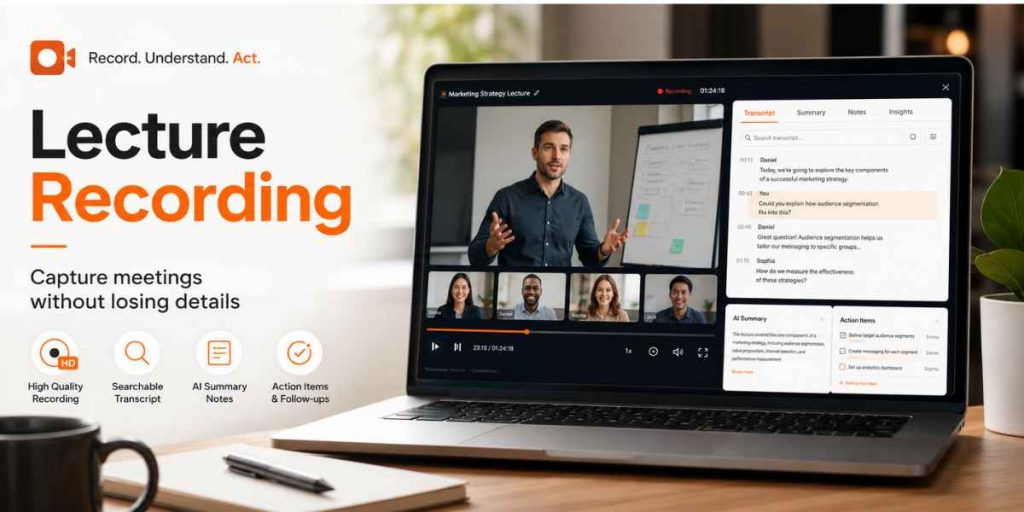
Meeting Recording & Transcription
Quick Answer
Use a Google Meet recorder workflow to capture the recording, transcript, summary and action items.
Inform participants and confirm consent before recording lectures, meetings or client calls.
Turn the transcript into decisions, owners, deadlines and unresolved questions—not a long block of text.
Share a short follow-up with the recording link so absent participants can catch up asynchronously.
Good lecture recording is not simply about saving a video file. It creates a reliable memory of what was explained, decided and assigned. For educators, managers, consultants and remote teams, the most useful output is a searchable system containing the recording, transcript, summary and clear next actions.
Meeting Memory Roadmap
The Real Problem Is Not the Meeting—It Is What Disappears Afterwards
During a lecture or meeting, people are expected to listen, think, contribute and take notes at the same time. Important details are easily lost when attention is divided.
Without a Recording System
- Different people remember different decisions.
- Action items lack owners or deadlines.
- Absent participants need another meeting.
- Educators repeat the same explanation.
- Client feedback gets buried in handwritten notes.
With a Meeting Memory System
- The original discussion remains available.
- The transcript can be searched by keyword.
- Decisions and tasks can be verified.
- Students and teammates can catch up later.
- Follow-up starts from shared evidence.
For educators specifically, Flonnect’s online lecture recorder guide explains how recorded sessions can support revision, missed classes, online courses and employee training.
Why Searchable Meeting Records Matter
Recent workplace meeting and AI note-taking research published in 2025–2026.
13.6
Meetings per week
A 2026 workplace analysis reported that weekly meeting volume had risen from 7.5 in 2019.
52%
Multitask in virtual meetings
More than half of workers report multitasking when two or more participants are present.
75%
Leaders take or share notes
Nearly three-quarters do so at least a few times each week.
69%
Cite time savings
Among surveyed AI note-taking users, time savings was the most commonly reported benefit.
The Four Outputs Every Important Meeting Should Produce
▶
Recording
The original audio, video, presentation and context.
⌕
Transcript
Searchable text linked to timestamps and speakers.
≡
Summary
The main topics, decisions and unresolved issues.
✓
Action Items
A task, responsible owner, deadline and expected result.
Flonnect’s AI transcription feature converts recordings into searchable, timestamped text with speaker differentiation and multiple export formats.
A Better Lecture and Meeting Recording Workflow
Before
Prepare the Capture
- Define the meeting purpose.
- Inform participants.
- Confirm consent.
- Test microphone and tab audio.
- Open the agenda and materials.
During
Make Outcomes Explicit
- State decisions clearly.
- Name the action owner.
- Repeat deadlines aloud.
- Avoid overlapping speech.
- Summarize before changing topics.
After
Create the Follow-Up
- Review the AI summary.
- Correct names and terminology.
- Confirm tasks and deadlines.
- Restrict recording access.
- Share a short written recap.
Capture the meeting and keep the conversation searchable
Record Google Meet sessions, generate transcripts, create summaries and extract action items for easier follow-up.
Copy This Meeting Notes Template
Use this structure for team meetings, lectures, consultations, training sessions and client calls.
MEETING / LECTURE TITLE:
DATE AND TIME:
FACILITATOR:
PARTICIPANTS:
RECORDING LINK:
TRANSCRIPT LINK:

PURPOSE

* Why was this session held?

KEY TOPICS

* Topic 1:
* Topic 2:
* Topic 3:

DECISIONS

* Decision:
* Reason:
* Timestamp:

ACTION ITEMS

* Task:
* Owner:
* Deadline:
* Expected result:

OPEN QUESTIONS

* Question:
* Person responsible for resolving it:

FOLLOW-UP

* Next meeting or lesson:
* Material to review:
* People who need the recap:
Flonnect’s Minutes of Meeting feature can generate summaries, decisions and action items from recorded discussions using customizable templates.
Turn the Transcript Into Actionable Follow-Up
Search for commitment language
Look for phrases such as “I will,” “we need to,” “send by,” “follow up” and “before Friday.”
Convert discussion into a task
Replace “review the proposal” with “Priya will review sections 2–4 and add comments by Thursday.”
Add evidence and context
Link the task to the transcript timestamp or recording moment where it was discussed.
Send the short version
Share decisions, action items and links. Do not force everyone to read the complete transcript.
Which Meeting Recording Method Should You Use?
| Method | Best For | Important Detail |
|---|---|---|
| Google Meet native recording | Eligible Workspace meetings managed by the host | Requires supported plans and permissions; participants are notified. |
| Flonnect browser extension | Manual tab recording with meeting audio | Record the meeting tab rather than the full screen to capture tab audio correctly. |
| Flonnect desktop app | Desktop Zoom, Teams and system-audio recording | Useful when the meeting is not running inside a browser tab. |
| Notubot meeting assistant | Scheduled recording, speaker identification and automation | Joins as a visible meeting participant and can provide diarization, summary and action items. |
For Zoom-based lessons and calls, review Flonnect’s Zoom meeting recording workflow.
Recording Consent, Privacy and Access Rules
Do not treat technical recording ability as permission.
Recording and consent requirements vary by country, state, organization, school, contract and meeting platform. Inform participants, obtain the required consent and follow your organization’s privacy policy.
- Add recording information to the calendar invitation.
- Announce the recording again when the meeting starts.
- Explain why it is being recorded and who will receive access.
- Avoid recording sensitive side conversations or unnecessary personal data.
- Restrict links, downloads and transcript access.
- Set a retention period and delete recordings that are no longer required.
Reuse Recorded Meetings Without Creating More Work
Remote Teams
Share decisions with absent teammates and reduce repeated status meetings.
Educators
Create lecture replays, revision clips, transcripts and study notes.
Managers
Track commitments, unblock work and verify decisions without relying on memory.
Consultants
Preserve client requirements, feedback, approvals and agreed next steps.
Turn every important meeting into a searchable source of truth
Capture the conversation, review the transcript, generate meeting minutes and share action items with the people who need them.
Frequently Asked Questions
What is lecture recording?
Lecture recording is the capture of a teaching session, presentation or training discussion for later review. A useful system can also provide a transcript, summary, captions and searchable notes.
How can I record a Google Meet?
Eligible Google Workspace hosts can use Google Meet’s native recording feature. Flonnect also provides extension, desktop and meeting-assistant recording options. Always inform participants and follow applicable consent rules.
Can I record a Zoom meeting?
Zoom provides computer and cloud recording options based on account permissions. Flonnect can also record Zoom sessions through its browser extension, desktop application or meeting assistant.
What should meeting notes include?
Include the purpose, participants, key discussion points, decisions, action items, owners, deadlines, unresolved questions and links to the recording or transcript.
Are AI meeting summaries always accurate?
No. AI summaries can miss context, misidentify speakers or misunderstand terminology. Review important decisions, names, dates and commitments against the transcript or original recording.
How should recorded meetings be shared?
Share a concise recap with the recording and transcript links. Restrict access to the intended audience and use passcodes, authentication, expiration dates or download controls when the content is sensitive.
Does a recording replace meeting notes?
No. The recording preserves evidence, while notes provide a fast operational summary. The strongest workflow uses both: recording for context and notes for action.