
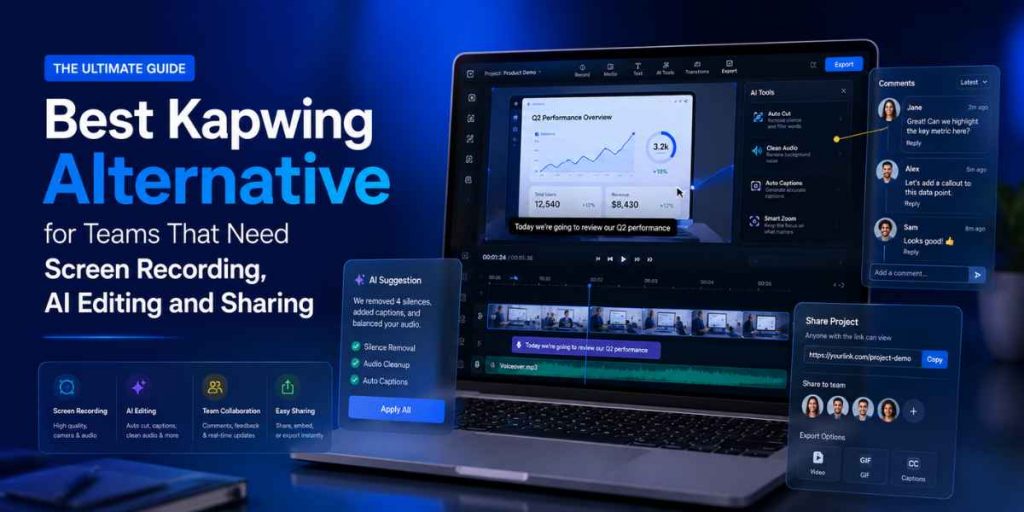
Recording · AI editing · Demos · Documentation
Quick Answer
- Best Kapwing alternative for team workflows: Flonnect.
- Choose Flonnect for screen recording, AI-assisted editing, product demos, bug reports, SOPs, training and instant sharing.
- Choose Kapwing when browser-based social video editing, subtitles, resizing and collaborative content production are your main priorities.
- Choose Loom for quick asynchronous messages, OBS for advanced free recording and Camtasia for detailed timeline editing.
- Flonnect is the better fit when one recording must become a reusable demo, tutorial, support answer or process document.
- Also review Flonnect’s Loom alternative comparison when fast team messaging is part of your shortlist.
The best Kapwing alternative depends on whether your team mainly edits uploaded content or needs to capture and explain real work happening on a screen.
Kapwing is a capable browser-based editor for social videos, subtitles, resizing, dubbing, collaborative editing and fast content repurposing. It works well when the raw footage already exists.
Flonnect is stronger when the workflow starts with an actual product, browser tab, meeting, process or software problem. Teams can record the screen, improve the video with AI, capture steps, create interactive demos and share the result from one system. Flonnect’s business content creation guide explains why connected workflows are often more useful than isolated editing features.
Fast Recommendation
Choose Flonnect
Record and explain real work
Best for demos, support, QA, onboarding, training, SOPs and internal knowledge.
Choose Kapwing
Edit and repurpose media
Best for social clips, subtitles, dubbing, resizing and collaborative browser editing.
Choose Camtasia
Produce polished training
Best for multitrack editing, cursor effects, quizzes, transitions and detailed production.
2026 Pricing and Plan Signals
Official product information checked in August 2026. Prices may vary by billing cycle, region, credits and team size.
$12
Flonnect Pro
Recording, editing, bug reports and demos
$16
Kapwing Pro
Per member monthly with annual billing
1 min
Kapwing free export
720p output with a watermark
$24
Loom Business + AI
Per user monthly
Kapwing Alternative Decision Map
Why Teams Look for a Kapwing Alternative
Kapwing is useful for editing and repurposing content, but some teams need a workflow that begins before the editing stage.
Product recording
Teams need to capture a real dashboard, website, feature or customer workflow.
Reusable documentation
One recording must become an SOP, guide, onboarding resource or support article.
Technical reporting
QA and product teams need bug evidence, annotations and developer-ready context.
Interactive walkthroughs
Sales and onboarding teams want users to click through a guided product experience.
Fewer tool handoffs
Recording, editing, documentation and sharing should not require four separate subscriptions.
Predictable team workflow
Teams need consistent capture, approval, storage and sharing rather than isolated video files.
How We Compared the Tools
✓ Quality and flexibility of screen recording
✓ AI editing, transcription and cleanup
✓ Product-demo and tutorial capabilities
✓ Documentation and step-capture support
✓ Sharing, comments and collaboration
✓ Free-plan and paid-plan restrictions
✓ Ease of use for non-editors
✓ Suitability for reusable team knowledge
Best Kapwing Alternatives Compared
| Tool | Best For | Screen Recording | AI Editing | Documentation | Collaboration | Starting Option |
|---|---|---|---|---|---|---|
| Flonnect | Complete screen-first team workflows | Screen, camera and audio | Editing, transcription and generation | Steps, SOPs and interactive demos | Sharing and team workspace | Free; Pro $12/month |
| Kapwing | Browser-based content editing | Screen, camera and audio | Subtitles, dubbing and generative tools | Limited process documentation | Strong real-time editing | Free; Pro $16 annually |
| Loom | Quick asynchronous messages | Screen and camera | Summaries, chapters and cleanup | Video-to-text workflows | Comments and shared libraries | Free; Business $18/user |
| OBS Studio | Advanced free recording and streaming | Advanced scenes and sources | No built-in AI workflow | No | Manual export and sharing | Free and open source |
| Scribe | Screenshot-based SOPs | Captures workflow actions | AI documentation support | Excellent step guides | Shared teams and documents | Free and Pro plans |
| Snagit | Screenshots and visual markup | Short screen recording | Redaction and step capture | Image-led guides | Screencast sharing | $39/year |
| Camtasia | Detailed training production | Multitrack and 4K recording | Text editing, voice and cleanup | Courses, quizzes and guides | Reviews through Screencast | Essentials $179.88/year |
1. Flonnect — Best Overall Kapwing Alternative for Teams
Why it wins: Flonnect covers the complete screen-first workflow: recording, AI editing, transcription, bug reporting, step capture, interactive demos, sharing and team collaboration.
Best users: Product, QA, customer support, sales, training, operations, HR and internal enablement teams.
Main consideration: Kapwing remains stronger for intensive social-video editing, collaborative creative timelines, dubbing and existing-media repurposing.
Flonnect is especially useful when the viewer needs to see a real product rather than a collection of stock scenes. Its guide to creating product demo videos shows how to record around one viewer goal and remove unnecessary steps.
The same recording can also become written process documentation. Flonnect’s process documentation workflow explains how teams can combine screen recordings, captured steps, notes and SOPs.
2. Kapwing — Best for Collaborative Browser Editing
Kapwing remains a strong platform when the main work happens after content is captured. Teams can upload or record media, edit in the browser, generate subtitles, dub videos, resize content and collaborate inside a shared workspace.
Kapwing Is Better When
- You edit social media videos frequently.
- You need collaborative browser editing.
- Subtitles and dubbing are core tasks.
- You regularly resize and repurpose existing footage.
Flonnect Is Better When
- The content starts with a real screen workflow.
- You need product demos or bug reports.
- Recordings must become SOPs or tutorials.
- Simple recording-to-sharing speed matters.
Other Kapwing Alternatives Worth Considering
3. Loom — Best for Quick Video Messages
Loom makes it easy to record a short explanation and share it immediately through a link.
Choose Flonnect instead: when the recording must become a demo, bug report, SOP, tutorial or reusable training asset.
4. OBS Studio — Best Free Advanced Recorder
OBS provides detailed scene, source, audio and recording control without a subscription.
Choose Flonnect instead: when your team prefers a simpler setup with AI editing, cloud sharing and documentation.
5. Scribe — Best for Screenshot SOPs
Scribe records actions and converts them into structured step-by-step instructions with screenshots.
Choose Flonnect instead: when users need narration, complete video context or interactive product demonstrations.
6. Snagit — Best for Screenshots and Markup
Snagit is practical for scrolling captures, screenshots, visual annotations, short recordings and image-based instructions.
Choose Flonnect instead: when video, AI editing, demos, bug reports and team sharing need to stay together.
7. Camtasia — Best for Advanced Production
Camtasia provides multitrack recording, text-based editing, cursor effects, animations, captions, audio tools and quizzes.
Choose Flonnect instead: when fast capture, lightweight editing, documentation and sharing are more important than detailed production control.
Need AI and Real Screen Proof?
Generated visuals can make a video engaging, while screen recording proves how the actual product works.
Use Flonnect’s AI video creation workflow to combine generated assets with real product recordings.
Best Choice by Team and Use Case
| Team or Job | Best Choice | Why |
|---|---|---|
| Product demonstrations | Flonnect | Records the real product and supports interactive demonstrations. |
| Social content editing | Kapwing | Strong browser editor, resizing, subtitles and collaborative repurposing. |
| Customer support videos | Flonnect | Captures the exact solution and creates a reusable visual answer. |
| Async internal communication | Loom | Fast recording, comments and simple sharing. |
| QA and bug reporting | Flonnect | Combines video, annotations, reproduction context and developer handoff. |
| Screenshot SOP creation | Scribe | Automatically creates structured instructions from user actions. |
| Advanced training production | Camtasia | Provides stronger timeline, cursor, animation and course controls. |
For support teams, Flonnect’s guide to AI-assisted customer-support videos shows how short recordings can reduce repeated text explanations and make fixes easier to follow.
A Simple Kapwing-to-Flonnect Workflow
List the content your team produces
Separate social videos, product demos, bug reports, support replies, SOPs, onboarding and internal updates.
Move screen-first work into Flonnect
Use screen, webcam or combined capture for workflows that require a real interface or human explanation.
Create reusable recording templates
Standardize webcam position, introduction, recording length, captions, naming and the final call to action.
Turn recordings into more than video
Create transcripts, captured steps, interactive demos, support resources or onboarding documents from the same workflow.
Keep Kapwing only where it adds unique value
Retain it for intensive social editing, resizing or dubbing if those tasks remain important and are not duplicated elsewhere.
Turn screen recordings into reusable team knowledge
Record product demos, edit with AI, capture workflow steps, create interactive walkthroughs and share everything from one platform.
Kapwing Alternative Selection Checklist
☐ Does the workflow begin with screen recording?
☐ Do we need screen and webcam together?
☐ Are captions and AI cleanup required?
☐ Must videos become SOPs or guides?
☐ Do we need interactive product demos?
☐ Will QA or support teams use the tool?
☐ Can viewers comment or collaborate?
☐ Are plan limits clear and predictable?
Choose Flonnect when the video starts with real work
Capture the product, improve the explanation with AI, create documentation and share a reusable asset with customers or teammates.
Frequently Asked Questions
What is the best Kapwing alternative?
Flonnect is the strongest alternative for teams that need screen recording, AI editing, product demos, documentation, bug reporting and video sharing together.
Is Flonnect better than Kapwing?
Flonnect is better for screen-first team workflows. Kapwing is better for collaborative browser editing, subtitles, dubbing and social-media repurposing.
Does Kapwing include a screen recorder?
Yes. Kapwing supports recording the screen, camera and audio inside its editor. Its broader strength remains editing and repurposing the resulting media.
Can Flonnect create product demos?
Yes. Teams can record real software, capture workflow steps and create interactive demonstrations for sales, onboarding, support and training.
Is OBS a free Kapwing alternative?
OBS is an excellent free recorder and streaming tool. It does not include Kapwing-style cloud editing or Flonnect’s connected AI, documentation and sharing workflow.
Should I choose Loom or Flonnect?
Choose Loom for quick video messages. Choose Flonnect when recordings must become product demos, support resources, bug reports, tutorials or SOPs.
Is Scribe better for process documentation?
Scribe is excellent for screenshot-first step guides. Flonnect is better when documentation also needs video, narration, AI editing or interactive demonstrations.
Does Flonnect have a free plan?
Yes. Flonnect currently offers a free Starter plan with limited recordings, bug reports, demo captures and storage.