
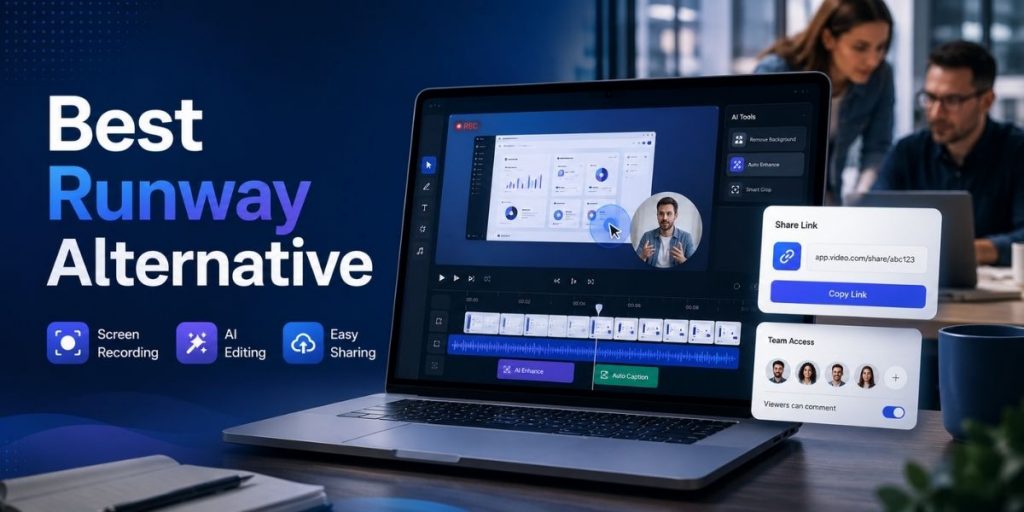
Generation · Recording · Editing · Demos · Sharing
Quick Answer
- Flonnect is a strong Runway alternative when your team needs to record real screens, software workflows, meetings and webcam videos rather than generate most footage from AI models.
- Runway remains stronger for generative filmmaking, including text/image-to-video, AI image generation, video transformation and creative model experimentation.
- Choose Flonnect for screen recording, AI-assisted editing, transcription, interactive product demos, bug reports and instant team sharing.
- Choose Runway when AI-generated scenes and creative production are the actual product you need.
- Choose Loom for quick async video, OBS for advanced free recording, Scribe for screenshot SOPs and Camtasia for detailed timeline production.
- Compare the complete workflow on the Flonnect comparison hub before choosing by feature count alone.
Searching for a Runway alternative can lead to a misleading comparison because Runway and many screen-video tools now solve very different problems.
Runway is increasingly a generative media platform. It is built for creating and transforming video with AI models. A product manager recording a dashboard walkthrough, a QA engineer showing a bug, or a trainer explaining software has a different job: capture something real, improve it quickly, and share it with people who need it.
The Most Important Difference: Generate the Video or Record the Work?
Runway
Generate & Transform Media
Best when AI-created scenes, images, effects, transformations, voices and creative iteration are central to the project.
Flonnect
Record & Explain Real Work
Best when the source is a real screen, product, browser, meeting, presentation or workflow that needs explanation and sharing.
That distinction is becoming even clearer in 2026. Runway’s own documentation says its traditional video editor is no longer actively maintained as the company focuses development on generative workflows. For teams primarily recording software and tutorials, Flonnect’s screen recording workflow starts much closer to the actual job.
What Runway Is Better At
Generative Video
Create short video sequences with models such as Gen-4.5 and other AI video systems.
Creative Iteration
Experiment with visual concepts, AI transformations, image generation and cinematic variations.
AI Voices & Media
Higher plans add tools such as custom voices and text-to-speech alongside image and video models.
New in 2026: Runway’s Pricing Model Is Changing
Runway introduced Max for high-generation users and is phasing out new Unlimited subscriptions. Max provides 9,500 credits monthly and one month of credit rollover. Eligible legacy Unlimited customers temporarily keep Explore Mode before migrating later in 2026. For teams, this means generation volume and shared credits now matter more when forecasting cost.
Where Flonnect Becomes the Better Runway Alternative
1. Recording a Real Product or Workflow
A support engineer does not need AI to invent a settings screen. They need the actual settings screen recorded accurately. Flonnect can capture a browser tab, application, full desktop, webcam and audio, making it better suited to tutorials, product walkthroughs, sales explanations and support responses.
2. Turning a Recording Into a Polished Explanation
Once recorded, teams can move into AI-assisted video editing for trimming, captions, speech-to-text, noise reduction and automatic enhancements rather than regenerating the underlying footage.
3. Building Product Demos Without Recreating the UI
For sales and onboarding, Flonnect can also capture screenshot guides and clickable HTML product experiences. The interactive demo builder adds hotspots, tooltips, sharing, embedding and engagement analytics without requiring a generated video at all.
Flonnect vs Runway: Practical Comparison
| Capability | Flonnect | Runway |
|---|---|---|
| Screen recording | Core workflow | Not primary focus |
| AI video generation | Available on higher plans | Core strength |
| AI editing / captions | Yes | Generative editing focus |
| Interactive demos | Screenshot + HTML demos | Not core use case |
| Meeting recording | Yes | Not primary use case |
| Bug reports | Video + screenshot workflows | Not built around QA |
| Creative AI filmmaking | Secondary | Excellent fit |
| Best fit | Product, support, sales, QA, training | Creators, agencies, generative production |
Runway vs Flonnect Pricing: Think in Different Units
These products should not be compared on subscription price alone because the limiting unit is different.
Flonnect Pro
$12/month
Includes 30 videos/month with transcription and editing, 50 bug reports, 25 HTML/demo captures, 10 meetings, AI credits and storage.
Runway
Credit-Based
Standard includes 625 monthly credits, Pro 2,250 and Max 9,500. Different models consume credits at different rates, especially video generation.
Pricing and credit structure checked September 1, 2026. Product limits and plans can change.
The Hidden Question: How Much AI Video Can Your Credits Create?
Runway’s own examples make the trade-off easier to understand. Standard’s 625 monthly credits can represent roughly 35 seconds of Gen-4.5 video after spending some credits on images in one balanced example. Pro’s 2,250 credits stretch further, but frequent generation and iteration can still consume credits quickly.
That model makes sense when AI generation is delivering unique creative value. It is less compelling if your real job is simply recording a 15-minute product walkthrough that already exists on your screen.
Use the “Source of Truth” Test Before Choosing
Ask One Question
Does the video need to show something that already exists—or create something that does not?
Existing software, meeting, bug or presentation → record it. Imagined scene, product concept, visual effect or AI cinematic sequence → generate it.
Other Runway Alternatives Worth Considering
| Tool | Best For | Choose It When… |
|---|---|---|
| Flonnect | Recording + AI editing + demos | Real work is the source material |
| Loom | Async team video | Fast messages matter most |
| OBS Studio | Recording + livestreaming | You want free, technical scene control |
| Scribe | Screenshot SOPs | Written process documentation is primary |
| Snagit | Capture + annotation | Screenshots matter more than full video workflows |
| Camtasia | Detailed video production | Timeline editing and polished training matter most |
If free recording and streaming control are part of your shortlist, Flonnect’s newer OBS alternative comparison explains where technical recording control ends and team-video workflow begins.
If screenshot capture and visual annotation are the bigger requirement, compare the recent Snagit alternatives guide instead of paying for generative video features your team may rarely use.
A Workflow Runway Does Not Try to Replace: Meetings
Many team videos begin as conversations rather than creative productions. Product reviews, customer calls, training sessions and internal decisions may need recording, transcription, summaries and action items.
Flonnect’s Google Meet recording workflow supports HD recording, transcription, AI summaries, action items and sharing. That is a fundamentally different job from generating cinematic footage.
Runway Alternative Selection Checklist
☐ Do we primarily record real screens?
☐ Do we need webcam + system audio?
☐ Are AI-generated scenes central to our content?
☐ Do we need product demos or interactive tours?
☐ Will support or QA teams use the platform?
☐ Do meetings need transcription and summaries?
☐ Do we need instant shareable links?
☐ Is viewer analytics important?
☐ Will collaborators need a shared workspace?
☐ Do generation credits make our monthly cost unpredictable?
☐ Do we need advanced cinematic AI generation?
☐ Does the source of truth already exist on-screen?
Flonnect vs Runway: Which One Should You Choose?
Choose Flonnect
If your team needs to record software, meetings, demonstrations and real workflows, then edit, transcribe, document and share them quickly.
Choose Runway
If AI generation itself is the creative engine and you need sophisticated models for creating or transforming visual media.
Need to record real work—not generate it?
Capture your screen, edit with AI, build demos, record meetings and share the result from one workspace.
Frequently Asked Questions
What is the best Runway alternative?
For teams needing screen recording, AI editing, product demos, meetings and sharing, Flonnect is a strong alternative. For generative filmmaking, another dedicated AI generation platform may be a closer replacement.
Is Flonnect the same type of tool as Runway?
No. Their overlap is AI video, but Flonnect is primarily built around recording and team workflows while Runway is increasingly built around generative media creation.
Does Runway have a traditional video editor?
Runway still has editing/export capabilities, but its current help documentation says the traditional video editor is no longer actively maintained because development is focused on generative workflows.
Is OBS a free Runway alternative?
OBS is free and open source for recording and streaming, but it is not a replacement for Runway’s generative AI models. It is relevant when recording control matters more than AI generation.
How does Runway’s credit system work?
Generative tools consume credits at different rates. Standard currently includes 625 monthly credits, Pro 2,250 and Max 9,500. Max can roll over up to one month of unused credits.
Which tool is better for software tutorials?
Flonnect is generally the more direct fit because it records the actual screen and can add transcription, editing, sharing and interactive demo workflows without recreating the software with AI.