
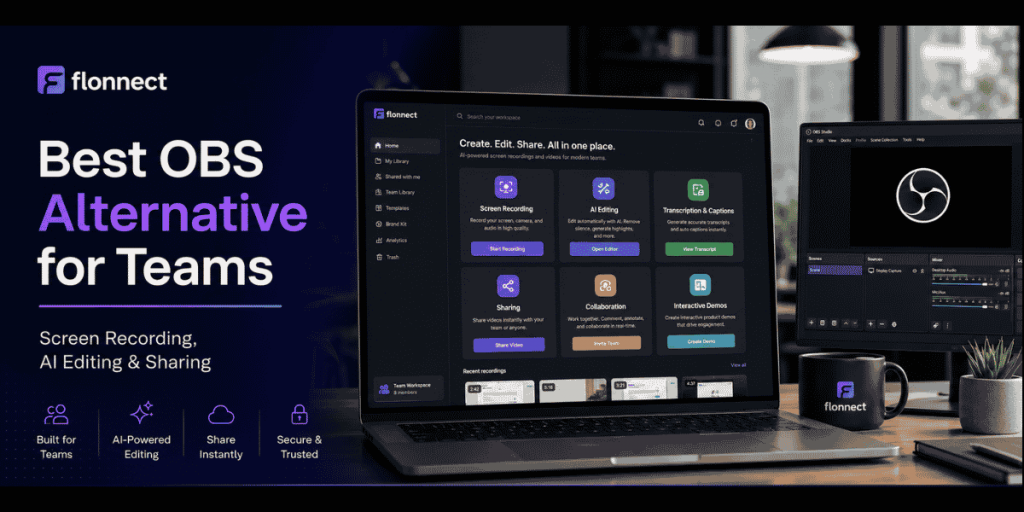
Competitor Alternatives
Quick Answer
- Flonnect: Best OBS alternative for teams needing recording, AI editing, transcription, sharing, demos and documentation.
- OBS Studio: Best free option for advanced recording, live streaming, multiple scenes and technical control.
- Loom: Best for quick asynchronous screen-recorded messages.
- Camtasia: Best for polished training videos and advanced timeline editing.
- ScreenPal: Best lower-cost option for recording, editing, hosting and quizzes.
- Scribe: Best when the primary output is a screenshot-based process guide.
- Review Flonnect’s screen-recording and demo tool comparisons before replacing OBS.
Keep OBS when
You need advanced scenes, streaming and local recording control.
Choose Flonnect when
The recording must become a shared team asset quickly.
Compare total workflow
Include editing, hosting, captions, sharing and documentation.
Current Team-Workflow Data
Why Recording Speed Is Only Part of the Decision
3,600
Monthly searches
Average monthly demand for “OBS alternative” in the supplied data.
80%
Lack capacity
Global workers reporting insufficient time or energy for their work.
275
Daily interruptions
Meetings, emails and chats interrupt heavily connected workers throughout the day.
92%
Expanded roles
Knowledge workers whose responsibilities grew beyond their original role.
Sources: supplied keyword data, Microsoft Work Trend Index 2025 and Atlassian Teamwork Lab 2026.
In This Guide
What OBS Studio Still Does Extremely Well
✓ Free and open source with no watermark or commercial-use restriction.
✓ Records and streams on Windows, macOS and Linux.
✓ Combines windows, screens, cameras, browser sources, images and capture cards.
✓ Supports unlimited scenes and configurable transitions.
✓ Includes detailed audio routing, filters and plugin support.
✓ Current 32.1 releases include a redesigned audio mixer and WebRTC support.
OBS remains a strong choice for livestreams, multi-source productions, local recordings and technical setups where the creator wants complete control.
Why Business Teams Look for an OBS Alternative
| Team requirement | OBS workflow | What an alternative should add |
|---|---|---|
| Fast sharing | Export and upload manually | Instant cloud link and access controls |
| AI editing | Requires a separate editor or plugin | Transcription, captions, trimming and summaries |
| Team review | Share exported files through another service | Comments, shared folders and permissions |
| Documentation | Video recording only | Step guides, SOPs and reusable transcripts |
| Interactive demos | Recorded playback | Clickable product walkthroughs and engagement analytics |
Teams comparing recording-and-send platforms can also review Flonnect’s Loom alternative guide for team workflows.
OBS Alternative Feature Comparison
| Tool | Recording | Streaming | AI editing | Cloud sharing | Interactive demos | Best for |
|---|---|---|---|---|---|---|
| Flonnect | Screen, webcam, audio, meetings | Not the primary focus | Yes | Yes | Yes | Complete business workflow |
| OBS Studio | Advanced multi-source | Strong | No built-in workflow | Manual | No | Streaming and technical recording |
| Loom | Screen and webcam | No | Paid AI plan | Strong | No native HTML demo | Async video messages |
| Camtasia | Advanced multitrack | Limited focus | Yes | Screencast workflow | No native demo | Professional training videos |
| ScreenPal | Screen and webcam | Available workflows | Higher plans | Yes | Interactive video tools | Affordable recording and education |
| Scribe | Workflow capture | No | Guide-focused AI | Yes | On-screen guidance | Screenshot SOPs |
OBS Alternative Pricing Comparison
Pricing checked in July 2026
Annual equivalents, taxes, enterprise quotes, AI usage and regional prices may differ. Confirm the final checkout price before purchasing.
| Tool | Free option | Relevant paid pricing | Important limit |
|---|---|---|---|
| OBS Studio | Complete software | $0 | Editing, hosting and collaboration require other tools |
| Flonnect | 20 lifetime videos and limited demos | Pro $12/month; Business $20; Team $32/user | Recording, AI, storage and demo limits vary by plan |
| Loom | 25 videos per person; five-minute recordings | Business $18/user; Business + AI $24/user monthly | Advanced AI workflows require Business + AI |
| Camtasia Suite | Watermarked editor access | Starter $39/year; Essentials $179.88; Create $249 | Individual subscriptions are non-transferable |
| ScreenPal | 15-minute recordings and 10 hosted videos | Deluxe $4/month; Max $10; Team Business $8/user annually | Advanced AI and team features depend on plan |
| Scribe | Browser-based guide capture | Pro Personal, Pro Team and Enterprise tiers | Pro is billed per user; annual billing currently provides a discount |
Best OBS Alternatives for Different Team Workflows
1. Flonnect: Best all-in-one OBS alternative for teams
- Records screens, webcams, microphones, system audio and meetings.
- Adds transcription, captions, AI editing and shareable video links.
- Supports screenshot guides and interactive HTML demos.
- Includes shared workspaces, comments and access controls on team workflows.
- Best for sales, support, QA, operations, training and product teams.
2. Loom: Best for fast video messages
- Simple browser and desktop screen recording.
- Strong instant sharing, comments and workspace organisation.
- AI plan adds summaries, chapters, silence removal and filler-word removal.
- Best for asynchronous updates rather than streaming or interactive product demos.
3. Camtasia: Best for polished production
- Provides multitrack recording and detailed timeline editing.
- Supports cursor effects, animation, quizzes and SCORM exports.
- Higher plans add AI scripts and voiceovers.
- Best for formal training, courses and presentation-quality videos.
4. ScreenPal: Best affordable editor and host
- Combines screen recording, editing, hosting and captions.
- Higher plans add AI creation, narration, quizzes and polls.
- Team Business includes collaboration, management and integrations.
- Best for education and cost-conscious business teams.
5. Scribe: Best for step-by-step process guides
- Captures clicks and converts them into written steps with screenshots.
- Useful for SOPs, onboarding guides and internal documentation.
- Best when teams need guides more than full narrated videos.
6. Snagit: Best for screenshots and short captures
- Captures screens, regions, scrolling pages and short videos.
- Includes annotation, redaction and step-guide tools.
- Best for screenshot-first communication and quick visual instructions.
How Flonnect Extends the OBS Workflow
| Workflow stage | With OBS | With Flonnect |
|---|---|---|
| Capture | Configure scenes and local output | Record through browser, extension or desktop app |
| Edit | Move file to another editor | Use built-in transcription and AI-assisted editing |
| Share | Upload the exported file | Generate a shareable link and control access |
| Reuse | Create documentation manually | Turn the workflow into guides, demos and team assets |
Browser-first teams can use Flonnect’s guide to screen capture for Chrome to compare browser recording with desktop production software.
When a Recording Should Become Documentation
- The same process is explained repeatedly.
- New employees need a repeatable onboarding workflow.
- Support agents need reusable customer instructions.
- QA teams need precise bug-reproduction steps.
- Operations teams need an owner, warning and expected result for each step.
Use Flonnect’s process documentation workflow to turn a recording into a reusable guide instead of leaving it as an isolated video file.
Which OBS Alternative Fits Your Use Case?
| Use case | Best-fit tool | Reason |
|---|---|---|
| Live streaming and advanced scenes | OBS Studio | Strong source, scene and streaming control |
| Recording, AI editing, demos and sharing | Flonnect | Connects the full team workflow |
| Quick asynchronous updates | Loom | Fast record-and-send experience |
| Formal training production | Camtasia | Advanced editing, quizzes and SCORM |
| Budget-friendly creation and hosting | ScreenPal | Low entry price and broad feature set |
| Screenshot SOPs | Scribe or Snagit | Strong visual step capture |
Teams building formal procedures can compare these workflows with Flonnect’s guide to the best SOP software tools.
AI Editing Workflow After Screen Recording
1. Upload or finish the screen recording.
2. Generate a transcript and correct names or technical terms.
3. Remove long pauses, failed takes and repeated explanations.
4. Add captions and improve audio clarity.
5. Create a summary, SOP or support note from the transcript.
6. Share the final video with the correct team or customer permissions.
Flonnect’s AI video workflow guide explains how small teams can move from recording to editing and publishing without a production department.
How to Move From OBS Without Disrupting Your Team
List the OBS scenes, sources and audio settings your team currently uses.
Separate streaming workflows from ordinary demos, tutorials and support recordings.
Test one product demo, one support video, one SOP and one team update.
Compare setup, recording, editing, upload and review time.
Keep OBS for specialised streaming if the alternative does not replace that workflow.
OBS Alternative Selection Checklist
✓ Confirm whether the team needs recording, streaming or both.
✓ Test screen, webcam, microphone and system-audio capture.
✓ Check maximum resolution, frame rate and recording length.
✓ Review transcript, caption and AI-editing accuracy.
✓ Confirm share links, downloads, embeds and privacy controls.
✓ Check workspaces, comments, admin controls and ownership transfer.
✓ Test screenshot guides and demos if documentation matters.
✓ Include storage, AI credits and paid-seat requirements.
✓ Review Windows, macOS, Linux and browser support.
✓ Run a real workflow pilot before cancelling OBS or another tool.
Common OBS Alternative Comparison Mistakes
Expecting one tool to replace streaming
Many business recorders do not replace OBS’s advanced live-production workflow.
Comparing only recording quality
Editing, hosting and review time can cost more than the capture itself.
Ignoring paid-seat rules
Calculate costs for creators, reviewers, administrators and viewers.
Skipping a real pilot
Feature tables cannot reveal audio reliability, export speed or team adoption.
Flonnect Comparisons
Move from recording to editing, sharing and documentation.
Compare Flonnect with screen recorders and demo tools when your team needs more than local recording and livestream production.
Frequently Asked Questions
What is the best OBS alternative for teams?
Flonnect is a strong fit for teams needing screen recording, AI editing, transcription, sharing, interactive demos and documentation. OBS remains stronger for advanced streaming and scene-based production.
Is OBS Studio still completely free?
Yes. OBS Studio is free, open source and available for commercial use without a watermark. Download it only from the official OBS website.
Can Flonnect replace OBS for livestreaming?
Flonnect is designed mainly for business recording, editing, demos, meetings and sharing. Teams with advanced livestream or multi-scene requirements may continue using OBS for those specific tasks.
Which OBS alternative has AI editing?
Flonnect, Loom Business + AI, Camtasia and ScreenPal Max include AI-assisted features. The exact tools, credits and usage limits vary by plan.
What is the cheapest paid OBS alternative?
ScreenPal Deluxe currently starts at $4 per month with annual billing. Flonnect Pro starts at $12 per month and adds broader business recording, transcription and demo workflows.
Should my team stop using OBS completely?
Not necessarily. Keep OBS for advanced streaming or complex local productions, and use a team-focused platform for everyday demos, support videos, training, editing and sharing.