
Competitor Alternatives
Quick Answer
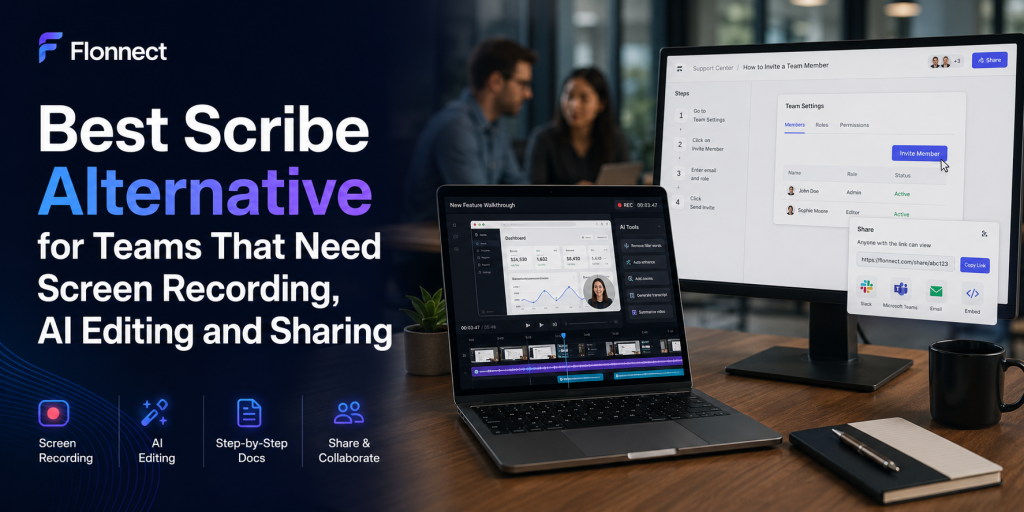
- Flonnect: Best Scribe alternative for teams needing screen recording, AI editing, interactive demos, sharing and documentation in one workflow.
- Tango: Best for step-by-step documentation and in-app employee guidance.
- Guidde: Best for turning workflows into narrated video documentation.
- Loom: Best for quick asynchronous screen-recorded messages.
- Camtasia: Best for advanced timeline editing and professional training videos.
- Snagit: Best for screenshots, annotations and short screen captures.
- OBS Studio: Best free option for highly configurable recording and live streaming.
- Use Flonnect’s screen-recording and demo tool comparisons to review the workflows before choosing.
Choose Scribe when
Your main output is a screenshot-based process guide.
Choose Flonnect when
You also need videos, AI editing, demos and team sharing.
Compare total cost
Count the extra tools needed—not only the first subscription.
Recent Team-Workflow Data
Why Teams Need Faster Knowledge Sharing
80%
Lack time or energy
Share of the global workforce reporting insufficient capacity for work.
275
Daily interruptions
Meetings, emails and chats interrupt employees roughly every two minutes.
92%
Roles expanded
Knowledge workers saying their responsibilities grew beyond their job description.
25M+
Videos created
Current platform-usage figure reported by Flonnect.
Sources: Microsoft Work Trend Index 2025, Atlassian Teamwork Lab 2026 and Flonnect platform data.
In This Guide
Why Teams Look for a Scribe Alternative
| Team requirement | Why a guide-only workflow may feel limited | What to look for |
|---|---|---|
| Screen-recorded explanation | Screenshots may not show timing, motion or narration clearly | Screen, webcam, microphone and system-audio recording |
| Video cleanup | Recorded mistakes require another editing tool | AI trimming, captions, transcription and noise reduction |
| Product demos | Static instructions do not create a hands-on experience | Clickable HTML demos, hotspots and analytics |
| Team collaboration | Seat rules and separate tools can increase total cost | Shared workspaces, comments, permissions and admin controls |
| Multiple output formats | One process may need a guide, video, SOP and demo | A platform that can reuse one capture across several formats |
Teams mainly replacing meetings with recorded explanations can also review Flonnect’s Loom alternative comparison for teams.
What Scribe Does Well—and Where It Differs
Scribe strengths
- Automatically captures clicks, screenshots and written steps.
- Supports browser capture on the free plan.
- Offers desktop capture on Pro and Enterprise plans.
- Exports paid guides to formats such as PDF, HTML and Markdown.
- Supports links, embeds, Pages and Movie-style guide playback.
Choose a broader alternative when
- The team needs native screen-recorded video.
- Recordings need AI-assisted editing and captions.
- Sales needs clickable product demos.
- Support needs short video answers and reusable SOPs.
- The same platform must serve marketing, QA, training and operations.
For a guide-first process, use Flonnect’s process documentation workflow to plan capture, editing, context, ownership and updates.
Scribe Alternative Comparison Matrix
| Tool | Step guides | Screen recording | AI editing | Interactive demos | Team sharing | Best for |
|---|---|---|---|---|---|---|
| Flonnect | Yes | Yes | Yes | Yes | Shared workspace | Combined team workflow |
| Scribe | Strong | Guide capture | Guide-focused AI | On-screen guidance | Team workspace | Screenshot SOPs |
| Tango | Strong | Workflow capture | AI instructions | Enterprise guidance | Workspace | Internal software adoption |
| Guidde | Video guides | Yes | Voice and captions | Contextual guidance | Workspace | Narrated documentation |
| Loom | Video-to-text | Strong | Paid AI plan | No native HTML demo | Strong | Async video messages |
| Snagit | Step capture | Short capture | Image-focused AI | No | Screencast | Screenshots and markup |
| Camtasia | SOP tools included | Advanced | Advanced | No native walkthrough | Review platform | Professional editing |
| OBS Studio | No | Advanced | No built-in workflow | No | Manual | Free recording and streaming |
Scribe Alternative Pricing Comparison
Pricing note
Prices below were checked in July 2026. Annual prices are shown as monthly equivalents where the vendor lists both options. Taxes, enterprise quotes, add-ons and regional pricing may differ.
| Tool | Free option | Relevant paid price | Important limit or rule |
|---|---|---|---|
| Flonnect | 20 lifetime videos and limited demos | Pro $12/month; Business $20/month; Team $32/user/month | Monthly recording, demo, storage and AI limits vary by plan |
| Scribe | Browser guide capture | Pro Personal $35 monthly or $25 annually; Pro Team $17 or $13 | Pro Team starts at five seats; all members of a Pro team become paid seats |
| Loom | 25 videos per person; five-minute recordings | Business $18/user/month; Business + AI $24/user/month | Advanced AI editing requires Business + AI |
| Tango | Five shared workflows | Team Pro $20 monthly or $15 annually per user | Team price requires three or more users |
| Guidde | Up to 25 how-to videos | Pro $29 monthly or $19 annually; Business $59 or $39 | Desktop capture and analytics sit in higher plans |
| Snagit | Trial available | $39/year for an individual subscription | Designed primarily for capture and annotation, not full AI video workflows |
| Camtasia | Watermarked editor trial | Essentials $179.88/year; Create $249; Pro $599 | Individual plans are tied to the purchaser and are non-transferable |
| OBS Studio | Fully free and open source | $0 | Editing, hosting, documentation and team collaboration require other tools |
For reusable procedures rather than one-off recordings, compare the workflow with Flonnect’s guide to the best SOP software tools.
The Best Scribe Alternatives by Workflow
1. Flonnect: Best all-in-one alternative for teams
- Records screen, webcam, microphone and system audio.
- Includes transcription, AI editing and smart trimming with recordings.
- Creates step guides and clickable HTML product demos.
- Supports meeting recording, bug reports, team workspaces and sharing.
- Best fit when one team needs video, documentation and demos together.
2. Tango: Best for internal process adoption
- Captures browser and desktop workflows.
- Creates written steps with screenshots and annotations.
- Adds in-app guidance, Pins and Guide Me on Enterprise.
- Best fit for CRM, ERP, HRIS and employee-software adoption.
3. Guidde: Best for AI-narrated video documentation
- Creates video-based workflow guides.
- Offers AI voiceovers, captions and multilingual options.
- Can convert uploaded videos, PDFs and presentations into guidance.
- Best fit when video documentation is more important than conventional SOP pages.
4. Loom: Best for fast asynchronous video
- Simple screen and camera recording.
- Shared libraries, comments, captions and viewer insights.
- AI plan adds summaries, chapters, silence removal and filler-word removal.
- Best fit for quick updates rather than structured SOP production.
5. Snagit: Best for screenshot-led instructions
- Captures screens, regions, scrolling pages and short videos.
- Includes strong annotation, redaction and image-simplification tools.
- Best fit when screenshots matter more than advanced video production.
6. Camtasia: Best for polished training production
- Records screen, camera, system audio and microphone on separate tracks.
- Supports timeline editing, animations, quizzes and SCORM exports.
- Higher plans add scripts, AI voiceovers, avatars and review features.
- Best fit for teams producing polished courses and formal training videos.
7. OBS Studio: Best free recording alternative
- Free and open source on Windows, macOS and Linux.
- Supports multiple scenes, sources, audio filters and live streaming.
- Requires a separate editor, hosting platform and documentation tool.
- Best fit for technical users who value control over workflow simplicity.
Which Scribe Alternative Fits Your Team?
| Team use case | Best-fit option | Why |
|---|---|---|
| Screen recording + SOPs + demos | Flonnect | Combines several normally separate workflows |
| Screenshot-based SOPs only | Scribe or Tango | Strong automatic step capture |
| Quick async updates | Loom | Fast record-and-send experience |
| Narrated help videos | Guidde | AI voice and video-documentation focus |
| Professional training courses | Camtasia | Advanced editing, quizzes and SCORM |
| Free configurable recording | OBS Studio | Powerful capture with no subscription cost |
For browser-first teams, review Flonnect’s guide to screen capture for Chrome before installing several overlapping extensions.
How to Move From Scribe Without Losing Documentation
Audit the existing library
Separate active SOPs, outdated guides, onboarding content and rarely viewed documents.
Choose the right replacement format
Keep stable processes as written guides; use video for explanations and interactive demos for hands-on product evaluation.
Run a representative pilot
Test one support guide, one internal SOP, one sales demo and one training video.
Compare real production time
Measure capture time, editing time, review effort, publishing time and viewer comprehension.
Assign owners and review dates
Every reusable asset should have an owner, audience, purpose and update schedule.
When product explanation is part of the migration, use Flonnect’s guide to creating focused demo videos instead of converting every process into a long recording.
Scribe Alternative Tool Selection Checklist
✓ Identify whether the main output is a guide, video, demo or all three.
✓ Test browser and desktop capture on the applications your team uses.
✓ Check system audio, microphone and webcam reliability.
✓ Review AI trimming, transcription, captions and redaction features.
✓ Confirm export, embed, public-link and private-sharing options.
✓ Check whether viewers require paid accounts.
✓ Calculate minimum seats and mandatory paid-user rules.
✓ Include storage, AI credits, video limits and add-on costs.
✓ Review SSO, SCIM, data retention and redaction requirements.
✓ Test how quickly outdated content can be updated.
✓ Run a pilot with actual creators and viewers before migrating.
Common Comparison Mistakes
Comparing only monthly price
Include minimum seats, add-ons, storage and separate editing tools.
Treating all captures as equal
Screenshot guides, screen-recorded video and interactive demos solve different problems.
Ignoring update effort
A fast first capture is not enough if every interface change requires rebuilding the asset.
Buying for creators only
The viewer experience, permissions and searchability matter just as much.
Flonnect Comparisons
Compare screen recording, AI editing, demos and documentation together.
Review Flonnect against screen recorders and interactive-demo tools before adding separate subscriptions for every team workflow.
Frequently Asked Questions
What is the best Scribe alternative?
Flonnect is a strong fit for teams needing screen recording, AI editing, step guides, interactive demos and sharing. Tango is strong for internal workflow guidance, while Guidde is useful for narrated video documentation.
Is Flonnect cheaper than Scribe?
Flonnect Pro currently starts at $12 per month. Scribe Pro Personal lists $35 monthly or $25 per month with annual billing, while Scribe Pro Team starts at five seats.
Can Scribe record videos?
Scribe is primarily a step-guide platform. Its Movie view plays captured guide steps with motion, audio controls and captions, but teams needing native screen-recorded video and timeline editing may prefer a broader video platform.
Is Loom a good Scribe alternative?
Loom is a good alternative for screen-recorded communication. It is less focused on automatically creating traditional screenshot-based SOPs.
What is the best free Scribe alternative?
OBS Studio is the strongest free option for configurable recording, but it does not include documentation, AI editing, hosting or team collaboration. Flonnect, Loom, Tango and Guidde also provide limited free plans.
Should a team use one tool for video and SOPs?
A combined platform can reduce switching, duplicate storage and separate subscriptions. Separate specialist tools may still be better when the team requires highly advanced editing or enterprise digital-adoption features.
Sources and Methodology
- Flonnect comparison, pricing, screen-recording, editing and interactive-demo pages.
- Current official pricing and support documentation from Scribe and Loom.
- Current official pricing and feature pages from Tango, Guidde, TechSmith and OBS Studio.
- Microsoft Work Trend Index 2025 and Atlassian Teamwork Lab research published in 2026.
- Pricing and features were checked in July 2026 and may change after publication.
- Tool recommendations are based on workflow fit rather than unsupported performance or ranking claims.