
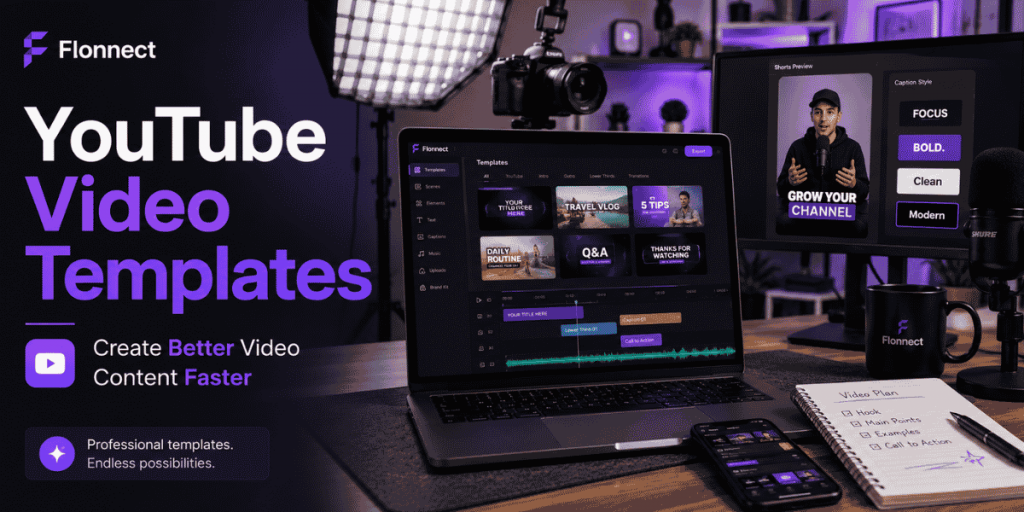
Creator & YouTube Workflows
Quick Answer
- Use YouTube video templates as repeatable structures—not finished videos that you publish without changes.
- Create separate templates for tutorials, faceless videos, Shorts, product reviews and talking-head content.
- Keep reusable hooks, scene order, captions, transitions, brand assets and CTA placement inside each template.
- Replace every placeholder with original examples, screen recordings, commentary and supporting visuals.
- Use Flonnect’s AI video creation workflow to move from template brief to script, video draft, captions and final review.
- Create long-form and vertical versions from the same core template.
- Review audience retention, engaged views and clicks before reusing the template for another topic.
Template purpose
Remove repeated production decisions
Keep reusable
Structure, branding, captions and CTA
Replace each time
Hook, topic, proof, examples and footage
Current YouTube Data
Why Creators Need Faster Repeatable Formats
20M+
Daily uploads
Average number of videos uploaded to YouTube every day.
200B+
Daily Shorts views
Current average reported for YouTube Shorts.
1B+
Daily TV hours
Hours of YouTube content watched on television screens each day.
6M+
Daily auto-dub viewers
Viewers who watched at least ten minutes of auto-dubbed content in December 2025.
Sources: YouTube Press and official YouTube platform updates.
What Are YouTube Video Templates?
- Reusable structures for producing videos with a consistent format.
- They can include scene order, text styles, captions, music, transitions and branding.
- They help creators avoid rebuilding the editing timeline for every upload.
- They can be used for long-form videos, Shorts, intros, outros and thumbnail systems.
- They should guide the production process without making every video look identical.
Simple definition
A YouTube video template is a reusable production framework that helps creators replace repeated setup work with topic-specific content.
Which YouTube Video Template Should You Create?
| Template type | Recommended structure | Best for |
|---|---|---|
| Tutorial | Result preview → steps → example → mistake → recap | Software, education and how-to channels |
| Faceless explainer | Hook → narration → visual proof → key points → CTA | Educational, list and information channels |
| Product review | Viewer need → test criteria → demonstration → verdict | Technology, software and comparison channels |
| Talking-head video | Direct hook → story → lesson → proof → takeaway | Personal brands and expert channels |
| YouTube Short | Hook → one useful idea → visible proof → next action | Short tips, clips, discoveries and product moments |
Creators who do not appear on camera can use Flonnect’s faceless YouTube workflow to connect scripts, AI visuals, screen recordings, voiceovers and captions.
What Every Reusable Video Template Should Include
Hook placeholder
A clear space for the viewer problem, result, question or surprising proof.
Scene sequence
The order of screen footage, presenter clips, examples and supporting visuals.
Caption style
Font treatment, position, contrast and maximum words shown together.
Brand system
Logo placement, colours, title cards, lower thirds and transition rules.
Proof section
A reserved place for demonstrations, examples, results or before-and-after evidence.
CTA ending
A single action matched to the video’s purpose and audience stage.
How to Create a YouTube Video From a Template
Choose one viewer outcome
Define what the viewer should understand, fix or achieve.
Select the closest format
Use a tutorial, review, faceless, talking-head or Shorts template.
Replace the script placeholders
Write a specific hook, key points, example, mistake and CTA for the new topic.
Generate or record the core footage
Use original screen footage, webcam clips, AI scenes, product demonstrations or licensed visuals.
Edit the weak sections
Remove slow openings, repeated explanations, pauses and irrelevant scenes.
Review captions and branding
Correct names, numbers and technical terms before exporting.
Create the publishing assets
Prepare the title, thumbnail, description, chapters and Shorts version.
YouTube Video Template Examples
| Video idea | Hook | Core structure | CTA |
|---|---|---|---|
| Software tutorial | “This setting fixes the problem in under two minutes.” | Problem → screen steps → result → common mistake | Try the workflow |
| Faceless explainer | “Most creators misunderstand this one rule.” | Claim → explanation → examples → takeaway | Watch the related guide |
| Tool comparison | “These tools solve the same problem differently.” | Criteria → tests → comparison → ideal user | Choose your best fit |
| YouTube Short | “Stop doing this before your next upload.” | Mistake → consequence → fix → proof | Save or watch the full video |
How to Use Templates for YouTube Shorts
- Shorts templates can preserve clip timing, text segments, music and effects.
- Use templates for pacing—not for copying another creator’s message.
- Replace the opening with an original hook matched to your audience.
- Keep captions away from usernames, buttons and interface controls.
- Create square or vertical videos of up to three minutes where the topic requires more time.
- Compare engaged views and retention before using the same format again.
Use Flonnect’s YouTube Shorts creator workflow for hooks, vertical formatting, captions, repurposing and analytics checks.
Create a Reusable Editing Template
✓ Save the standard intro duration and title-card style.
✓ Store lower-thirds, logo placement and caption formatting.
✓ Create placeholders for screen footage, webcam and supporting visuals.
✓ Save frequently used transitions and sound levels.
✓ Include a before-publishing review marker near the end.
✓ Keep separate 16:9, 9:16 and square versions where needed.
Flonnect’s YouTube video editing guide covers trimming, captions, audio cleanup, compression and final quality review.
YouTube Video Template Tools Compared
| Tool | Current strength | Best fit | Check before choosing |
|---|---|---|---|
| Flonnect | AI video generation, customisable templates, voiceovers, captions and smart editing | Creators connecting AI drafts with recording and publishing assets | Match generation and export limits to publishing volume |
| YouTube Create | Ready-made template structures with editable clips and full editor access | Mobile creators publishing directly to YouTube | Template availability depends on the supported device and region |
| CapCut | Large customisable template library and AI-generated video structures | Fast social edits, intros, Shorts and trend-led formats | Features and assets may differ by device, region or plan |
| VEED | Custom project templates, captions, branding and browser editing | Teams repeating branded video series | Custom templates are restricted to eligible paid plans |
| Adobe Express | Large editable design library and branded visual assets | YouTube banners, intros, visual cards and social assets | Confirm which video and premium templates are available in the selected plan |
Build a Matching Thumbnail Template
- Reserve one area for the main face, product screen or result.
- Use two to four short words instead of repeating the full video title.
- Save the brand colours, border treatment and text hierarchy.
- Change the focal image and promise for every upload.
- Check the thumbnail at mobile size before publishing.
Use Flonnect’s guide on creating video thumbnails to improve focal points, title match, contrast and series consistency.
Video SEO Checklist for Template-Based Content
✓ The video answers one specific search question or viewer need.
✓ The title describes the actual content accurately.
✓ Important words appear near the beginning of the title.
✓ The thumbnail visually supports the title’s promise.
✓ The opening confirms the topic without a long template intro.
✓ Chapters are customised for the current video.
✓ Captions match the final edited audio.
✓ Related playlists or videos are relevant to the topic.
✓ Performance will be compared with videos using the same format.
Flonnect’s YouTube channel growth workflow connects searchable topics, recording systems, thumbnails, Shorts and analytics.
YouTube Video Template Mistakes to Avoid
Keeping the generic hook
Rewrite the opening for the exact viewer problem and topic.
Using the same footage repeatedly
Replace visuals with original demonstrations and examples.
Forcing every topic into one format
Create separate templates for tutorials, reviews, stories and Shorts.
Publishing without review
Check AI claims, captions, music rights, visuals and platform fit.
YouTube Template Publishing Checklist
✓ Every placeholder has been replaced.
✓ The opening is specific to the current topic.
✓ The footage includes original value or proof.
✓ Repeated lines and unnecessary scenes are removed.
✓ Captions, names and numbers are accurate.
✓ The title and thumbnail match the final video.
✓ Copyright and music permissions have been checked.
✓ Long-form and vertical versions are formatted correctly.
✓ Chapters, description and links are current.
✓ The reusable template is updated with lessons from this production.
Flonnect AI Video Generator
Turn your repeatable creator format into a finished video faster.
Start with a script or template, generate video scenes, add AI voiceovers and subtitles, polish the draft and prepare long-form or vertical content.
Frequently Asked Questions
What are YouTube video templates?
YouTube video templates are reusable production structures containing elements such as scene order, text styles, branding, captions, transitions and CTA placement.
Can I use the same template for every video?
Use the same template for videos with a similar purpose, but replace the hook, script, examples, footage, title and thumbnail. Create separate templates for different content formats.
Does YouTube provide video templates?
Yes. YouTube offers templates through YouTube Create and Shorts templates. Availability and supported features can depend on the device, region and video eligibility.
Can AI create a YouTube video from a template?
Yes. AI tools can generate scripts, scenes, voiceovers, captions and video drafts from a structured template. Human review is still required for accuracy, originality and platform fit.
What should a YouTube tutorial template include?
Include a result-focused hook, prerequisites, step-by-step screen footage, examples, common mistakes, a recap and one clear next action.
Do templates help creators publish faster?
Templates reduce repeated setup and design decisions. They work best when creators keep the structure reusable while replacing the topic, examples, visuals and viewer promise.