
Creator & YouTube Workflows
Quick Answer
- Choose a publishing frequency you can maintain for several months.
- Batch topics, scripts, recordings and thumbnails instead of producing one video at a time.
- Use a YouTube video maker to create first drafts, captions, visuals and alternate formats faster.
- Add real examples, screen recordings and original commentary before publishing.
- Turn each long video into Shorts, clips, posts and future topic ideas.
- Measure audience response and improve the next batch instead of chasing daily uploads.
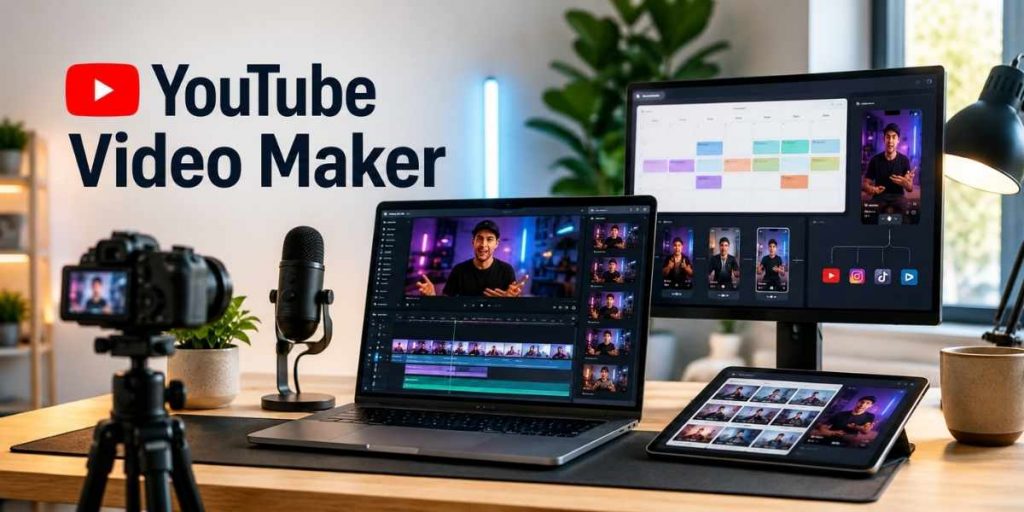
A YouTube video maker helps creators move from an idea to a finished upload without rebuilding the production process every week. It can assist with scripts, scenes, voiceovers, captions, editing, thumbnails and short-form versions.
The tool alone does not create consistency. Creators still need a clear audience, repeatable video formats and a realistic schedule. Flonnect’s guide on how to grow a YouTube channel explains why random uploads usually underperform compared with a connected content system.
YouTube itself recommends a consistent and sustainable release schedule. That may mean one detailed tutorial every week, three Shorts per week or two videos per month. The right frequency is the one that protects quality and creator wellbeing.
Current YouTube Data
Why Creators Need a Repeatable Publishing System
20M+
Daily uploads
More than 20 million videos are uploaded to YouTube on an average day.
200B+
Daily Shorts views
YouTube Shorts now averages more than 200 billion views per day.
1B+
TV viewing hours
Viewers watch more than one billion hours of YouTube on televisions daily.
90%
Custom thumbnails
YouTube says 90% of its best-performing videos use custom thumbnails.
Sources: YouTube Press, YouTube Creator Help and official YouTube platform updates.
In This Guide
Why Creators Struggle to Publish Consistently
Most creators do not stop publishing because they have no ideas. They stop because every upload becomes a new project with a new process.
| Workflow problem | What happens | Better approach |
|---|---|---|
| One-video planning | The next idea is unknown after publishing | Plan three to five connected topics together |
| Recording without a script | Long footage creates more editing work | Use a hook, steps, example and recap structure |
| Late thumbnail creation | The title and thumbnail communicate different promises | Plan the packaging before recording |
| No repurposing plan | One recording produces only one asset | Mark potential Shorts and clips while scripting |
What Should a YouTube Video Maker Actually Handle?
The best YouTube video maker is not simply an automated clip generator. It should remove repetitive production work while leaving the creator in control of the message.
Script-to-video drafts
Turn an approved script into scenes, visuals, voiceovers and a usable first version.
Screen-based proof
Add real product demonstrations, tutorials or browser walkthroughs instead of relying only on stock visuals.
Faster editing
Remove pauses, mistakes and repeated explanations while improving captions and audio clarity.
Publishing assets
Prepare captions, summaries, thumbnail concepts, descriptions and short clips from the same project.
A Practical YouTube Video Maker Workflow
Choose one viewer problem
Start with a result viewers want, such as editing Shorts faster, creating a product demo or starting a faceless channel. Avoid broad ideas such as “make a video about marketing.”
Write a structured script
Use a simple structure: hook → problem → steps → example → mistake → recap. Flonnect’s guide on how to create AI videos shows how a clear brief improves the generated video draft.
Select the right video format
Use screen recording for software tutorials, an avatar or voiceover for explainers, webcam footage for personal advice and vertical video for Shorts. Creators avoiding camera-led production can use the faceless YouTube channel workflow to combine scripts, visuals, narration and screen proof.
Generate the first draft
Use the Flonnect AI Video Generator to turn the script into an initial video with scenes, voiceover and visual structure. Treat this as a production draft—not an automatic final upload.
Add original proof
Replace generic sections with real screenshots, demonstrations, results, examples or creator commentary. This is what separates useful content from mass-produced AI video.
Edit for viewer clarity
Remove slow introductions, repeated ideas, dead air and unclear explanations. The YouTube video editing workflow covers trimming, captions, audio fixes, compression and final review.
Create the title and thumbnail together
The title should state the benefit or topic. The thumbnail should make that promise visible without repeating the complete title. Use Flonnect’s guide on how to create video thumbnails to avoid cluttered, misleading or unreadable designs.
Schedule before starting the next video
Complete the title, description, captions, thumbnail, visibility settings and publishing time before moving to another project. Unscheduled finished videos often remain unpublished.
A Sustainable Weekly Publishing Schedule
| Day | Main task | Expected output |
|---|---|---|
| Monday | Research three connected viewer questions | Three briefs and possible titles |
| Tuesday | Write scripts and collect examples | Two or three approved scripts |
| Wednesday | Generate and record in one batch | Raw videos and screen recordings |
| Thursday | Edit, caption and create thumbnails | Finished long-form video |
| Friday | Prepare Shorts, descriptions and scheduling | Scheduled video plus repurposed assets |
Turn One Video Into Multiple Publishing Assets
A consistent creator does not necessarily record more often. They extract more useful content from each recording.
Main video: Complete tutorial, explainer, review or creator story.
Short 1: Strongest hook or surprising result.
Short 2: One useful step or common mistake.
Community post: Question, poll or takeaway from the video.
Next video: A deeper question mentioned during the original recording.
Flonnect’s AI video workflow guide explains how creators and small teams can manage scripts, video drafts, edits, branding and approvals without a large production department.
YouTube Publishing and Video SEO Checklist
✓ The video answers one clear search question or viewer need.
✓ The important topic appears naturally near the beginning of the title.
✓ The thumbnail and title communicate the same promise.
✓ The first 15 seconds confirm what the viewer will learn.
✓ The description explains the video accurately.
✓ Captions, names and technical terms have been reviewed.
✓ Chapters are added when the video contains separate sections.
✓ A related playlist, video or next action is included.
✓ Performance will be reviewed using appeal, engagement and satisfaction signals.
Practical Example: Software Tutorial Workflow
| Production step | Example |
|---|---|
| Viewer problem | How to add automatic captions to a screen recording |
| Main video | A six-minute tutorial with real screen steps |
| Short | Three caption mistakes that make tutorials difficult to follow |
| Thumbnail | Before-and-after captioned video editor screen |
| Next topic | How to translate or export captions as an SRT file |
Common YouTube Video Maker Mistakes
Publishing the first AI draft
Generated scripts, captions and visuals still require factual and creative review.
Using stock footage as proof
Tutorials and reviews become more trustworthy when viewers see the actual product or process.
Forcing daily uploads
An unsustainable schedule eventually creates rushed videos or long publishing gaps.
Ignoring video packaging
Useful content can still be overlooked when the title and thumbnail fail to explain its value.
Creator Publishing Workflow Checklist
✓ A sustainable publishing frequency has been chosen.
✓ Three or more connected video topics are planned.
✓ The script includes original examples or demonstrations.
✓ The correct video format has been selected.
✓ Generated visuals and claims have been reviewed.
✓ Weak sections, pauses and repeated explanations are removed.
✓ Captions match the final edited audio.
✓ The title and thumbnail accurately represent the content.
✓ Shorts or supporting content have been prepared.
✓ The upload is scheduled before the next project begins.
Flonnect AI Video Generator
Turn scripts and ideas into publishing-ready creator videos.
Create AI video drafts, combine them with screen-based proof, improve the final edit and prepare content for YouTube, Shorts and social platforms.
Frequently Asked Questions
What does a YouTube video maker do?
It helps creators turn scripts, prompts, recordings and visual assets into edited videos. Depending on the tool, it may also generate voiceovers, captions, thumbnails and short-form versions.
How often should creators upload YouTube videos?
The schedule should be consistent and sustainable. One strong weekly upload may be more effective for a solo creator than several rushed videos.
Can AI create a complete YouTube video?
AI can create a useful first draft from a script or prompt. Human review is still needed for accuracy, originality, pacing, captions, visuals and platform fit.
Can I use a YouTube video maker for a faceless channel?
Yes. Faceless channels can combine scripts, voiceovers, AI visuals, screen recordings, animation and captions without requiring the creator to appear on camera.
How long can a YouTube Short be?
YouTube supports square or vertical Shorts of up to three minutes. Copyright and music restrictions may apply, especially to Shorts longer than one minute.
Does consistent publishing guarantee more views?
No. Consistency creates more opportunities to learn, but performance still depends on audience fit, topic appeal, viewer engagement, satisfaction, title and thumbnail quality.
Sources and Methodology
- YouTube Press statistics for daily uploads and Shorts views.
- Official YouTube guidance for upload schedules, thumbnails, discovery and content performance.
- Official YouTube guidance for three-minute Shorts and AI-generated content disclosure.
- Flonnect product pages and published creator-workflow articles reviewed for internal linking and feature relevance.
- Competitor gaps reviewed using current official creator and AI video tool pages. Content was written independently without copying competitor wording.