
Competitor Alternatives
Quick Answer
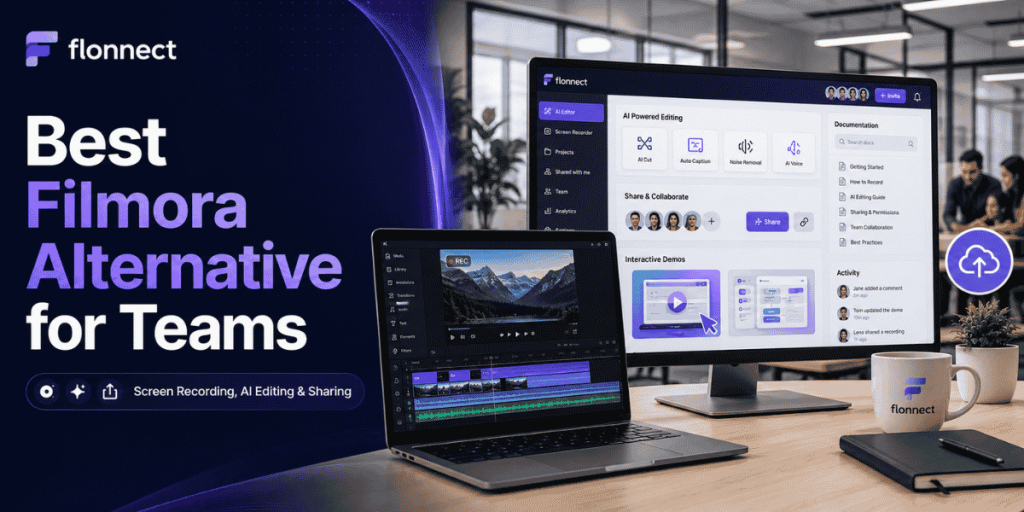
- Flonnect: Best Filmora alternative for teams that need screen recording, AI editing, instant sharing, interactive demos and process documentation.
- Camtasia: Best for polished training videos, multitrack editing, quizzes and SCORM exports.
- Descript: Best for transcript-based editing, podcasts, interviews and spoken videos.
- Loom: Best for quick asynchronous screen-recorded messages.
- ScreenPal: Best budget-friendly option for recording, editing, hosting and team collaboration.
- OBS Studio: Best free choice for advanced local recording and livestreaming.
- Use Flonnect’s screen-recording and demo comparison hub to compare complete workflows before switching.
Keep Filmora when
Creative timeline editing is the main requirement.
Choose Flonnect when
Recordings must become shareable team assets quickly.
Compare total cost
Include hosting, AI credits, seats, assets and sharing.
Recent Team-Workflow Data
Why Teams Need More Than a Video Editor
480
Monthly searches
Average monthly demand for “Filmora alternative” in the supplied keyword data.
80%
Lack capacity
Global workers reporting insufficient time or energy to complete their work.
275
Daily interruptions
Meetings, emails and chats received by highly connected workers across a day.
92%
Roles expanded
Knowledge workers whose responsibilities grew beyond their original job description.
Sources: supplied keyword data, Microsoft Work Trend Index and Atlassian Teamwork Lab research.
In This Guide
What Filmora Does Well
✓ Provides an approachable multitrack timeline for creative video editing.
✓ Supports screen recording, captions, silence detection and audio cleanup.
✓ Includes templates, effects, transitions and social-media export formats.
✓ Offers AI tools for text-based editing, subtitles, masking and content generation.
✓ Supports desktop, web and mobile creation workflows.
✓ Provides business licensing, multi-user control and volume purchasing.
Filmora is a strong choice when the editor and creative timeline are the centre of the workflow. Teams usually seek an alternative when recording, sharing, documentation or interactive demos matter equally.
Why Teams Look for a Filmora Alternative
| Team requirement | Traditional editing workflow | What to look for |
|---|---|---|
| Instant sharing | Export, upload and send the file separately | Automatic cloud link and privacy controls |
| Fast screen explanations | Open a full editing project for every recording | Browser recording with lightweight editing |
| Team feedback | Send exported versions through another platform | Comments, workspaces and review links |
| Process documentation | Build SOPs manually after editing | Step recording and reusable guides |
| Product walkthroughs | Publish a passive video | Clickable demos, hotspots and engagement analytics |
For quick team communication, review Flonnect’s Loom alternative comparison to understand the difference between creative editing and record-and-share workflows.
Filmora Alternative Feature Comparison
| Tool | Screen recording | AI editing | Cloud sharing | Interactive demos | Documentation | Best for |
|---|---|---|---|---|---|---|
| Flonnect | Browser, desktop, webcam and meetings | Yes | Yes | Yes | Step guides and SOPs | Complete business workflow |
| Filmora | Built in | Strong creative tools | Cloud projects and sharing | No native HTML demo | Manual | Creative timeline editing |
| Camtasia | Advanced multitrack | Strong | Screencast | No native HTML demo | Quizzes, SCORM and guides | Professional training videos |
| Descript | Yes | Transcript-based | Yes | No | Transcript reuse | Spoken videos and podcasts |
| Loom | Strong and simple | Paid AI tier | Strong | No native HTML demo | Video-to-text workflows | Async video communication |
| OBS Studio | Advanced | No built-in workflow | Manual | No | No | Free recording and streaming |
Filmora Alternative Pricing Comparison
Pricing checked in July 2026
Prices may vary by country, operating system, tax, billing cycle, AI usage and business licensing. Confirm the final checkout price.
| Tool | Free option | Relevant paid pricing | Important condition |
|---|---|---|---|
| Flonnect | 20 lifetime videos and limited demos | Pro $12/month; Business $20; Team $32/user | Video, AI, storage, meeting and demo limits vary by plan |
| Filmora Individual | Watermarked export | Basic $49.99/year; Advanced $59.99; Perpetual $79.99 | Company and brand use may require the Business plan |
| Filmora Business | Trial available | Official page lists $155.88/user one time for 1–5 users; 5+ custom | Commercial asset and music rights need separate review |
| Camtasia Suite | Watermarked editor access | Starter $39/year; Essentials $179.88; Create $249; Pro $599 | Individual subscriptions are non-transferable |
| Descript | One transcription hour and limited export | Creator $12/editor/month annually; Pro $24 annually | Transcription hours are limited by editor and plan |
| Loom | 25 videos per person; five-minute recordings | Business $18/user/month; Business + AI $24/user | Advanced AI workflows require Business + AI |
| ScreenPal | Free recording, editing and hosting with limits | Team Business $8/user/month, billed annually | Team plan starts at three users |
Best Filmora Alternatives by Workflow
1. Flonnect: Best all-in-one alternative for business teams
- Records screens, webcams, microphones, system audio and meetings.
- Includes transcription, captions and AI-assisted video editing.
- Creates screenshot guides and clickable HTML product demos.
- Provides share links, comments, access control and team workspaces.
- Best for sales, support, QA, operations, product and training teams.
Small teams can use Flonnect’s AI video workflow to connect scripts, recordings, editing, captions, branding and approval.
2. Camtasia: Best for professional training production
- Supports editable multitrack screen and camera recording.
- Includes text-based editing, filler-word removal and captions.
- Provides quizzes, cursor effects, animations and SCORM export.
- Best for structured courses, formal training and polished tutorials.
3. Descript: Best for text-based editing
- Edits spoken videos by editing the transcript.
- Includes screen recording, captions, filler-word removal and Studio Sound.
- Supports shared drives and collaborative editing workflows.
- Best for podcasts, interviews, webinars and narration-heavy content.
4. Loom: Best for quick asynchronous communication
- Records screens and webcams with minimal setup.
- Provides immediate sharing, comments and viewer insights.
- AI tier adds summaries, chapters and automatic cleanup.
- Best for status updates, feedback and simple customer explanations.
5. ScreenPal: Best budget-friendly team option
- Combines recording, editing, hosting and automated captions.
- Team plan includes collaboration, ownership transfer and SSO.
- Best for education, training and teams with controlled budgets.
6. OBS Studio: Best free technical alternative
- Free and open source on Windows, macOS and Linux.
- Supports scenes, multiple sources, audio filters and livestreaming.
- Best for users willing to add separate editing, hosting and collaboration tools.
7. Scribe or Snagit: Best for visual documentation
- Scribe converts workflows into screenshot-based step guides.
- Snagit captures and annotates screenshots, scrolling pages and short recordings.
- Best when documentation matters more than creative video editing.
Filmora Licensing Rules Teams Should Check
- Filmora states that company use should use its Team or Business plan.
- Company use includes internal training, presentations and communication.
- It also includes external marketing, promotions and paid client work.
- The official business FAQ says built-in Filmora music and sound effects cannot be used by a company.
- Review Filmstock or another commercially licensed asset source before using music externally.
Do not compare only the editor price. Verify commercial rights for templates, music, stock footage, fonts, plugins and AI-generated assets.
Filmora vs Flonnect Workflow
| Stage | Filmora-first workflow | Flonnect-first workflow |
|---|---|---|
| Record | Capture or import footage into an editing project | Record through browser, extension or desktop app |
| Edit | Detailed creative timeline and effects | Fast AI cleanup, captions and workflow-focused edits |
| Share | Export and distribute the finished file | Share a hosted link with comments and access controls |
| Reuse | Duplicate the editing project | Create videos, step guides, demos and team documentation |
Browser-first teams can use Flonnect’s screen capture for Chrome guide to compare lightweight recording with full desktop editing.
When a Video Should Become a Guide or Demo
- Support answers the same question repeatedly.
- New employees need consistent onboarding instructions.
- QA needs clear bug-reproduction steps.
- Sales wants prospects to interact with the product.
- Operations needs a reusable SOP with ownership and review dates.
Use Flonnect’s process documentation workflow to turn repeated recordings into reusable SOPs.
For sales or onboarding, use the guide to creating focused product demo videos rather than editing a long feature tour.
Which Filmora Alternative Fits Your Team?
| Primary use case | Best-fit tool | Reason |
|---|---|---|
| Recording, AI editing, sharing and demos | Flonnect | Combines several business workflows |
| Creative social and marketing editing | Filmora | Accessible timeline, templates and effects |
| Formal training and e-learning | Camtasia | Quizzes, SCORM and advanced editing |
| Podcast and transcript-heavy editing | Descript | Fast text-based editing |
| Quick video messages | Loom | Simple recording and immediate sharing |
| Free advanced capture or streaming | OBS Studio | Maximum technical control without subscription cost |
How to Move From Filmora Without Disrupting Production
List the Filmora templates, fonts, effects and export presets the team uses.
Separate creative marketing videos from demos, support recordings and SOPs.
Test one representative project from each team workflow.
Compare recording, editing, review, export and publishing time.
Keep Filmora for creative projects if the replacement targets only team communication.
Filmora Alternative Selection Checklist
✓ Define whether recording, editing or sharing is the main requirement.
✓ Test screen, webcam, microphone and system-audio capture.
✓ Review timeline depth, captions, noise removal and AI cleanup.
✓ Check browser, desktop and mobile availability.
✓ Confirm cloud links, downloads, embeds and privacy controls.
✓ Review comments, shared workspaces and ownership transfer.
✓ Check whether interactive demos or SOP guides are required.
✓ Verify commercial-use rights for music, templates and stock media.
✓ Calculate AI credits, storage, paid seats and renewal costs.
✓ Run a real team pilot before cancelling the current editor.
Common Comparison Mistakes
Comparing only editing features
Include capture, hosting, reviews, documentation and publishing.
Using an individual licence for business
Confirm company-use and asset rights before publishing.
Ignoring AI usage limits
Credits, transcription hours and generations can change total cost.
Expecting one universal winner
Creative editing and business knowledge sharing need different strengths.
Flonnect Comparisons
Move from recording to AI editing, sharing, demos and documentation.
Compare Flonnect with Filmora and other video tools when your team needs a complete business workflow—not only a creative editing timeline.
Frequently Asked Questions
What is the best Filmora alternative for teams?
Flonnect is a strong fit for teams needing recording, AI editing, instant sharing, interactive demos and process documentation. Camtasia is stronger for formal training production, while Descript is useful for transcript-heavy editing.
Is Filmora suitable for business use?
Yes, but Wondershare states that company use should use its Team or Business plan. Teams should also verify the commercial rights for music, effects and stock assets.
Is Flonnect better than Filmora?
Flonnect is better suited to recording, sharing, product demos and team documentation. Filmora is better suited to detailed creative editing, effects and social-media production.
Which Filmora alternative has the best AI editing?
The best choice depends on the content. Flonnect focuses on fast workflow editing, Descript on transcript editing, Camtasia on training production and Filmora on creative AI effects and timeline work.
What is the best free Filmora alternative?
OBS Studio is the strongest free option for advanced recording and livestreaming. It requires separate tools for editing, hosting, comments and documentation.
Should a team replace Filmora completely?
Not always. A team can keep Filmora for polished marketing videos and use a workflow-focused platform for demos, support recordings, onboarding, documentation and internal communication.
Sources and Methodology
- Flonnect comparison, pricing, AI editing, screen-capture and interactive-demo pages.
- Wondershare Filmora individual, business, AI-caption and silence-detection pages.
- Current official pricing and feature pages from Loom, Camtasia, Descript, ScreenPal, Scribe and OBS Studio.
- Microsoft Work Trend Index and Atlassian Teamwork Lab research.
- Pricing and product limits were checked in July 2026 and may change after publication.
- Recommendations are based on workflow fit rather than unsupported performance claims.