
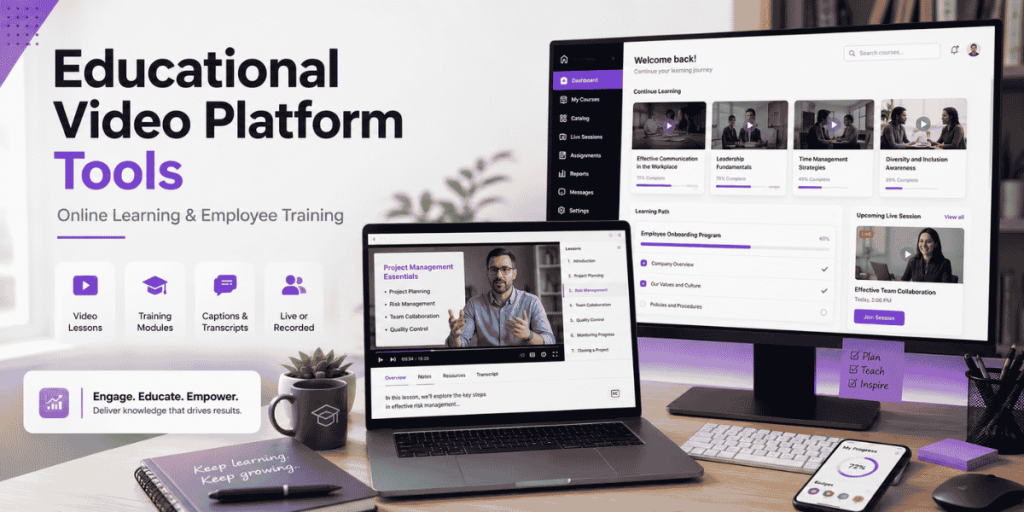
Training & Education
Quick Answer
- Flonnect: Best for educators and training teams that want to record, edit, share and reuse lessons without a complex institutional setup.
- Panopto: Best for universities and enterprises needing a searchable, governed video library with LMS integrations.
- Kaltura: Best for institution-wide lecture capture, virtual classrooms and interactive learning workflows.
- YuJa: Best for centrally managed classroom recording, scheduling and LMS publishing.
- ScreenPal: Best for teachers who need affordable video creation, hosting, captions and quizzes.
- Camtasia: Best for professionally edited tutorials, lectures and formal training courses.
- Use Flonnect’s video-based learning workflow to plan one recording that can serve multiple classes, courses or employee-training programmes.
Individual creators
Prioritise recording, editing and simple sharing.
Schools and universities
Prioritise LMS integration, accessibility and governance.
Employee training
Prioritise reuse, permissions, analytics and updates.
Recent Learning Data
Why Scalable Training Content Matters
59%
Need training
Share of the global workforce expected to need training by 2030.
50%
Already trained
Share of workers who completed training, reskilling or upskilling measures.
91%
Value continuous learning
L&D professionals saying continuous learning is more important than ever.
88%
Retention concern
Organizations concerned about retaining employees and critical skills.
Sources: World Economic Forum Future of Jobs Report 2025 and LinkedIn Workplace Learning Report 2025.
What Is an Educational Video Platform?
- A tool for recording, editing, hosting, organizing and sharing learning videos.
- It may support lectures, tutorials, onboarding, compliance training and online courses.
- Institutional platforms may add LMS integrations, scheduled capture, SSO and central administration.
- Creator-focused platforms usually prioritise fast recording, editing and shareable links.
- The right choice depends on who creates the content, who watches it and how the learning results are measured.
Important distinction
A video-creation tool helps produce lessons. A video management system governs a large library. An LMS manages courses, enrolment, assignments and completion.
What to Look for in an Educational Video Platform
| Requirement | Why it matters | What to test |
|---|---|---|
| Recording | Teachers need clear screen, webcam and voice capture | Slides, browser tabs, microphone, camera and system audio |
| Editing | Confusing pauses and errors reduce lesson clarity | Trimming, captions, noise removal and transcript editing |
| Accessibility | Learners may require captions, transcripts or translations | Caption accuracy, editing and multilingual support |
| Hosting and search | Large libraries become difficult to reuse | Folders, channels, transcripts, tags and full-text search |
| Learning interaction | Watching alone does not prove understanding | Quizzes, polls, comments and knowledge checks |
| Administration | Schools and employers need controlled access | SSO, permissions, LMS integrations and analytics |
Best Educational Video Platform Tools Compared
| Platform | Recording | Editing | Hosting | LMS and administration | Best for |
|---|---|---|---|---|---|
| Flonnect | Screen, webcam, audio and meetings | AI editing, captions and trimming | Shareable video library | Team workspaces; not a full LMS | Fast lesson and training creation |
| Panopto | Lecture, screen, camera and audio capture | Browser-based editing | Searchable enterprise video CMS | Strong LMS, security and governance features | Universities and large organisations |
| Kaltura | Scheduled lectures, screen, camera and live capture | Trim, splice, quizzes and hotspots | Video portal and content hubs | LMS publishing and institutional administration | Campus and enterprise learning ecosystems |
| YuJa | Classroom, desktop and scheduled lecture capture | Annotations and platform editing | Central Lumina video platform | LMS, SSO, scheduling and remote monitoring | Centrally managed higher education |
| ScreenPal | Screen, webcam and mobile | Accessible editor and AI features | Channels and secure video management | Education plans, quizzes and integrations | Teachers and smaller education teams |
| Camtasia | Screen, camera and multitrack audio | Advanced timeline and AI editing | External or Screencast sharing | Quizzes and SCORM; not a full video CMS | Polished courses and training videos |
| Vimeo | Browser and uploaded video | Templates and text-based editing on eligible plans | Secure branded hosting and embeds | Team permissions; enterprise integrations | Course creators needing professional hosting |
The Best Platforms by Learning Use Case
1. Flonnect: Best for recording once and reusing lessons
- Records presentations, browser demonstrations, webcam lessons and meetings.
- Includes transcription and editing with recorded videos.
- Provides hosted links, workspaces, comments and access controls.
- Can support lesson videos, onboarding, tutorials, SOPs and employee training.
- Best when creators need speed without an institution-wide deployment.
Use Flonnect’s tutorial-video lesson planning guide to define the learning outcome before recording.
2. Panopto: Best for governed video libraries
- Captures screen, camera and audio and publishes into the video library or LMS.
- Indexes spoken words and on-screen text for search.
- Offers institutional security, permissions, analytics and integrations.
- Best for universities and large employers with thousands of learning assets.
3. Kaltura: Best for interactive institutional learning
- Supports scheduled, automated and ad-hoc lecture recording.
- Publishes recordings to an LMS or video portal.
- Supports quizzes, hotspots, virtual classrooms and analytics.
- Best for institutions needing live, recorded and interactive video together.
4. YuJa: Best for centrally managed lecture capture
- Supports desktop capture, live streaming and classroom hardware.
- Offers remote scheduling, monitoring and automatic uploading.
- Publishes recordings directly to major LMS course pages.
- Best for IT-managed campuses with many classrooms and lecturers.
5. ScreenPal: Best for teachers and interactive quizzes
- Combines recording, editing, captions, hosting and channels.
- Adds questions at specific points inside a lesson video.
- Supports AI-generated quiz questions on eligible plans.
- Best for classroom teachers and smaller learning teams.
6. Camtasia: Best for polished training production
- Provides detailed timeline editing, animations and cursor effects.
- Supports captions, quizzes and SCORM workflows.
- Offers discounted licences for eligible education users.
- Best for formal courses where production quality matters more than publishing speed.
7. Vimeo: Best for secure, branded course hosting
- Offers ad-free video hosting and customisable players.
- Supports domain-level embed restrictions on paid plans.
- Provides team seats, analytics and large storage allowances.
- Best for independent course creators who already have an LMS or website.
Educational Video Platform Pricing
Pricing checked in July 2026
Enterprise pricing can depend on users, storage, viewing hours, LMS integrations, classrooms, support and accessibility requirements.
| Platform | Pricing model | Important consideration |
|---|---|---|
| Flonnect | Free; Pro $12/month; Business $20; Team $32/user | Students, NGOs and content creators can request discounts of up to 80% |
| Panopto | Custom institutional quote | Evaluate storage, viewers, integrations, migration and support |
| Kaltura | Demo and custom quote | Modules for lecture capture, portals, classrooms and analytics may differ |
| YuJa | Custom institutional quote | Include classroom hardware, scheduling and migration requirements |
| ScreenPal | Free plan plus Solo and Team Education plans | Unlimited quizzes require an eligible Max, Team Education or Business plan |
| Camtasia | Individual, business and discounted education licences | Education licences are limited to teaching, learning and administration |
| Vimeo | Free, Starter, Standard, Advanced and custom Enterprise | Compare storage, bandwidth, seats, privacy and live-event requirements |
Training Video Lesson Plan Template
Learning outcome: What should the learner be able to do?
Audience: What do they already know?
Opening: Show the problem, result or skill being taught.
Demonstration: Explain each step using the actual screen or process.
Practice: Give the learner a task, example or scenario.
Knowledge check: Ask one to three questions.
Next action: Link to the next lesson, task or supporting guide.
For lecture-focused content, use Flonnect’s online lecture recording workflow to combine slides, webcam, voice narration, annotations and subtitles.
Record Once, Reuse Across Learning Programmes
| Original recording | Reusable outputs |
|---|---|
| Live class | Replay, revision clip, transcript, FAQ and study guide |
| Employee onboarding | New-hire module, SOP, manager checklist and refresher lesson |
| Software tutorial | Course lesson, help-centre video, support reply and process guide |
| Expert workshop | Full session, topic clips, internal knowledge base and social previews |
Use Flonnect’s process documentation framework when a training recording also needs written steps, owners, warnings and update dates.
Educational Video Reuse Checklist
✓ The learning outcome is stated clearly.
✓ Long pauses and unrelated discussion are removed.
✓ Captions, names, formulas and technical terms are accurate.
✓ The recording is divided into focused lesson segments.
✓ The title describes the skill; font-size: 16px;”>✓ The title describes the skill or outcome.
✓ Access permissions match the intended learners.
✓ A transcript or written process is available where useful.
✓ Knowledge checks measure understanding—not only completion.
✓ An owner and review date are assigned.
✓ The asset is stored where learners can find it again.
Teams building repeatable employee procedures can also review Flonnect’s guide to the best SOP software tools.
Educational Video Platform Mistakes to Avoid
Choosing by editing features alone
Hosting, search, accessibility and permissions may matter more.
Recording one long lecture
Divide complex topics into focused, searchable modules.
Measuring completion only
Use quizzes, practical tasks and workplace outcomes.
Ignoring maintenance
Assign owners and review dates before the information becomes outdated.
Flonnect Screen Recorder
Record one clear lesson and reuse it across every learning channel.
Capture your screen, webcam and voice, edit the recording, add captions and share the final lesson with students, employees or course learners.
Frequently Asked Questions
What is the best educational video platform?
Flonnect is a strong option for fast lesson and training creation. Panopto, Kaltura and YuJa are better suited to institution-wide video management, lecture capture and LMS administration.
Can Flonnect record online lectures?
Yes. Educators can record screens, presentations, webcams, microphones and supported meeting platforms, then edit and share the finished recording.
Do I need an LMS to share training videos?
No. A shareable video platform may be enough for simple lessons and onboarding. An LMS becomes useful when you need enrolment, structured courses, assignments, completion tracking or certification.
Which platform is best for lecture capture?
Panopto, Kaltura and YuJa are strong choices for centrally managed lecture capture. Flonnect is better suited to individual educators and smaller teams that want a lighter recording workflow.
How long should a training video be?
Use the shortest duration that fully teaches one outcome. Divide complex processes into focused modules rather than forcing several unrelated objectives into one recording.
Can one training video be reused?
Yes. A well-planned recording can become a course module, class replay, onboarding lesson, SOP, support answer, transcript, short clip or refresher video.
Sources and Methodology
- Flonnect screen recorder, pricing, education use cases and published training guides.
- Current official platform information from Panopto, Kaltura, YuJa, ScreenPal, TechSmith and Vimeo.
- World Economic Forum Future of Jobs Report 2025.
- LinkedIn Workplace Learning Report 2025.
- Features and prices were reviewed in July 2026 and may change after publication.
- Recommendations are based on use-case fit rather than unsupported performance claims.