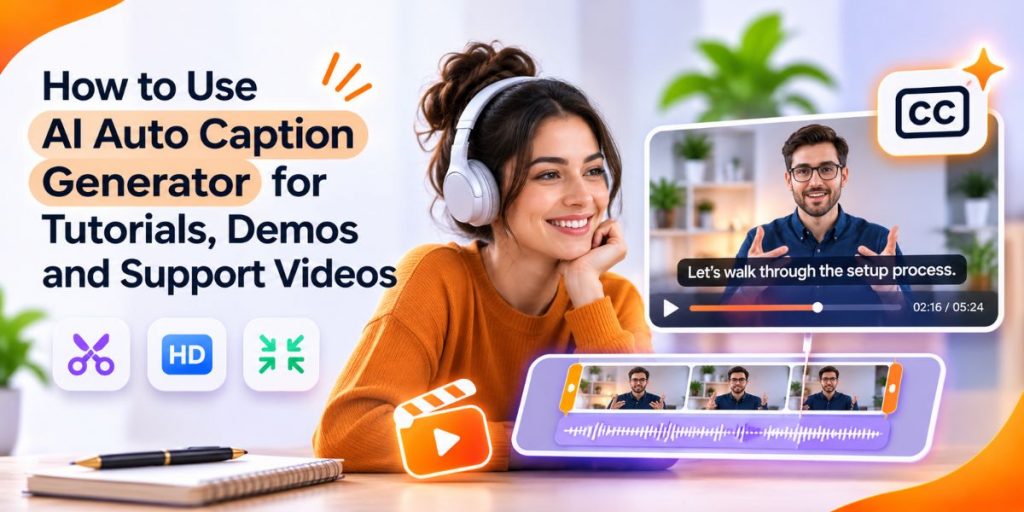
Tutorials · Product Demos · Support Videos
Quick Answer
- Use the Flonnect AI Video Editor to generate speech-to-text captions and clean up the video in the same workflow.
- Generate captions early, but finalize timing after major cuts are complete.
- Always review names, numbers, product terms and technical language.
- Keep captions short enough to read without covering important interface elements.
- Trim first, finalize captions, then compress the approved video for publishing.
An ai auto caption generator can remove one of the most repetitive parts of video editing: manually typing and timing every spoken sentence.
For tutorials, demos and support videos, the real goal is not simply having subtitles. Captions need to match what the viewer hears, stay synchronized with the final cut and remain readable while someone is watching the screen.
The Caption Rule
Generate automatically. Review manually. Finalize after the major video cuts.
AI should remove transcription work, not remove editorial judgment.
What Does an AI Auto Caption Generator Actually Do?
An AI caption generator listens to spoken audio, converts speech into text and synchronizes that text with the video timeline.
| Task | AI Can Help With | Human Review Still Matters |
|---|---|---|
| Speech recognition | Convert narration into text | Technical terms and names |
| Caption timing | Align text to speech | Fast cuts and overlapping speech |
| Segmentation | Break long speech into smaller captions | Readability and meaning |
| First draft | Remove most manual typing | Final accuracy and presentation |
If you are comparing caption-specific tools, Flonnect’s existing Best Auto Caption Generator Tools guide covers the broader tool-selection angle.
Why Flonnect Fits Better Than a Caption-Only Workflow
Captions are rarely the only thing a rough recording needs.
Flonnect’s AI Video Editor currently combines caption generation with several surrounding editing tasks:
Speech-to-Text Captions
Generate subtitles directly from spoken audio.
AI Auto Editing
Trim unnecessary footage, pauses and rough sections faster.
Noise Reduction
Improve speech clarity before the final delivery version.
Auto Framing
Keep subjects positioned more cleanly after reframing.
Visual Corrections
Adjust brightness, contrast and colour when footage needs basic cleanup.
Video Summaries
Find important points in longer videos for reuse or shorter versions.
For the broader automation workflow, read Flonnect’s AI Auto Edit guide. This article stays focused specifically on caption quality and the edits that affect captions.
Auto Captions Need Review Before Publishing
Automatic transcription is a strong starting point, not the final quality check.
Pay extra attention to:
☐ Product names
☐ Employee or customer names
☐ Numbers and prices
☐ Software terminology
☐ Acronyms
☐ Punctuation
☐ Speaker changes
☐ Caption timing
Accessibility note: automatically generated captions should be reviewed and corrected. Accuracy, synchronized timing and relevant non-speech audio information matter when captions are being used for accessibility.
What Makes an Auto Caption Actually Good?
| Weak Caption | Better Caption |
|---|---|
| Product names are wrong | Names match the spoken explanation and screen UI |
| Long paragraph stays on screen | Speech is broken into short readable phrases |
| Caption blocks important controls | Placement leaves the important interface visible |
| Text lingers after speech | Caption timing follows the spoken phrase |
| Every filler word stays | Meaning remains accurate without unnecessary verbal clutter |
How Captions Should Work in Tutorial Videos
Tutorial captions should help viewers perform the task, not compete with the interface.
- Keep software names and menu labels exact.
- Avoid placing captions over buttons or controls being demonstrated.
- Leave important instructional pauses intact.
- Keep commands concise when possible.
- Review formulas, URLs and technical terms manually.
If the speaker says “Choose Export, then select MP4,” the caption should preserve those exact interface terms.
Flonnect’s Tutorial Creator guide goes deeper into structuring tutorial recordings around one clear learning outcome.
How Captions Should Work in Product Demos
A product demo needs more momentum than a long tutorial.
Caption priorities should be:
- make the problem clear quickly
- keep product terminology accurate
- avoid covering the feature being demonstrated
- trim setup time and failed attempts
- keep the final CTA easy to understand
For product demos, captions work best when the visual shows the feature and the text reinforces the benefit instead of repeating every word unnecessarily.
How Captions Should Work in Support Videos
Support videos usually have one job: help the viewer solve a problem quickly.
Name the Problem
The opening caption should match what the user is trying to fix.
Keep the Fix Visible
Do not let captions cover buttons, error messages or settings.
Remove Waiting Time
Trim loading, setup and repetition when they do not help solve the issue.
End With the Result
Show what success should look like after the fix.
The Best Caption, Trim and Polish Workflow
Captions should sit inside the editing workflow, not be added randomly at the very end.
Raw Recording
Keep the highest-quality source and generate an early transcript if it helps identify weak sections.
Major Edit
Remove failed takes, silence, repetition and footage the viewer does not need.
Caption Pass
Correct wording, timing, punctuation and terminology after the main cuts.
Quality Pass
Clean audio, improve brightness or framing and make sure small interface text stays readable.
Final Export
Compress only after the approved captions and edits are complete.
Flonnect’s Reduce Video File Size With AI guide explains why trimming before final compression usually creates a cleaner production workflow.
Before and After AI Caption Editing
| Area | Before | After |
|---|---|---|
| Captions | No text or raw transcript | Reviewed and synchronized subtitles |
| Pacing | Long pauses and repeated explanations | Tighter useful runtime |
| Audio | Distracting background noise | Clearer speech |
| Visual quality | Dark or poorly framed footage | Cleaner brightness and framing |
| Long content | Hard to identify key moments | Summary helps surface important sections |
Generate captions and clean up the video in one workflow
Use Flonnect for speech-to-text captions, AI-assisted trimming, noise cleanup, framing and visual corrections instead of moving between separate tools.
Can AI Captions Improve Video Quality?
Captions do not increase resolution or recover lost image detail.
They improve the viewing experience by making spoken information easier to follow. Visual quality requires separate corrections such as brightness, framing, contrast or better source footage.
This distinction matters when people search for an ai video editor to improve video quality. Caption generation solves comprehension. Visual and audio enhancement solve presentation quality.
Use an AI Video Summarizer for Longer Tutorials and Demos
An ai video summarizer solves a different problem from captions.
- Captions preserve what was said.
- A summary condenses the main points.
- Chapters organize the content.
- Short clips repurpose the useful moments.
For a long product walkthrough, use captions for accessibility and searchability, then use the summary to identify the most useful sections for chapters, descriptions or shorter clips.
Captions Matter Even When the Platform Can Generate Them
Platforms such as YouTube can generate automatic captions, but automatic speech recognition can still misinterpret accents, names, dialects and speech affected by background noise.
Preparing reviewed captions during editing gives you more control before the video reaches the publishing platform.
For the wider editing workflow, use Flonnect’s YouTube Video Editor for Tutorials, Demos and Support guide.
What if You Already Have a Subtitle File?
You do not need AI transcription again if the caption text already exists and is accurate.
Flonnect also provides browser-based subtitle tools for adding, extracting and removing subtitle tracks. Use those tools when you already have SRT or another supported subtitle file and only need to manage the track.
Common AI Caption Mistakes
Publishing without review
AI can mishear names, acronyms, accents and technical terminology.
Finalizing too early
Major video cuts can break caption timing and force extra editing later.
Covering the interface
Tutorial captions should not hide the control the viewer needs to click.
Too much text
Long blocks become difficult to read before the next phrase arrives.
Over-editing the speech
Cleaning filler words is useful, but changing the speaker’s meaning is not.
Before and After AI Edit Checklist
☐ Main cuts are complete
☐ Captions match final narration
☐ Names and technical terms are correct
☐ Captions appear at the right time
☐ Interface controls stay visible
☐ Audio is clear
☐ Brightness and framing are acceptable
☐ Important pauses remain
☐ Summary matches the video
☐ Final file is compressed only once
☐ Muted playback was tested
☐ Original recording is preserved
Build Captions Into the Larger AI Video Workflow
Captions are one part of producing an effective AI-assisted video.
If your team is creating content from the beginning rather than editing an existing recording, Flonnect’s How to Create AI Videos guide covers the wider idea → script → recording → editing → caption → publishing workflow.
Keeping the caption process inside that workflow reduces rework because text is finalized only after the video structure is stable.
Sources and Methodology
This guide separates caption generation from caption quality, accessibility review and the surrounding video-editing workflow.
- Flonnect AI Video Editor for current caption, trimming, noise-removal, framing and visual-correction capabilities.
- Flonnect Auto Caption Generator guide for caption-tool comparison and caption workflow guidance.
- W3C Web Accessibility Initiative for caption and multimedia accessibility guidance.
- YouTube automatic caption documentation for current automatic-caption limitations and review guidance.
Last reviewed: November 2026. AI caption accuracy varies with audio quality, accents, overlapping speech, terminology and the source recording.
Turn rough recordings into captioned videos faster
Use Flonnect to generate captions, trim unnecessary footage, clean audio, improve framing and prepare tutorials, demos and support videos for publishing.
Frequently Asked Questions
What Is an AI Auto Caption Generator?
An AI auto caption generator uses speech recognition to convert spoken video audio into synchronized text captions. The generated text should still be reviewed before publishing.
Can Flonnect Generate Captions Automatically?
Yes. Flonnect’s AI Video Editor currently includes speech-to-text subtitle generation along with AI-assisted editing, noise reduction, framing and visual corrections.
Should I Add Captions Before or After Editing?
You can generate an early transcript to guide editing, but finalize caption wording and timing after major cuts are complete.
Are AI Generated Captions Accurate Enough?
They can provide a strong first draft, but names, numbers, accents, technical terms, punctuation and overlapping speech should be checked manually.
How Should I Caption Tutorial Videos?
Keep interface terminology exact, avoid covering buttons or menus, preserve useful teaching pauses and manually review technical words before publishing.
Can AI Also Improve the Rest of the Video?
Yes. Flonnect’s AI Video Editor also supports automated trimming, scene detection, noise cleanup, framing and visual corrections so captions can be part of a broader editing workflow.