Marketers · Creators · Business Teams
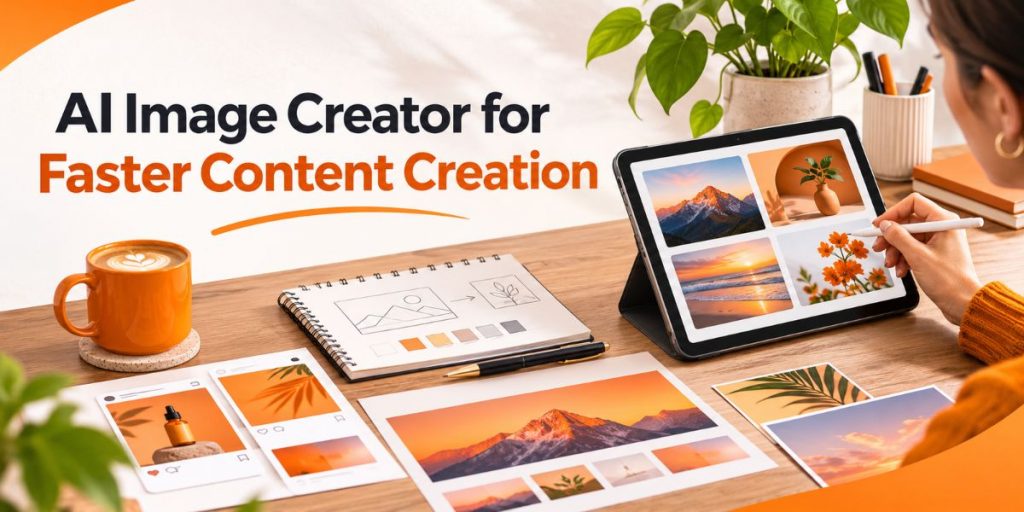
The Flonnect AI Image Generator can turn a written visual brief into a new image, which makes it useful when a team needs blog graphics, thumbnails, campaign concepts or social visuals without starting every asset from a blank canvas.
Quick Answer
- Use an AI image creator for first-draft visuals, thumbnails, blog images, social assets and marketing concepts.
- Start with the asset purpose, audience, size and focal point before writing the prompt.
- Generate one strong master visual, then adapt it for different channels.
- Use AI photo editing or background removal when an existing image is already close to what you need.
- Always review text, product details, brand elements and visual accuracy before publishing.
How Flonnect Helps
Move From Idea to Visual Asset Without Starting From Scratch
Flonnect’s current image tools cover several parts of the visual workflow rather than forcing every job through one generator.
- Generate new images from text prompts.
- Choose realistic or artistic visual directions.
- Create HD visual assets.
- Edit an existing image with AI instructions.
- Remove image backgrounds.
- Generate replacement backgrounds.
- Create thumbnail-oriented visuals.
What Is an AI Image Creator?
An AI image creator is a tool that generates a new visual from a text prompt or creative description.
Instead of manually drawing every object, choosing every background or arranging every visual element, the user describes the intended scene and AI creates a first version.
Teams commonly use AI image generation for:
- Blog featured images
- YouTube thumbnails
- Social media graphics
- Ad creative concepts
- Product-background ideas
- Presentation visuals
- Campaign posters
- Video covers
- Illustrations
- Concept mockups
AI Image Creator vs AI Photo Editor vs Background Remover
These tools solve different problems. Using the wrong one often creates unnecessary work.
| Need | Best Tool | Example |
|---|---|---|
| Create a completely new visual | AI Image Creator | Blog illustration from a written brief |
| Improve an existing image | AI Photo Editor | Fix lighting or remove distractions |
| Remove the existing background | Background Remover AI | Clean ecommerce product photo |
| Create a new setting behind a subject | AI Background Generator | Turn a studio product photo into a lifestyle scene |
| Design a video preview | AI Thumbnail Generator | YouTube tutorial thumbnail |
If your team mostly edits existing photography rather than generating new scenes, Flonnect’s Best AI Photo Editors guide is the better starting point.
Start With the Asset Purpose, Not the Prompt
A vague prompt usually creates a vague image.
Before generating anything, write one sentence describing what the image needs to do.
Example
“This image should help a small-business owner immediately understand that the article explains how AI can speed up visual content production.”
Then define:
- Audience
- Platform
- Asset size
- Main subject
- Desired emotion
- Background
- Brand colours
- Space needed for text
- What must not appear
Choose a Different Visual Strategy for Each Asset
| Asset | Main Job | Prompt Priority |
|---|---|---|
| Blog Featured Image | Explain the topic visually | Subject + context + clean composition |
| YouTube Thumbnail | Earn attention | Large focal point + contrast + curiosity |
| Product Image | Show the product clearly | Accuracy + clean lighting + realistic context |
| Social Post | Stop scrolling | Immediate visual idea + mobile clarity |
| Banner | Support a message or campaign | Hierarchy + whitespace + message area |
| Ad Creative | Communicate a benefit | Product + benefit + audience context |
Use the BRIEF → GENERATE → REVIEW → REFINE → ADAPT Workflow
Brief the Asset
Define the message, audience, platform and focal point before asking AI for a visual.
Generate Several Directions
Do not keep rewriting one weak image forever. Generate a few distinct concepts and choose the strongest direction first.
Review What AI Got Wrong
Check hands, faces, objects, product details, text, shadows, proportions, backgrounds and anything that could mislead the viewer.
Refine Instead of Regenerating Everything
If the overall visual is strong, edit the specific problem rather than starting again.
Flonnect’s AI Image Editor lets users upload an existing visual and describe the edits they want.
Adapt the Master Asset
Turn the approved visual direction into a thumbnail, social graphic, banner, presentation image or video cover instead of inventing a new visual language for every channel.
AI Visual Asset Prompt Library for Teams
Use these as starting structures. Replace the brackets with your real audience, topic and brand requirements.
BLOG FEATURED IMAGE
Create a wide editorial visual for an article about [topic]. Show [main visual idea]. Audience: [audience]. Use [brand colours]. Keep the composition clean, realistic and human-designed. Leave clear negative space for the headline. Avoid [unwanted elements].
VIDEO THUMBNAIL
Create a high-contrast video thumbnail for [topic]. Target [audience]. Show one large focal subject: [subject]. Communicate [emotion/result]. Use [colour direction]. Keep the background simple and readable on mobile.
PRODUCT VISUAL
Create a realistic product-marketing scene for [product]. Place the product in [environment]. Use natural lighting, accurate proportions and a clean commercial composition. Audience: [buyer]. Do not alter the product shape or important identifying details.
SOCIAL CAMPAIGN VISUAL
Create a social media campaign visual for [offer/message]. Show [main scene]. The visual should feel [mood]. Use [brand palette]. Keep one clear focal point and avoid unnecessary icons, text blocks or decorative clutter.
Use Different Prompt Rules for Thumbnails, Banners and Blog Images
The same prompt should not be reused for every asset.
A thumbnail needs immediate contrast. A blog image needs context. A banner needs room for a message.
For banner-specific layout rules, use Flonnect’s AI Banner Generator guide.
For video previews, the Video Thumbnail guide explains focal points, title match, mobile readability and repeatable brand styles.
Use AI Carefully for Product Images
Product visuals need stricter review than decorative blog illustrations.
Check that AI has not changed:
- Product shape
- Colour
- Buttons or controls
- Packaging
- Material texture
- Quantity
- Included accessories
- Brand marks
If you already have a real product photo, editing that image is often safer than asking AI to rebuild the product from memory.
Use the AI Photo Enhancer workflow when the original image mainly needs better clarity, lighting or quality.
If the background is the problem, Flonnect’s AI Background Removers guide covers the faster route.
Build a Team Workflow Around Roles, Not Just Prompts
The generator should not become the entire creative process.
| Role | Responsibility | Approval Question |
|---|---|---|
| Marketer | Defines message and audience | Does the visual support the campaign? |
| Creator | Writes prompt and generates concepts | Is the idea visually clear? |
| Designer | Refines layout and brand consistency | Does this look intentional? |
| Subject Expert | Checks factual or product accuracy | Is anything misleading? |
| Publisher | Handles size, filename, alt text and placement | Is the asset ready for the destination? |
Connect Image Creation to the Video Workflow
An image often becomes one part of a larger content package.
One campaign idea can produce:
- Blog featured image
- YouTube thumbnail
- Video cover
- Social post
- Presentation graphic
- Short-form video background
- Campaign banner
Flonnect’s How to Create AI Videos guide shows how the visual can fit inside a wider idea → script → video → captions → thumbnail → publishing workflow.
If the image supports a tutorial or learning asset, connect it with the Tutorial Creator workflow so thumbnails, lesson visuals and recordings share one visual direction.
Optimize AI Images for Google Search and AI Discovery
Generating the image is only half the publishing job.
Google’s current image guidance says it uses page context, captions, image titles, filenames, alt text and computer vision to understand image subject matter.
Before publishing:
- Use a descriptive filename instead of
image123.png. - Write useful alt text that describes what is actually visible.
- Place the image near relevant text.
- Keep the surrounding heading and copy aligned with the visual.
- Compress large files without destroying clarity.
- Avoid keyword stuffing in alt text.
Example
Filename: ai-image-creator-marketing-workflow.png
Alt text: Marketing team using an AI image creator to produce blog, thumbnail and social media visuals.
AI-Generated Visuals Still Need Original Human Value
Google’s 2026 guidance for generative AI search puts more emphasis on useful, original, non-commodity content than on special “GEO hacks.”
That principle applies to visuals too.
A stronger AI-generated image usually contains something specific to your content:
- Your workflow
- Your product
- Your dataset
- Your comparison
- Your audience
- Your brand visual system
- Your own example
A generic “robot using a laptop” illustration adds much less information than a visual showing the actual process described in the article.
Keep Human Review Between AI Generation and Publishing
AI can generate the first draft quickly. Humans still own whether the image is accurate, appropriate and useful.
Review:
- Spelling and text
- Faces and hands
- Product details
- Numbers and charts
- Logos
- Brand colours
- Cultural context
- Claims implied by the image
- Copyright or usage concerns
- Whether the output feels generic
For images that need more cleanup after generation, Flonnect’s AI Photo Enhancer workflow covers clarity, upscaling and final visual preparation.
Expect More Visual Provenance and AI Transparency
An emerging part of generative visual workflows is provenance metadata.
Adobe describes Content Credentials as industry-standard metadata that can record information about how an image was created or edited, including whether generative AI was involved.
Not every marketing asset needs a visible AI label, but teams should avoid misleading viewers about how a realistic image was created when that distinction materially affects trust.
Common AI Image Creation Mistakes
- Prompting without an asset goal: the image may look attractive but solve no content problem.
- Generating every channel separately: visual consistency disappears.
- Putting too much text inside the generated image: typography errors become harder to fix.
- Trusting product accuracy: AI may quietly change shape, packaging or features.
- Ignoring mobile size: details that look good on desktop can disappear in a feed.
- Publishing the first output: generation is the first draft, not final approval.
- Using the same visual style for everything: tutorials, product images and campaign posters have different jobs.
- Skipping filenames and alt text: useful image context is lost at publishing time.
AI Image Creator Checklist for Marketing Teams
☐ Asset purpose defined
☐ Audience defined
☐ Correct size selected
☐ Main focal point defined
☐ Brand colours included
☐ Unwanted elements specified
☐ Several concepts compared
☐ Product details checked
☐ Text and spelling reviewed
☐ Mobile readability tested
☐ Filename is descriptive
☐ Alt text added
☐ Final visual is human-approved
☐ Master style saved for reuse
Use the Same Visual System After the Image Is Created
The best efficiency gain does not come from generating one image faster.
It comes from reusing one approved visual direction throughout the content package.
For video campaigns, Flonnect’s YouTube Video Editor guide shows how thumbnails, captions and polished footage work together before publishing.
For teams automating the cleanup stage after recording, the AI Auto Edit workflow explains how AI can remove repetitive video-editing work while keeping final creative judgment human.
Turn the visual brief into a first draft faster
Use Flonnect AI Image Generator to create new visual directions, then refine the strongest concept for blogs, thumbnails, campaigns and social content.
Sources and Methodology
This guide separates AI generation speed from final creative quality. Product capabilities were checked against Flonnect’s current live image tools, while publishing and AI-search recommendations use current Google and industry guidance.
- Flonnect AI Image Generator
- Flonnect AI Image Editor
- Flonnect AI Background Remover
- Google – Optimizing for Generative AI Features
- Google – Image SEO Best Practices
- Google – Generative AI Content Guidance
- Adobe – Content Credentials Overview
Reviewed November 2026. AI image capabilities and model behaviour change quickly, so teams should verify live product functionality and review every generated visual before commercial publication.
Create faster without making every visual look AI-generated
Start with a clear visual brief, generate several directions with Flonnect, refine the strongest one and keep human review between AI creation and publishing.
Frequently Asked Questions
What Is an AI Image Creator?
An AI image creator generates new visuals from text prompts or creative descriptions. It can be used for blog images, thumbnails, illustrations, campaign concepts, social media assets and other visual content.
How Can Marketing Teams Use an AI Image Generator?
Marketing teams can use AI image generation for first-draft campaign concepts, featured images, social visuals, video covers, thumbnails and background ideas, then refine the approved concept before publishing.
What Is the Difference Between an AI Image Creator and AI Photo Editor?
An AI image creator generates a new image. An AI photo editor modifies an image you already have by changing elements such as lighting, backgrounds, objects or visual style.
Can AI Create Product Images?
Yes, but commercial product visuals need careful review because AI can change product shape, colour, packaging or details. When accuracy matters, edit a real product photo rather than relying entirely on generated reconstruction.
Can AI Create YouTube Thumbnails?
Yes. AI can generate thumbnail concepts and supporting visuals, but the final design still needs a clear focal point, title match, high contrast and mobile readability.
Do AI-Generated Images Affect SEO?
Google does not recommend treating AI generation itself as a shortcut or penalty signal. Publish useful, original visuals, use descriptive filenames and alt text, place images near relevant content and avoid mass-produced low-value assets.
Should AI Images Have Alt Text?
Yes. Alt text should describe the useful subject and purpose of the image in context. Google specifically recommends descriptive alt text and warns against keyword stuffing.
How Does Flonnect Help With AI Image Creation?
Flonnect supports text-to-image generation, multiple visual styles, HD images and related AI tools for editing, background removal and other visual-content workflows.