
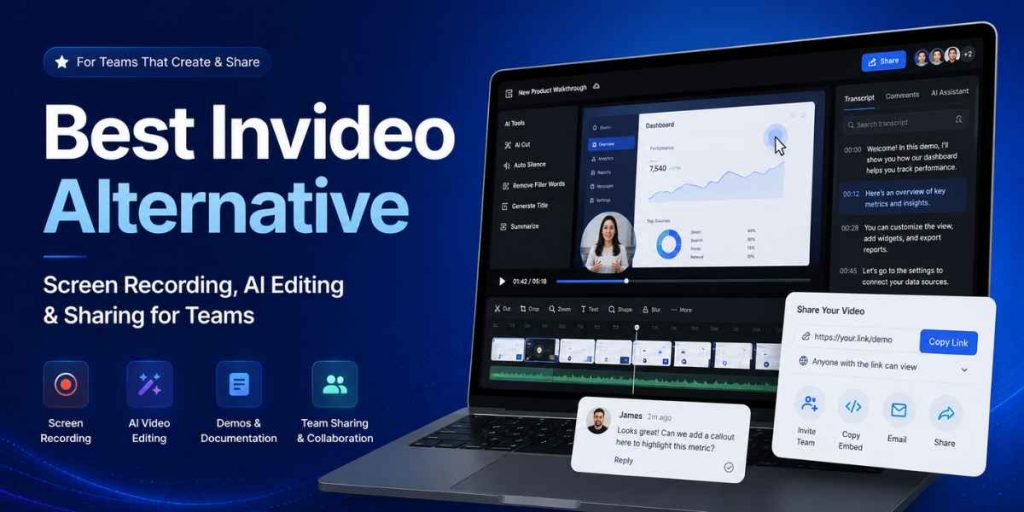
Screen recording · AI editing · Demos · Sharing
Quick Answer
- Best Invideo alternative for team workflows: Flonnect.
- Choose Flonnect for screen recording, AI-assisted editing, product demos, bug reports, process documentation and instant sharing.
- Choose Invideo when your main goal is generating marketing or social videos from prompts, stock media and AI models.
- Choose Loom mainly for fast asynchronous video messages and simple team updates.
- Choose Camtasia when advanced timeline editing and production control matter more than speed.
- Also review Flonnect’s Loom alternative comparison when quick video messaging is part of your shortlist.
The best Invideo alternative depends on what your team is trying to produce. Invideo is primarily designed for AI-generated videos, stock-led marketing content and prompt-based creative production.
Many teams, however, need to record an actual product, explain a dashboard, create a software demo, document a workflow, report a bug or share a customer-support solution. Those jobs require more than text-to-video generation.
Flonnect is the stronger alternative for that screen-first workflow. It connects recording, AI editing, transcription, interactive demos, documentation, collaboration and sharing in one platform. Its broader AI video workflow guide explains how small teams can move from an idea to a reusable video without building a full production department.
The Most Important Difference
Invideo helps generate a video. Flonnect helps a team record, explain, edit, document and share real work.
That makes Flonnect a better fit for sales, product, QA, support, training, operations and internal documentation teams.
2026 Pricing and Usage Snapshot
Official pricing and plan information checked on August 3, 2026. Prices can change by billing cycle, location, credits and team size.
$12
Flonnect Pro
30 videos and 50 bug reports monthly
$17
Invideo Plus
Monthly equivalent with annual billing
$24
Loom Business + AI
Per user monthly
$179.88
Camtasia Essentials
Annual individual subscription
Choose the Tool by the Work You Need to Complete
Record real software
Capture screens, webcam, system audio, product steps and actual user workflows.
Flonnect
Generate a video from a prompt
Create marketing videos with AI scenes, stock media, avatars, voices and generative models.
Invideo
Send a quick video update
Record a short asynchronous message and share it immediately with a link.
Loom
Create a screenshot guide
Automatically convert clicks into written steps and screenshots.
Scribe
Record or livestream freely
Build complex scenes, mix multiple sources and control recording settings.
OBS Studio
Produce highly polished training
Use multitrack editing, cursor effects, animations, voiceovers and advanced control.
Camtasia
Best Invideo Alternatives Compared
| Tool | Best For | Screen Recording | AI Editing | Documentation | Sharing | Starting Option |
|---|---|---|---|---|---|---|
| Flonnect | Screen-first team workflows | Yes | Yes | Steps, demos and transcripts | Links, embeds and workspace | Free; Pro $12/month |
| Invideo | Prompt-to-video marketing content | Not its primary workflow | Strong generative AI | Limited | Export and social publishing | Free; paid from $17/month annually |
| Loom | Quick asynchronous messages | Yes | Titles, summaries and cleanup | Video-to-text workflows | Strong instant sharing | Free; Business $18/user/month |
| OBS Studio | Advanced recording and streaming | Yes | No built-in AI workflow | No | Manual export or third-party tools | Free and open source |
| Scribe | Step-by-step guides and SOPs | Captures workflow steps | Documentation assistance | Excellent screenshot guides | Links, embeds and exports | Free and paid Pro plans |
| Snagit | Screenshots, markup and short captures | Yes | Image cleanup and step capture | Image-led guides | Screencast sharing | $39/year individual |
| Camtasia | Polished screen-first production | Yes, including multitrack | Text editing, scripts and voiceovers | Training and course outputs | Advanced sharing on higher plans | Essentials $179.88/year |
1. Flonnect — Best Overall Invideo Alternative for Teams
Why it stands out: Flonnect brings together screen and webcam recording, system audio, annotations, AI-assisted editing, transcription, step capture, interactive demos, bug reporting, sharing and team collaboration.
Best for: Product demonstrations, customer support, software tutorials, sales walkthroughs, QA reports, onboarding, training and process documentation.
Consider before choosing: Invideo remains the stronger specialist when the entire objective is generating cinematic, avatar-led or stock-based marketing content from a prompt.
Teams creating real software walkthroughs can use Flonnect’s practical guide to creating clear product demo videos before recording.
2. Invideo — Best for Prompt-Based Marketing Videos
Invideo is a strong choice when a marketer wants to turn a written idea into a produced video using AI models, stock assets, generated clips, voiceovers and avatars.
Choose Invideo When
- You need prompt-to-video generation.
- You want stock-led social videos.
- You need avatars or generated scenes.
- Your content does not require a real product recording.
Choose Flonnect When
- You need to show an actual screen.
- You need a product or workflow demo.
- The video must become team documentation.
- You need recording, editing and sharing together.
For prompt-led production, Flonnect’s guide to creating AI videos explains how to combine generated scenes with real screen recordings, captions and human review.
Other Invideo Alternatives Worth Considering
3. Loom — Best for Async Messages
Loom is efficient for recording a quick update, explanation or feedback message and sharing it immediately.
Choose Flonnect instead: when recordings must become demos, SOPs, bug reports or reusable training assets.
4. OBS Studio — Best Free Recorder
OBS offers advanced scene control, multiple audio and video sources and live-streaming support without a subscription.
Choose Flonnect instead: when simple recording, AI cleanup, sharing and team documentation matter more than technical configuration.
5. Scribe — Best for Screenshot SOPs
Scribe automatically creates step-by-step instructions with screenshots and text as a user completes a process.
Choose Flonnect instead: when the workflow also needs narration, video, interactive demos or customer-facing explanation.
6. Snagit — Best for Visual Markup
Snagit is useful for screenshots, scrolling capture, visual annotations, quick recordings and image-led guides.
Choose Flonnect instead: when the team needs a wider recording, editing, demo and collaboration platform.
7. Camtasia — Best for Advanced Editing
Camtasia provides multitrack recording, cursor editing, effects, animations, text-based editing and advanced production control.
Choose Flonnect instead: when speed, browser workflows, reusable documentation and simpler sharing are more important.
Need Video and Written Steps?
Flonnect combines video, step capture and interactive demos instead of forcing teams to choose only one documentation format.
See the process documentation tool guide for a repeatable SOP workflow.
Best Choice by Team and Use Case
| Team or Use Case | Best Choice | Reason |
|---|---|---|
| Product and sales demos | Flonnect | Records real software and supports demos, narration, editing and sharing. |
| Marketing video generation | Invideo | Strong prompt, model, stock and avatar-based creative workflow. |
| QA and developer reporting | Flonnect | Captures video, screenshots, annotations and technical context. |
| Quick internal communication | Loom | Fast recording and link sharing for short updates. |
| Process documentation | Flonnect or Scribe | Flonnect for video plus steps; Scribe for screenshot-first instructions. |
| Professional training production | Camtasia | Advanced timeline, effects, audio and course-production controls. |
How Teams Can Replace Multiple Tools With Flonnect
STEP 1
Record screen or webcam
STEP 2
Trim and improve with AI
STEP 3
Add captions and transcript
STEP 4
Create steps or a demo
STEP 5
Share and collaborate
This combined workflow is particularly useful when one recording needs to become a demo, tutorial, support answer, onboarding resource or reusable knowledge asset. Flonnect’s guide to content creation tools for business videos explains how to select formats around the viewer’s actual need.
Record, edit, document and share from one workflow
Use Flonnect for product demos, tutorials, support videos, bug reports, interactive walkthroughs and team documentation.
Tool Selection Checklist
☐ Do we need generated or recorded video?
☐ Must the video show a real product?
☐ Do we need screen and webcam together?
☐ Are AI editing and captions required?
☐ Must recordings become SOPs or guides?
☐ Do viewers need comments or reactions?
☐ Are monthly generation credits predictable?
☐ Can the team use the tool without training?
Choose Flonnect when the video must show real work
Record your screen, explain the process, improve the video with AI, create documentation and share the final result with your team or customers.
Frequently Asked Questions
What is the best Invideo alternative?
Flonnect is the best alternative for teams that need screen recording, AI editing, product demos, documentation, bug reporting and video sharing.
Is Flonnect better than Invideo?
Flonnect is better for real screen-based team workflows. Invideo is better when the primary objective is generating creative videos from prompts and AI media.
Does Flonnect include AI video editing?
Flonnect provides AI-assisted editing, transcription, captions, scene improvements and other tools designed to refine recorded videos faster.
Can Flonnect create product demos?
Yes. Teams can record real product screens, create interactive HTML demos, capture steps and share walkthroughs with customers or internal teams.
Is OBS a good free Invideo alternative?
OBS is excellent for free recording and livestreaming. It does not provide the same built-in AI editing, cloud sharing or documentation workflow as Flonnect.
Should I choose Loom or Flonnect?
Choose Loom for fast video messages. Choose Flonnect when the recording must become a reusable demo, tutorial, bug report, SOP or training asset.
Is Scribe better than Flonnect for documentation?
Scribe is strong for screenshot-based instructions. Flonnect is better when the documentation also needs video, audio explanation, interactive demos or screen context.
Does Flonnect have a free plan?
Yes. Flonnect currently offers a free Starter plan with limited videos, bug reports, demo captures and storage.