
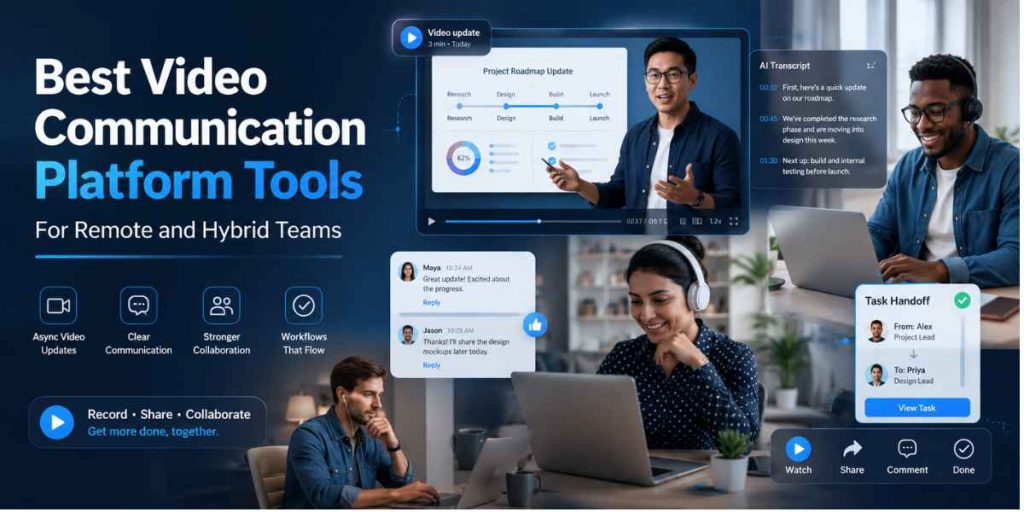
Remote teams · Hybrid work · Video messaging
Quick Answer
- Best overall video communication platform for reusable team workflows: Flonnect.
- Use asynchronous video for updates, demonstrations, feedback, task handoffs, training and explanations that do not need an immediate reply.
- Keep live meetings for sensitive discussions, rapid decisions, conflict resolution and genuine group problem-solving.
- Flonnect combines screen and camera recording, transcription, AI editing, meeting recording, interactive demos, documentation and team sharing.
- Loom is strong for quick video messages, Slack Clips for channel-based updates, Zoom Clips for Zoom users and Vidyard for sales outreach.
- Compare dedicated async options in Flonnect’s Loom alternative guide for teams.
A video communication platform helps remote and hybrid teams explain work visually without requiring everyone to join another meeting. A manager can record a project update, a designer can show feedback, and a support agent can demonstrate a solution while the recipient responds when their schedule allows.
The goal is not to remove every meeting. It is to stop using live calls for information that could be recorded once, watched at a convenient time and replayed whenever details are unclear.
Flonnect is our top choice for teams that need more than short video messages. A recording can be edited, transcribed, converted into process documentation, reused for training or shared as a product demonstration from one connected workflow.
Video Messaging Is Not Video Conferencing
A video call reserves everyone’s time. An async video transfers context without requiring everyone to be available together.
The best remote teams use both. They select the format according to the decision, emotional sensitivity, urgency and amount of interaction required.
Why Teams Need Better Communication Choices
Recent workplace research and official platform information checked in August 2026.
60%
Ad hoc meetings
Microsoft’s high-meeting-volume cohort
30%
Cross-time-zone meetings
Eight points higher than in 2021
275
Daily interruptions
For Microsoft’s highest-ping user group
51%
Fewer scheduled meetings
Slack’s small Clips user survey
Important context: These figures do not prove that every meeting should be replaced. They show why teams need a deliberate communication system instead of treating every update as a calendar event.
Remote-Team Communication Playbook
Should This Be a Meeting, Message or Async Video?
| Communication Need | Best Format | Reason |
|---|---|---|
| Product walkthrough | Async video | The viewer needs visual context and may replay individual steps. |
| Weekly project update | Video or written update | No meeting is needed unless a decision or blocker requires discussion. |
| Sensitive performance discussion | Live conversation | Tone, empathy and immediate clarification are essential. |
| Design or document feedback | Async screen video | The reviewer can point to exact areas while explaining the reasoning. |
| Urgent incident response | Live call plus recording | Fast coordination is necessary, while the recording preserves context. |
| Repeated process explanation | Video plus SOP | Record once, document the steps and reuse the explanation. |
| Complex strategic debate | Async preparation plus live meeting | Participants review context first, so live time can focus on decisions. |
Best Video Communication Platforms Compared
| Platform | Best For | Recording | AI & Transcription | Reusable Documentation | Starting Option |
|---|---|---|---|---|---|
| Flonnect | Complete async video and knowledge workflows | Screen, camera, meetings and presentations | Editing, transcription and AI generation | Steps, SOPs, demos and bug reports | Free; Pro $12/month |
| Loom | Dedicated async video messaging | Screen, camera and meetings | Titles, summaries, chapters and cleanup | Video-to-text workflows | Free; Business $18/user/month |
| Slack Clips | Updates inside channels and DMs | Audio, camera and screen clips | Captions and transcripts | Stored within Slack conversations | Clips included on all plans |
| Zoom Clips | Teams already using Zoom Workplace | Screen, camera and presentation clips | AI titles, descriptions and chapters on Plus | Libraries and playlists | Basic free; five two-minute clips |
| Vidyard | Sales and customer-facing video | Screen, camera and AI avatars | AI video and personalized workflows | Branded pages and video hubs | Free plan available |
| Live meeting platforms | Real-time discussion and decisions | Meetings, calls and screen sharing | Recaps and meeting summaries vary | Meeting recordings and transcripts | Zoom, Teams and Meet offer free tiers |
Which Video Communication Tool Should Your Team Choose?
1. Flonnect — Best Overall for Async Video and Reusable Knowledge
Strengths: Screen and camera recording, meeting capture, AI editing, transcription, interactive demos, step documentation, bug reporting and team workspaces.
Best for: Remote product, support, QA, sales, training, operations and HR teams that need videos to remain useful after the first viewing.
Consideration: Teams focused only on short internal messages may not need its broader documentation and demo capabilities.
Support teams can follow Flonnect’s screen recording workflow for customer support to replace repeated written explanations with reusable visual answers.
2. Loom — Best Dedicated Video Messenger
Loom provides fast recording, instant links, comments, reactions, shared libraries and strong AI packaging.
Limitation: Its strongest documentation and AI workflows sit on higher-paid plans.
3. Slack Clips — Best Inside Existing Conversations
Teams can post five-minute audio, video or screen clips inside channels and receive threaded responses.
Limitation: Clips are communication objects inside Slack, not a complete video-production or documentation system.
4. Zoom Clips — Best for Zoom-Centric Teams
Zoom Clips supports personal messages, screen recordings, comments, libraries and presentation-style videos.
Limitation: The free Basic allowance is limited to five clips per user with a two-minute maximum.
5. Vidyard — Best for Sales Communication
Vidyard is designed around prospecting, personalized video, branded sharing pages, CTAs, engagement analytics and CRM integrations.
Limitation: It is more sales-focused than a general internal collaboration platform.
6. Live Meeting Tools — Best for Real-Time Interaction
Zoom, Microsoft Teams and Google Meet remain useful when participants must debate, react or decide together.
Limitation: They consume simultaneous time and can become inefficient when used for one-way updates.
The Async Video Communication Playbook
State the outcome before recording
Decide whether the viewer must understand, review, approve, complete or respond to something.
Record only the necessary context
Open the relevant screen before recording. Remove unrelated tabs, notifications and background information.
Use a predictable structure
Explain the purpose, current state, important evidence, required action, owner and deadline in that order.
Add text for scanning
Include a short written summary, transcript, chapters or bullet points so the recipient can evaluate relevance before watching.
Define the response window
Say whether feedback is optional, required today or needed before a specific project milestone.
Save reusable knowledge
Convert repeated explanations into an SOP, training resource, product demo or searchable team document.
For workflows that will be repeated, use Flonnect’s process documentation method to turn a screen recording into clear steps, supporting notes and an updated SOP.
Copy-and-Paste Async Video Message Template
[Project or task] — [action needed]
Purpose:
This video explains [one clear topic].
What changed:
–
What you need to review:
–
Decision or action required:
–
Owner:
–
Reply by:
–
Video length:
[00:00]
Supporting link or document:
–
Better subject line: “Checkout redesign — approve mobile error state by Thursday” is clearer than “Quick video update.” It tells the viewer why the recording matters before they press play.
Useful Async Video Examples by Team
Managers
Weekly priorities, company updates, decision context, project risks and recorded meeting follow-ups.
Product & Design
Feature walkthroughs, prototype reviews, design feedback, release explanations and customer-research summaries.
Sales
Personalized prospecting, product demonstrations, proposal explanations and post-meeting follow-ups.
Customer Support
Account setup, troubleshooting, feature education, visual answers and reusable support-library content.
QA & Engineering
Bug reproduction, pull-request explanations, release checks, technical handoffs and environment-specific issues.
HR & Training
Onboarding, policy explanations, role training, tool walkthroughs and recorded learning modules.
QA teams can use Flonnect’s video troubleshooting checklist to capture the complete issue, exact reproduction steps and useful technical context.
Training and HR teams can follow the video-based learning workflow to record one explanation and reuse it across onboarding, courses and employee support.
How to Measure Whether Async Video Is Working
| Metric | What It Reveals | Healthy Direction |
|---|---|---|
| Meeting hours avoided | How much simultaneous calendar time was saved | Increase without harming decision quality |
| Completion rate | Whether recipients watch enough to receive the message | Improve through shorter, better-structured videos |
| Clarification requests | Whether the recording provided sufficient context | Decrease for repeated workflows |
| Response time | How quickly viewers can review and act | Match urgency and stated deadline |
| Reuse rate | Whether recordings become lasting knowledge | Increase for training, support and SOP videos |
| Task completion quality | Whether the recipient understood the actual handoff | Improve without extra follow-up meetings |
How Flonnect Supports the Complete Communication Cycle
STEP 1
Record the screen or meeting
STEP 2
Remove unnecessary content
STEP 3
Add transcript and context
STEP 4
Share for review or action
STEP 5
Reuse as team knowledge
Teams producing videos regularly can use Flonnect’s AI video workflow for lean teams to standardize recording, editing, captions, reviews and publishing without creating a heavy production process.
Replace unnecessary meetings with clear visual communication
Record updates, demonstrations, feedback and task handoffs, then turn useful recordings into reusable team knowledge.
Common Async Video Communication Mistakes
Recording without a purpose
Tell viewers what they should understand or do before explaining the details.
Sending a ten-minute monologue
Remove repeated explanations and unrelated context. Split separate decisions into separate recordings.
Providing no written summary
Recipients should understand the topic, priority and expected response without watching first.
Using video for sensitive feedback
Use a live conversation when tone, empathy or immediate clarification materially affects the outcome.
Letting useful videos disappear
Move recurring explanations into a searchable library, SOP or training collection.
Video Communication Platform Checklist
☐ Screen, camera and audio recording are supported.
☐ Videos can be shared without large attachments.
☐ Captions and transcripts are available.
☐ Viewers can comment or respond clearly.
☐ Privacy and access controls match team needs.
☐ Useful recordings can be organized and reused.
☐ The workflow integrates with existing tools.
☐ Pricing remains practical as the team grows.
The best communication platform helps the message survive beyond the meeting
Use Flonnect to record visual context, edit the explanation, share it asynchronously and convert valuable recordings into lasting team knowledge.
Frequently Asked Questions
What is a video communication platform?
It is software that helps people communicate using recorded or live video, screen sharing, audio, captions, comments and collaboration features.
What is asynchronous video communication?
It is a recorded video message that recipients can watch and respond to at a convenient time instead of joining a live call.
What is the best video communication platform?
Flonnect is a strong overall choice for teams that need screen recording, AI editing, transcription, meeting capture, product demos, documentation and sharing together.
Can async video replace meetings?
It can replace one-way updates, demonstrations, feedback and routine handoffs. Live meetings remain better for sensitive, urgent or highly interactive discussions.
How long should an async video be?
Keep it as short as the task allows. Many updates work within two to five minutes, while detailed demonstrations may need chapters or separate recordings.
Is Flonnect better than Loom?
Loom is strong for dedicated video messaging. Flonnect is a better fit when recordings must also become product demos, SOPs, training resources, bug reports or reusable documentation.
Are Slack Clips suitable for remote teams?
Yes. They are useful for short screen, audio and video updates inside existing Slack channels, but they are limited to five minutes.
How should remote teams introduce async video?
Begin with one recurring meeting or update, define a recording template, set response expectations and measure whether clarity improves without adding communication overload.