Coming soonYour AI agent can attend meetings for you. See how →

Flonnect
Home
  • Screen Recorder
    Record your screen in up to 1080p
    Meeting Copilot
    AI-powered transcription & summaries
    Meeting Agent
    Invite the AI agent to any meeting
    Interactive Demo Capture
    Create interactive product demos
    Testimonials
    Collect and showcase testimonials
    Presentation Recorder
    Record slides with your camera
    Bug Reporting
    Report bugs with visual context
  • AI Video Generator
    AI Video Editor
    AI Animated Video Maker
    AI Text To Video
    AI Avatar Video
    AI Face Swap Video
    AI Short Video Creator
    AI Image Generator
    AI Photo Editor
    AI Art Generator
    AI Background Remover
    AI Ad Generator
    AI Social Media Post
    AI Thumbnail Generator
    AI Presentation Maker
  • Meeting Recording & Collaboration

    Google Meeting RecorderMicrosoft Teams RecordingZoom Meeting Recording

    Content Generation & Documentation

    Minutes of MeetingTranscription

    Screen & Camera Recording

    Screen RecordingScreen + Camera RecordingPresentation RecordingVideo PresentationCamera Recording

    Specialized Recording & Enhancement

    Annotation While RecordingStep RecorderHTML Interactive Demo RecordingSystem Audio RecordingMic RecordingMovable Camera

    Sharing & Integration

    Share Video with One ClickReact/Comments on VideosUpload Video to YouTubeAttach Video in Email

    Bug Reporting & Development Workflow

    Screenshot Bug ReportingVideo Bug RecordingPush to JiraBug CaptureAdd Video in Bitbucket/GitHub PR
    View all features →
  • Education & Learning
    5 use cases
    Business & Corporate
    5 use cases
    Marketing & Content
    5 use cases
    Freelance & Creative
    7 use cases
    Technology & Development
    5 use cases
    Gaming & Entertainment
    3 use cases
    Legal & Compliance
    4 use cases
    Healthcare & Wellness
    4 use cases
    Finance & Investment
    3 use cases
    Research & Science
    3 use cases
    Manufacturing & Industry
    3 use cases
    Real Estate & Property
    2 use cases
    Automotive & Transportation
    2 use cases
    Community & Public Service
    4 use cases
    View all resources →
BlogsPricing
  • Extract Audio
    Remove Meta Data
    Change Container
    Inspect Streams
    Trim / Split
    Subtitles
    Batch Processing
    File Compression
    Convert to HLS
    Thumbnail Generator
    Rotate / Flip Video
    Audio Converter

Use case

Screen Recorder for Nonprofits & Activists

Record campaign videos, volunteer training and online events with your screen, camera and voice, and share them on any channel with a link.

Open FlonnectSee use cases

Free forever plan · No credit card

How people use it

5 ways nonprofits use Flonnect

From campaign videos to volunteer training, here is how nonprofits and activists use video.
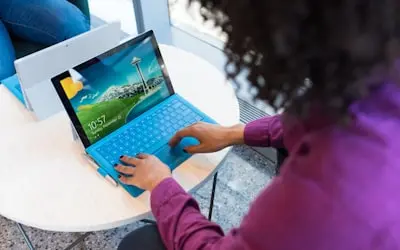
  1. Recording Awareness Campaigns & Advocacy Videos01

    Recording Awareness Campaigns & Advocacy Videos

    Record campaign videos with your camera, slides and voice to explain your cause: personal stories, expert interviews or field updates. Share them on social media, your website or crowdfunding pages.

    Example
    A climate advocacy group records a video about deforestation's effect on local wildlife and links it from its tree-planting donation page.
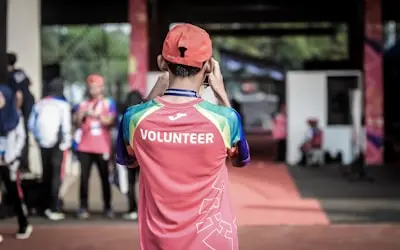
  2. Creating Volunteer Training & Onboarding Videos02

    Creating Volunteer Training & Onboarding Videos

    Record training for new volunteers and staff once, and everyone gets the same guidance on fieldwork, safety and fundraising. Volunteers in other countries can watch whenever they are available.

    Example
    A disaster relief nonprofit records a training video on 'How to Safely Distribute Aid in Crisis Zones', helping volunteers prepare for missions.
  3. Recording Public Speeches & Activist Talks03

    Recording Public Speeches & Activist Talks

    Record talks, panel discussions and online rallies so people who couldn't attend can still watch. Trim the recording and upload it to YouTube or share the link.

    Example
    A human rights activist records a speech on gender equality, sharing it on YouTube to reach a wider audience.

  4. Documenting Community Impact & Success Stories04

    Documenting Community Impact & Success Stories

    With permission, record conversations with the people your work supports and use them in donor updates, grant applications and fundraising events. Real voices explain your work better than a list of figures.

    Example
    A homeless shelter records interviews with people who have successfully transitioned to stable housing, for its annual donor report.
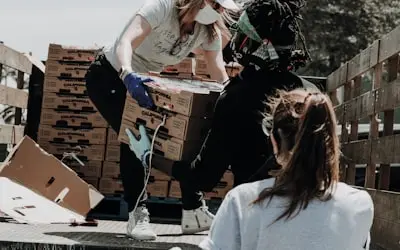
  5. Hosting & Recording Virtual Fundraising Events & Webinars05

    Hosting & Recording Virtual Fundraising Events & Webinars

    Record online fundraisers and webinars held on Google Meet, Zoom or Microsoft Teams, including the Q&A. Send the replay to supporters who registered but couldn't join.

    Example
    A wildlife conservation group hosts a virtual Q&A with marine biologists, and sends the recording to supporters who couldn't attend.

FAQ

Questions, answered

Common questions from nonprofits and activists about recording and sharing with Flonnect.

Video lets supporters see and hear the people and places your work reaches. Record short updates and stories, then share them in emails, on social media and on donation pages.

Yes. Flonnect has a free forever plan, and you only need a laptop, a webcam and a microphone. The AI editor can remove filler words and silences, enhance audio and add captions.

Record each training topic once and send volunteers the link. Use step capture for software tasks, such as your donor database, to get a written guide with screenshots. Volunteers can ask questions in the video comments.

Flonnect focuses on recording, editing and sharing. For audience analytics, upload your videos to YouTube or your social channels and use their reporting.

The AI editor can add captions, translate audio and dub a video in another voice, so you can publish versions for supporters who speak other languages.

A short video update or recorded site visit can sit alongside your written report. Share the link in the application or download the MP4 if the funder needs a file.

Record your next campaign update

Record a short update with your camera and send supporters the link.

Open FlonnectMore community use cases
Logo

One screen recorder for work, demos & meetings.

✔ Screen recording✔ Meeting recording✔ Interactive demos✔ AI video editing
Windows
macOS
Chrome
Logo

One screen recorder for work, demos & meetings.

  • ✔ Screen recording
  • ✔ Meeting recording
  • ✔ Interactive demos
  • ✔ AI video editing

Product

  • Screen Recorder
  • Meeting Recorder
  • Meeting Agent
  • Presentation Recorder
  • Bug Reporting
  • Interactive Demos
  • Transcription
  • Pricing

AI Tools

  • AI Video Generator
  • AI Video Editor
  • AI Presentation Maker
  • AI Image Generator
  • AI Thumbnail Generator
  • Text to Video

Use Cases

  • Business Teams
  • Education
  • Marketing
  • Developers & QA
  • Sales & Support
  • Content Creators

Company

  • About Us
  • How It Works
  • Downloads
  • Community
  • Changelog
  • Contact Us
  • Compare

Legal

  • Privacy Policy
  • Terms & Conditions
  • Refund Policy
  • Google API Disclosure

Media Tools

  • Extract Audio
  • Remove Meta Data
  • Change Container
  • Inspect Streams
  • Trim / Split
  • Subtitles
  • Batch Processing
  • File Compression
  • Convert to HLS
  • Thumbnail Generator
  • Rotate / Flip Video
  • Audio Converter
Download for Windows
Download for macOS
Chrome Extension

© 2026 Talky Media Private Limited. All rights reserved.

Privacy
Terms
Refunds