Coming soonYour AI agent can attend meetings for you. See how →

Flonnect
Home
  • Screen Recorder
    Record your screen in up to 1080p
    Meeting Copilot
    AI-powered transcription & summaries
    Meeting Agent
    Invite the AI agent to any meeting
    Interactive Demo Capture
    Create interactive product demos
    Testimonials
    Collect and showcase testimonials
    Presentation Recorder
    Record slides with your camera
    Bug Reporting
    Report bugs with visual context
  • AI Video Generator
    AI Video Editor
    AI Animated Video Maker
    AI Text To Video
    AI Avatar Video
    AI Face Swap Video
    AI Short Video Creator
    AI Image Generator
    AI Photo Editor
    AI Art Generator
    AI Background Remover
    AI Ad Generator
    AI Social Media Post
    AI Thumbnail Generator
    AI Presentation Maker
  • Meeting Recording & Collaboration

    Google Meeting RecorderMicrosoft Teams RecordingZoom Meeting Recording

    Content Generation & Documentation

    Minutes of MeetingTranscription

    Screen & Camera Recording

    Screen RecordingScreen + Camera RecordingPresentation RecordingVideo PresentationCamera Recording

    Specialized Recording & Enhancement

    Annotation While RecordingStep RecorderHTML Interactive Demo RecordingSystem Audio RecordingMic RecordingMovable Camera

    Sharing & Integration

    Share Video with One ClickReact/Comments on VideosUpload Video to YouTubeAttach Video in Email

    Bug Reporting & Development Workflow

    Screenshot Bug ReportingVideo Bug RecordingPush to JiraBug CaptureAdd Video in Bitbucket/GitHub PR
    View all features →
  • Education & Learning
    5 use cases
    Business & Corporate
    5 use cases
    Marketing & Content
    5 use cases
    Freelance & Creative
    7 use cases
    Technology & Development
    5 use cases
    Gaming & Entertainment
    3 use cases
    Legal & Compliance
    4 use cases
    Healthcare & Wellness
    4 use cases
    Finance & Investment
    3 use cases
    Research & Science
    3 use cases
    Manufacturing & Industry
    3 use cases
    Real Estate & Property
    2 use cases
    Automotive & Transportation
    2 use cases
    Community & Public Service
    4 use cases
    View all resources →
BlogsPricing
  • Extract Audio
    Remove Meta Data
    Change Container
    Inspect Streams
    Trim / Split
    Subtitles
    Batch Processing
    File Compression
    Convert to HLS
    Thumbnail Generator
    Rotate / Flip Video
    Audio Converter

Use case

Screen Recorder for Consultants & Coaches

Record coaching sessions, client feedback and course lessons with your screen and camera, then send a link clients can rewatch whenever they need it.

Add to Chrome — it's freeSee use cases

Free forever plan · No credit card

How people use it

5 ways coaches and consultants use Flonnect

Recorded sessions, video feedback and lessons you can reuse across clients.

  1. Recording Personalized Coaching Sessions for Clients01

    Recording Personalized Coaching Sessions for Clients

    Coaches and consultants can record 1-on-1 or group coaching sessions for clients to rewatch later. Helps clients review discussions, key strategies, and action steps at their own pace. Works for business coaching, life coaching, career coaching, and fitness coaching. Can be used to create a coaching archive for new clients.

    Example
    A business consultant records a strategy session on 'Scaling Your Business with Systems & Automation', so the client can refer back anytime.
  2. Creating Pre-Recorded Coaching Programs & Courses02

    Creating Pre-Recorded Coaching Programs & Courses

    Coaches can pre-record structured coaching programs to sell as courses or memberships. Ideal for scaling a coaching business beyond 1-on-1 sessions. Works for mindset coaching, sales training, leadership coaching, and online business growth. Can include screen shares, whiteboard explanations, and step-by-step guides.

    Example
    A career coach records a 'Job Interview Mastery' course, teaching resume writing, answering common questions, and body language tips.
  3. Providing Actionable Feedback on Client Work03

    Providing Actionable Feedback on Client Work

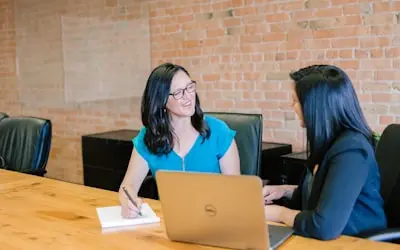
    Record feedback on client work instead of writing long emails. Works for website reviews, business audits, branding feedback and marketing plans. Draw on the screen while you talk so the client sees exactly which part you mean, and they can reply with comments on the video.

    Example
    A marketing consultant records a website audit video, explaining how a client can improve landing page conversions using better headlines and CTAs.
  4. Hosting Virtual Workshops & Webinars04

    Hosting Virtual Workshops & Webinars

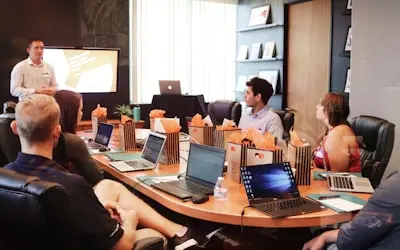
    Record live workshops and webinars so you can offer the replay to attendees and future clients. Useful for group programs, leadership training and self-development sessions. Trim the recording before you share it, or offer a free session replay as a lead magnet.

    Example
    A life coach records a 'Goal-Setting Masterclass', showing how to define, plan, and achieve personal and professional goals.

  5. Creating Social Media & YouTube Coaching Content05

    Creating Social Media & YouTube Coaching Content

    Record short lessons for Instagram, TikTok, LinkedIn and YouTube. Quick tips, Q&A answers and mini-lessons help new clients get to know how you work before they book. Download the MP4 or upload straight to YouTube.

    Example
    A fitness coach records a '3 Mistakes You're Making in Your Workout Routine' video for YouTube, leading viewers to a paid coaching program.

FAQ

Questions, answered

Common questions from coaches and consultants about recording and sharing with Flonnect.

Recording your sessions and frameworks lets you turn them into courses and programs that many clients can watch. You spend less time repeating the same explanation one-on-one.

Get the client's consent before you record, and tell them who will see the recording. Flonnect recordings stay private to your account until you share the link, and you can delete a recording at any time.

Yes. Trim a live session recording to cut personal details and keep the teaching parts. The result works as course material, a lead magnet or a free sample of your coaching.

Record your screen with your camera on, draw on the screen to point at specific areas, and keep each video focused on a few clear actions. Short videos usually work better than long ones, and clients can leave comments on the video.

Short modules are easier for clients to finish. Mix teaching, examples and action steps. Flonnect's AI editor can remove filler words and silences and add captions, so you spend less time editing.

Each recording has a share link, and viewers can leave comments on the video. Flonnect does not replace a course platform, so use your course host if you need detailed progress tracking.

Record your next coaching session

Install the free Chrome extension, record your screen and camera, and send the client a link when you stop.

Add to Chrome — it's freeSee use cases
Logo

One screen recorder for work, demos & meetings.

✔ Screen recording✔ Meeting recording✔ Interactive demos✔ AI video editing
Windows
macOS
Chrome
Logo

One screen recorder for work, demos & meetings.

  • ✔ Screen recording
  • ✔ Meeting recording
  • ✔ Interactive demos
  • ✔ AI video editing

Product

  • Screen Recorder
  • Meeting Recorder
  • Meeting Agent
  • Presentation Recorder
  • Bug Reporting
  • Interactive Demos
  • Transcription
  • Pricing

AI Tools

  • AI Video Generator
  • AI Video Editor
  • AI Presentation Maker
  • AI Image Generator
  • AI Thumbnail Generator
  • Text to Video

Use Cases

  • Business Teams
  • Education
  • Marketing
  • Developers & QA
  • Sales & Support
  • Content Creators

Company

  • About Us
  • How It Works
  • Downloads
  • Community
  • Changelog
  • Contact Us
  • Compare

Legal

  • Privacy Policy
  • Terms & Conditions
  • Refund Policy
  • Google API Disclosure

Media Tools

  • Extract Audio
  • Remove Meta Data
  • Change Container
  • Inspect Streams
  • Trim / Split
  • Subtitles
  • Batch Processing
  • File Compression
  • Convert to HLS
  • Thumbnail Generator
  • Rotate / Flip Video
  • Audio Converter
Download for Windows
Download for macOS
Chrome Extension

© 2026 Talky Media Private Limited. All rights reserved.

Privacy
Terms
Refunds