Coming soonYour AI agent can attend meetings for you. See how →

Flonnect
Home
  • Screen Recorder
    Record your screen in up to 1080p
    Meeting Copilot
    AI-powered transcription & summaries
    Meeting Agent
    Invite the AI agent to any meeting
    Interactive Demo Capture
    Create interactive product demos
    Testimonials
    Collect and showcase testimonials
    Presentation Recorder
    Record slides with your camera
    Bug Reporting
    Report bugs with visual context
  • AI Video Generator
    AI Video Editor
    AI Animated Video Maker
    AI Text To Video
    AI Avatar Video
    AI Face Swap Video
    AI Short Video Creator
    AI Image Generator
    AI Photo Editor
    AI Art Generator
    AI Background Remover
    AI Ad Generator
    AI Social Media Post
    AI Thumbnail Generator
    AI Presentation Maker
  • Meeting Recording & Collaboration

    Google Meeting RecorderMicrosoft Teams RecordingZoom Meeting Recording

    Content Generation & Documentation

    Minutes of MeetingTranscription

    Screen & Camera Recording

    Screen RecordingScreen + Camera RecordingPresentation RecordingVideo PresentationCamera Recording

    Specialized Recording & Enhancement

    Annotation While RecordingStep RecorderHTML Interactive Demo RecordingSystem Audio RecordingMic RecordingMovable Camera

    Sharing & Integration

    Share Video with One ClickReact/Comments on VideosUpload Video to YouTubeAttach Video in Email

    Bug Reporting & Development Workflow

    Screenshot Bug ReportingVideo Bug RecordingPush to JiraBug CaptureAdd Video in Bitbucket/GitHub PR
    View all features →
  • Education & Learning
    5 use cases
    Business & Corporate
    5 use cases
    Marketing & Content
    5 use cases
    Freelance & Creative
    7 use cases
    Technology & Development
    5 use cases
    Gaming & Entertainment
    3 use cases
    Legal & Compliance
    4 use cases
    Healthcare & Wellness
    4 use cases
    Finance & Investment
    3 use cases
    Research & Science
    3 use cases
    Manufacturing & Industry
    3 use cases
    Real Estate & Property
    2 use cases
    Automotive & Transportation
    2 use cases
    Community & Public Service
    4 use cases
    View all resources →
BlogsPricing
  • Extract Audio
    Remove Meta Data
    Change Container
    Inspect Streams
    Trim / Split
    Subtitles
    Batch Processing
    File Compression
    Convert to HLS
    Thumbnail Generator
    Rotate / Flip Video
    Audio Converter

Use case

Screen Recorder for Freelance Designers

Record your design process, client presentations and feedback with your screen and camera, then share a link clients can comment on.

Add to Chrome — it's freeSee use cases

Free forever plan · No credit card

How people use it

5 ways freelance designers use Flonnect

Process videos, client walkthroughs and feedback recordings that explain design decisions clearly.

  1. Recording Design Process & Speed Design Sessions01

    Recording Design Process & Speed Design Sessions

    Record your creative process from concept to completion. It shows clients how you think about a problem. Can include sketching, wireframing, prototyping and the final design. Useful for your portfolio and for winning new clients.

    Example
    A UI/UX designer records the complete process of designing a mobile app interface, from user research to final prototype.
  2. Creating Design Tutorials & Educational Content02

    Creating Design Tutorials & Educational Content

    Record step-by-step tutorials on design skills and software. Teach tools, design theory and good practice. Useful for courses, YouTube and paid lessons.

    Example
    A graphic designer records a tutorial on logo design basics, covering concept development and execution in Adobe Illustrator.
  3. Recording Client Presentations & Design Reviews03

    Recording Client Presentations & Design Reviews

    Record design presentations so clients can watch them in their own time. Explain the reasoning behind your choices and collect feedback in one place. Covers concept presentations, revision discussions and final walkthroughs.

    Example
    A web designer records a client presentation explaining the rationale behind a website redesign, including user experience improvements.
  4. Documenting Design Feedback & Revision Processes04

    Documenting Design Feedback & Revision Processes

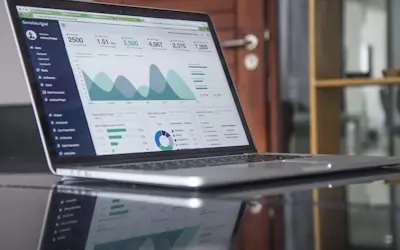
    Record feedback and revision walkthroughs so changes are clearly understood. Draw on the screen while you talk and show before-and-after versions. Helpful on projects with several stakeholders.

    Example
    A brand designer records a feedback session, highlighting specific design elements and explaining how client suggestions will be implemented.

  5. Creating Portfolio Presentations & Case Studies05

    Creating Portfolio Presentations & Case Studies

    Record portfolio presentations and case studies. Tell the story behind each project: the problem, the options you explored and the final design. Include results only if the client has agreed to share them.

    Example
    A product designer records a case study walking through an e-commerce redesign, from the old checkout to the new one.

FAQ

Questions, answered

Common questions from freelance designers about recording and sharing with Flonnect.

A process video shows your thinking, not just the final file. Clients see what goes into the work, which makes it easier to explain your rates.

Flonnect records any app on your screen, including Figma, Illustrator and Photoshop, at up to 1080p. Use the desktop app for Windows or macOS, or the Chrome extension for browser tools.

Yes. Many designers sell courses or run YouTube channels alongside client work. Flonnect handles recording and editing; you choose where to publish.

Record a single window or browser tab instead of your whole screen so other client files stay out of view. Recordings stay private to your account until you share the link.

Screen recording with a camera bubble works well. The client sees your design and your face, and you can move the bubble out of the way.

Yes. Draw on the screen while you explain, and clients can reply with comments on the video. That usually means fewer misunderstandings and revision rounds.

Record your next design review

Record your screen and camera while you present a design, then send the client a link they can comment on.

Add to Chrome — it's freeSee use cases
Logo

One screen recorder for work, demos & meetings.

✔ Screen recording✔ Meeting recording✔ Interactive demos✔ AI video editing
Windows
macOS
Chrome
Logo

One screen recorder for work, demos & meetings.

  • ✔ Screen recording
  • ✔ Meeting recording
  • ✔ Interactive demos
  • ✔ AI video editing

Product

  • Screen Recorder
  • Meeting Recorder
  • Meeting Agent
  • Presentation Recorder
  • Bug Reporting
  • Interactive Demos
  • Transcription
  • Pricing

AI Tools

  • AI Video Generator
  • AI Video Editor
  • AI Presentation Maker
  • AI Image Generator
  • AI Thumbnail Generator
  • Text to Video

Use Cases

  • Business Teams
  • Education
  • Marketing
  • Developers & QA
  • Sales & Support
  • Content Creators

Company

  • About Us
  • How It Works
  • Downloads
  • Community
  • Changelog
  • Contact Us
  • Compare

Legal

  • Privacy Policy
  • Terms & Conditions
  • Refund Policy
  • Google API Disclosure

Media Tools

  • Extract Audio
  • Remove Meta Data
  • Change Container
  • Inspect Streams
  • Trim / Split
  • Subtitles
  • Batch Processing
  • File Compression
  • Convert to HLS
  • Thumbnail Generator
  • Rotate / Flip Video
  • Audio Converter
Download for Windows
Download for macOS
Chrome Extension

© 2026 Talky Media Private Limited. All rights reserved.

Privacy
Terms
Refunds